
Choose recovery software by the files it can help you find, inspect and save. For a stable drive, start with a free scan, look at the content you need and check the export terms. XRecovery brings search, supported previews, recovery and file repair into one Windows application.
What should you compare before paying?
| Check | What matters for your files |
|---|---|
| Source access | The tool supports your Windows version, connection and file system. |
| Finding the right result | Paths, file types, names, dates and filters help you locate the version you need. |
| Preview | You can inspect supported content before choosing what to recover. |
| Free export | The allowance covers the files you plan to save; a free scan alone is a different offer. |
| Paid access | The license clearly states its term, computer allowance and included functions. |
Try that checklist on your own files. XRecovery scanning and supported original-file preview are free; recovery and repair share a cumulative 2 GB allowance that does not reset.
Windows 7 SP1 or later. Need the 32-bit installer?
Match the tool to the job
Check backups, cloud versions and application recovery features first. If they already contain a usable copy, you may not need a disk scan. For deleted files, stop unnecessary writes and install the tool away from the affected storage. Save recovered files to a different device.
- SD cards: prioritize full-size photographs, RAW originals or complete recordings.
- USB drives: distinguish file recovery from formatting or making the drive reusable.
- SSDs: check readability and understand what a TRIM setting can and cannot tell you.
- Video and photos: judge the content you can watch, edit or print.
- Lost partitions: decide whether you need files exported or the partition itself repaired.
See how XRecovery helps you narrow the results
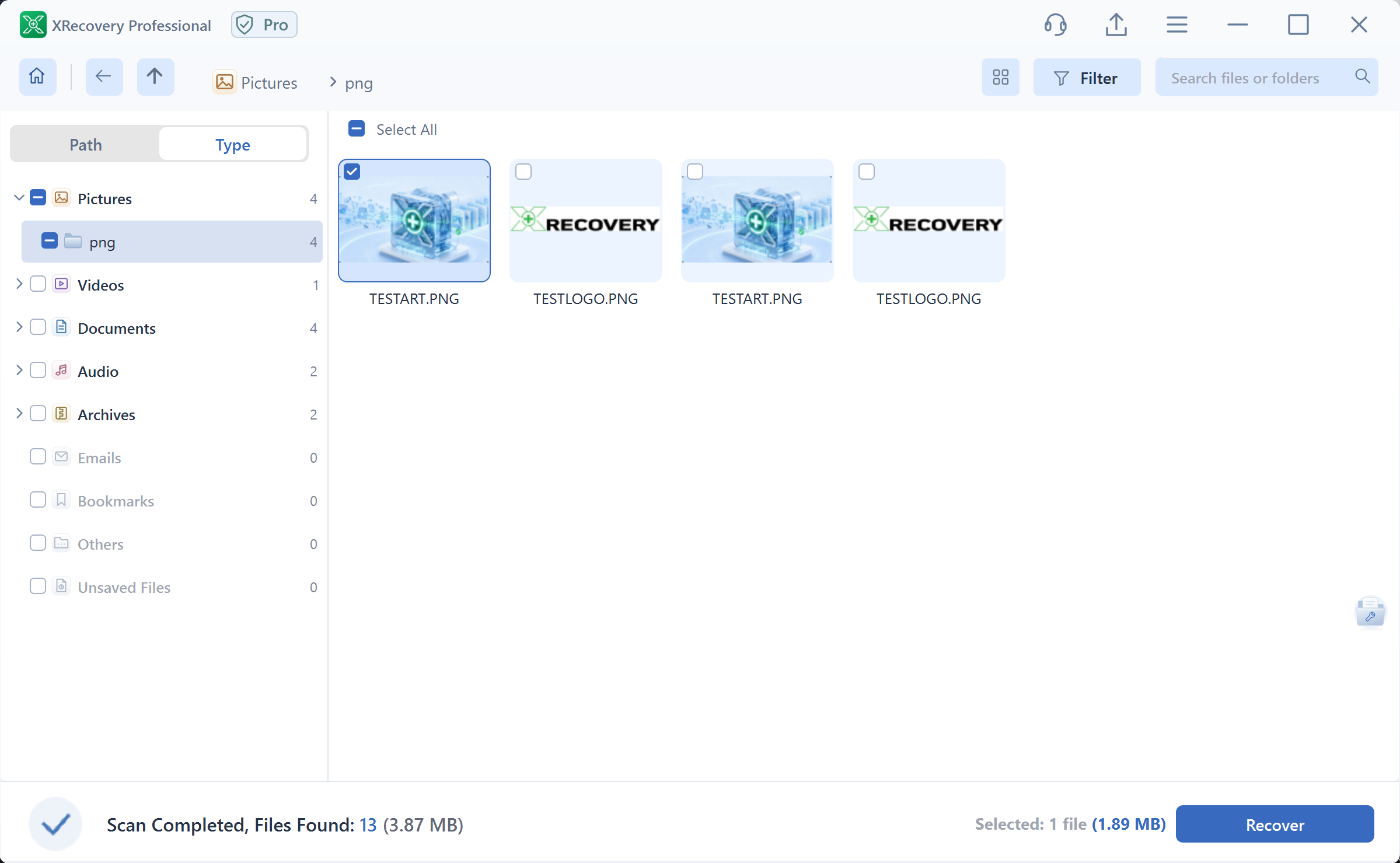
Switch between Path and Type views, search for a filename and filter by type, time or size. This is especially useful when several folders or older versions look similar. Supported previews let you inspect content before selecting files.
Open the exported files before deciding
Check the required document pages, full-size photos or complete recording in the application you normally use. Keep outputs from different attempts separate. If a known-good original survives elsewhere, a matching hash establishes an identical copy; without an original, the hash only identifies the exported file.
Choose a paid term when useful results exceed your remaining free allowance. Monthly and annual XRecovery licenses include the same functions for one computer, with no recovery-capacity quota during the valid term and manual renewal. Compare monthly and annual plans, or follow the Windows recovery walkthrough for the operating steps.
This guide is published by the XRecovery team. If a drive clicks or repeatedly disconnects, use the software-or-service guide before continuing scans.