To recover files with XRecovery 4.0, choose the source storage, scan it, review the results and save selected files to another physical device. This workflow is for a source that XRecovery can identify and read; scanning cannot recover data that has already been overwritten or cleared.
Before you start
- Use Windows 7 or later, with the x86 or x64 version appropriate for your system. Check the system and connection requirements before using a remote source.
- Stop using the device involved in the loss. Where possible, install XRecovery on another device, and avoid formatting, initializing or running repair tools on the source.
- Connect a healthy destination on a different physical device with enough free space. Another partition on the same source disk is not a separate physical destination.
- If the source repeatedly disconnects, changes capacity, overheats, clicks or stalls the computer, stop and assess its condition before continuing.
1. Select the source
Open XRecovery and locate the disk, partition or memory card involved in the loss. Compare the model, capacity and partition information before selecting it. A device without a drive letter may still be available to scan if XRecovery can identify and read it.
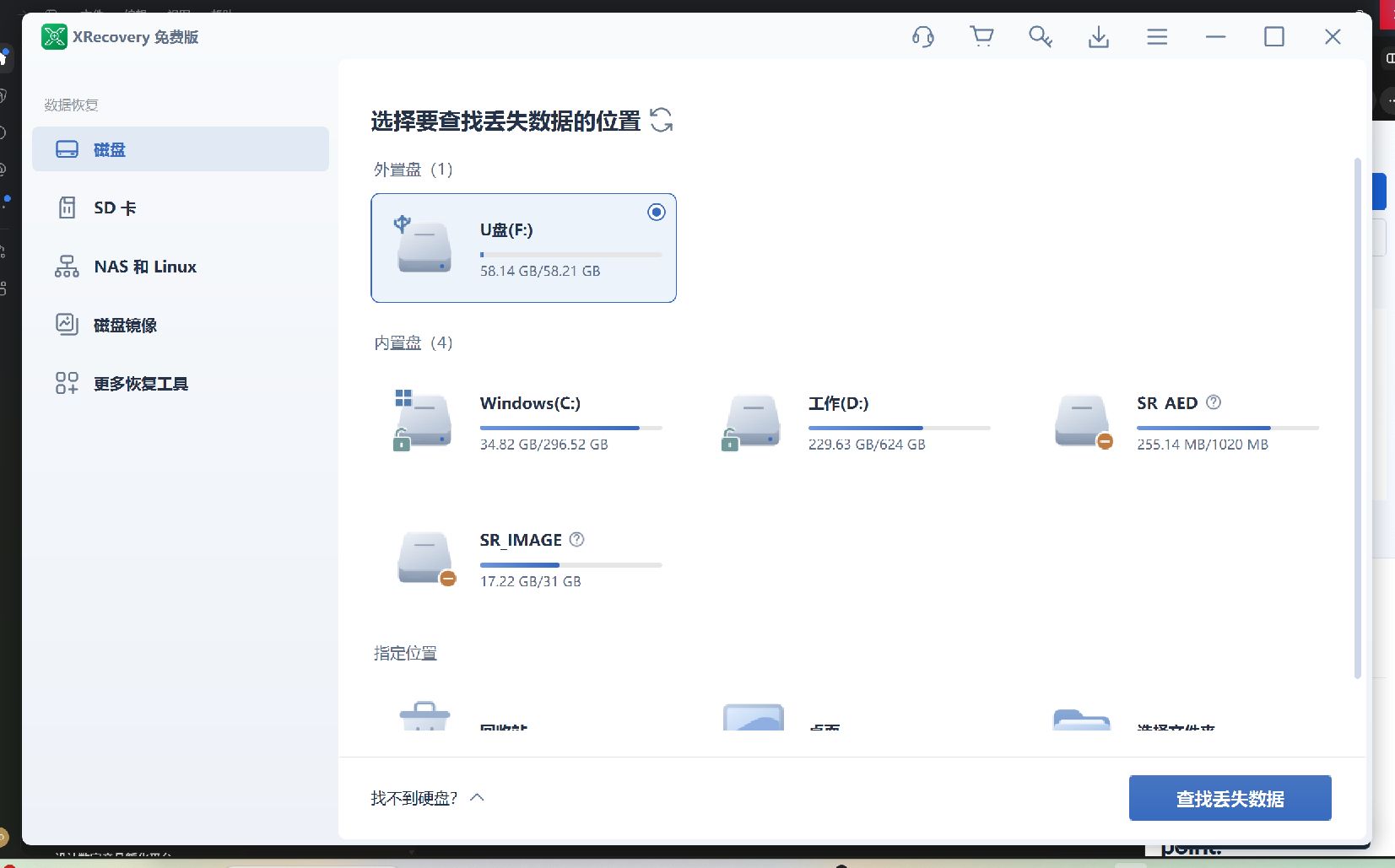
For SD or microSD recovery, connect the card through a compatible card reader so it is available as readable storage. A camera or phone connection that only exposes MTP or PTP media objects does not provide the disk access needed for this workflow.
2. Scan the selected storage
Confirm the source, then start scanning for lost data. Available scanning paths depend on the file system and the condition of the source. Keep the connection stable and allow the scan to examine the storage. Do not assume that every device follows an identical quick-to-deep scanning sequence.
You can pause and continue the current scan. If you save scan results to return to them later, keep the corresponding source device or image available. Saved scan results describe findings; they are not a backup of the original file data.
3. Filter the results and preview supported files
Use the result views, search and filters to narrow the selection to the files you need. File-system results may retain names and folders when the original records remain. Files found by content signatures may have reconstructed names or no original directory path.
Preview representative files where the format is supported. Inspect the contents rather than relying only on the file name or thumbnail. Preview availability and scan support are different; see supported file systems, file types and preview for the boundaries.
4. Recover to another physical device
Select the files you need and start recovery. When choosing where to save them, use the separate destination prepared earlier. Do not write recovered files back to the source: new writes may overwrite other data you still want to recover.
Recover a small, representative selection first. XRecovery 4.0 provides free scanning and supported preview, with a cumulative 2 GB free recovery allowance that does not reset after use. For current paid options, see XRecovery plans.
5. Check the exported files
Open recovered files in their normal applications. Check documents beyond the first page, inspect photos at full resolution, test archive extraction and play videos at several points with audio. These checks help identify partial or damaged results; a successful export alone does not establish that every part of a file is intact.
After checking the sample, recover and verify the remaining selection. Keep the original source or first image unchanged until the files you need have been checked and backed up.
Using an image, NAS or Linux source
For an existing compatible disk image, use the disk-image source instead of the physical device. XRecovery can also create a raw .img image for later scanning. Image compatibility depends on the image structure, internal file system and completeness; creating an image does not repair physical damage.
For NAS or Linux remote recovery, run XRecovery on Windows 10 or later with a 64-bit operating system. The remote device must be reachable over SSH and the account must have the required access permissions. Select the appropriate remote source after connecting, then review results and export to a separate destination. Access to a shared folder alone does not establish access to deleted data on its underlying storage.
Get help with the next step
This workflow covers XRecovery 4.0, which is being prepared for release. Check the download page for the installer currently available. Interface screenshots can differ from the language or build you are using.
- Check system and connection requirements
- Check file-system and preview support
- Contact support with the source type, the step that failed and the error message. Do not include passwords or recovery keys in a screenshot.