
Learning how to take care of sd card media is mostly a matter of removing small daily frictions, and the payoff is measured in years. The highest-value habit is to stop filling cards to capacity: a card kept below roughly 80 percent full writes faster, wears more slowly, and reports fewer write errors, because its controller always has spare blocks for its own housekeeping. Most cards that died young were run at 98 percent full for their entire working lives.
Each habit below maps to a specific failure mechanism documented in this section, so the guide doubles as a checklist against known causes rather than a list of folk rules.
Buy a Card That Is Genuinely What It Claims to Be
No amount of careful handling repairs a counterfeit card, and counterfeit capacity is more common in this market than most photographers believe. A card that reports 512 GB and actually holds 32 GB is programmed to wrap around and overwrite its own earliest data, which produces the classic symptom of a shoot that imported fine and then lost its first files.
Two habits protect against it. Buy from a distributor you can hold accountable rather than a marketplace listing, and verify a new card before it carries anything important. Verification means filling it with large files, then reading every one back and comparing checksums; a wrapped card fails immediately. The mechanism behind these devices is set out in the fake capacity card analysis.
Insertion and Removal Technique
Card connectors are spring-loaded contacts inside a plastic shell, and they are damaged by the hand far more often than by the camera.
Push the card in until it seats with a click, using a fingertip on the card’s edge rather than a thumbnail on the contact side. Never force a card that resists; almost every mis-insertion involves pushing harder instead of turning the card over. To remove, press in to release, let the spring eject it, and take it by the edges.
| Habit | Wrong version | Failure it prevents |
|---|---|---|
| Insert with contacts toward the slot’s pins | Forcing it in the other orientation | Bent contact fingers, dead slot |
| Press in, let the spring release | Gripping and pulling straight out | Flexed card body, cracked die bond |
| Handle by the edges | Gripping across the contact pads | Skin oils on gold plating, intermittent reads |
| One card per case slot | Carrying cards loose with keys | Chipped edges, scratched contacts, ESD |
The timing half of removal matters more than the mechanical half. Pulling a card before the camera finishes its pending writes is the most common preventable loss in this section, and the mechanism is covered in why direct removal is a gamble.
Storage: Where Cards Actually Die
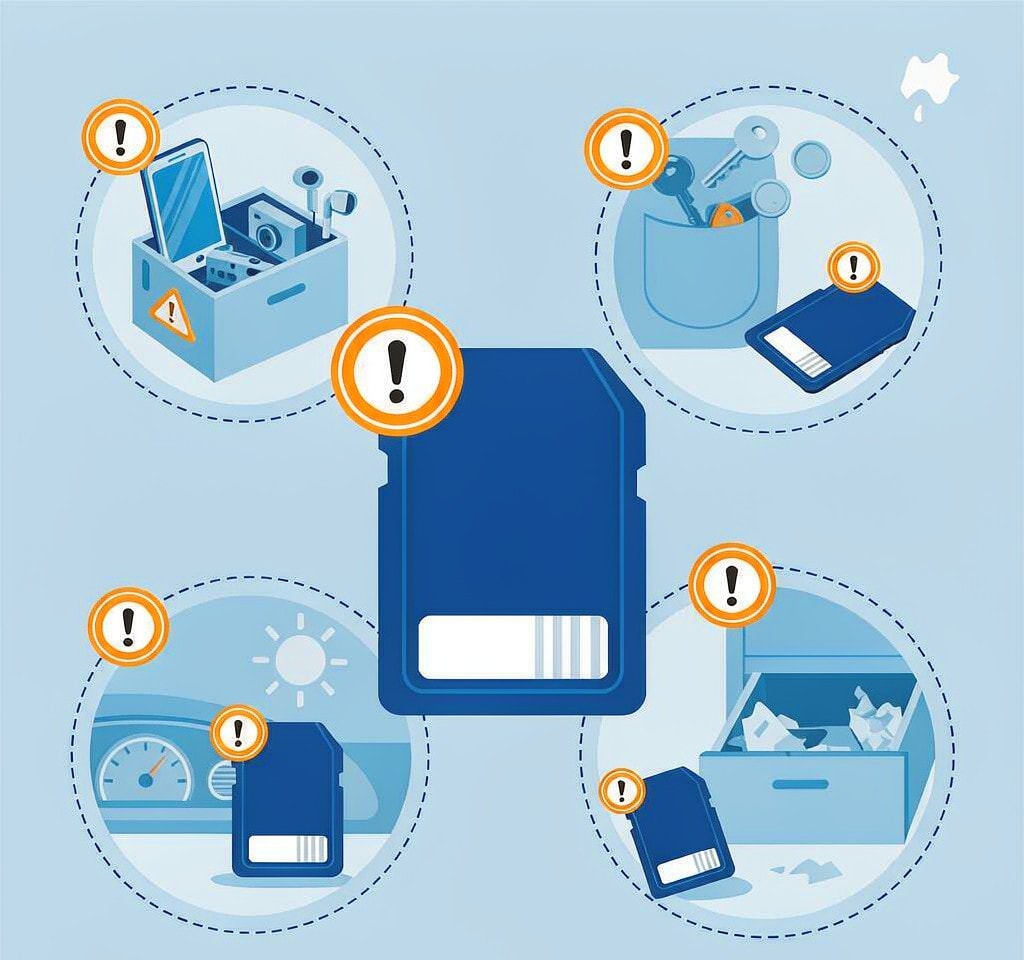
Cards spend most of their lives out of the camera, and that is when most of the wear happens.
Temperature dominates. Discharge leakage in unpowered NAND cells roughly doubles for every 10 °C above 25 °C, so a card stored in a closed car loses charge from its oldest files while nothing touches it. A card that sat in a glovebox for three months can develop unreadable sectors in a finished shoot. Never store working or archive cards in a vehicle; the full mechanism is in the environmental damage overview.
Condensation, not humidity, is the water risk. It forms when a cold card meets warm humid air, so the transition from an air-conditioned room or a winter exterior into a warm building is the moment that matters. Seal cards in a zip-top bag while still cold and let them warm slowly.
Abrasion is constant and mundane. A card loose in a pocket collects grit, and grit on a contact pad acts as a polishing agent. Use a hard case with individual slots and put the anti-static sleeve back on; the sleeve keeps lint off the plating as much as it manages static.
Labeling discipline is a storage habit too. Write on the label area, never across the contacts, and never on an inserted card. A card that cannot be identified is a card whose contents get overwritten by mistake.
Cleaning Contacts the Right Way, Which Is Usually Not At All
Contact cleaning is the habit most often performed more aggressively than needed, and the aggressive versions do measurable harm.
Gold plating on a card’s pads is fractions of a micron thick. A pencil eraser, a fiberglass pen, or a rough cloth removes the plating along with the contamination and exposes nickel underneath, which oxidizes quickly and reads less reliably than the gold it replaced. Repeated alcohol scrubbing has the same long-term effect.
Clean only when there is a visible problem: a card that has become intermittent, or one exposed to salt water, dust, or fingerprint residue. Then wipe gently along the direction of the contacts with a dry lint-free swab, use 99 percent isopropyl alcohol only for residue, and let the card dry completely before it goes near a slot.
The useful rule is preventive: do not touch the pads. Handle every card by its edges and the cleaning question never arises. Handling is also where cards most often get dropped and flexed, which is why a damaged card edge usually traces back to the pocket rather than the camera, as described in physical damage to card media.
Why Full Cards Fail Earlier and Run Slower

This is the counter-intuitive part of card care, and the one that changes behavior most.
Flash cannot overwrite a page in place. To change a single byte, the controller reads the surrounding block, modifies it, and writes it to a fresh block, then schedules the old one for erasure. That extra work is write amplification, and the controller hides it by keeping a pool of free blocks ready. When a card is nearly full, the pool shrinks, garbage collection runs more often, and each host write triggers more internal copying.
Two things follow. Sustained write speed falls: a card that holds V30 comfortably when empty can drop below it at 90 percent full, because steady-state throughput is limited by internal copying rather than by raw NAND speed. Cameras report this as a write-speed error and stop the recording, which is why a clip aborts at the end of a long day but never at the start. The ratings and what they promise are explained in memory card speed classes.
Wear also accelerates. Every block rewritten for housekeeping consumes program-erase cycles, the finite resource that defines a card’s life. A card run at 98 percent full does more internal copying per delivered byte than the same card at 70 percent, so it reaches its rated endurance sooner, as described in SD card lifespan and write wear.
The practical rule: offload and reformat in-camera once a card passes about 80 percent, and keep two or more cards in rotation rather than one large one. Rotation also supports the redundancy of recording to both slots, which is the only care measure that survives a card failing outright.
Stop Hot-Swapping Between Camera and Computer
Moving one card between a camera and a reader ten times a day has the worst ratio of convenience to risk of any habit here.
The card is rarely the part that fails. Camera and reader slots use sprung contacts that lose tension with use, and a slot that has ingested grit wears faster than any card’s plating. Intermittent “card not detected” errors usually trace to a worn slot or a dirty card edge.
There is a file system cost too. Every mount lets the operating system write its own metadata: index files, .DS_Store entries on macOS, thumbnail caches, or a system volume information folder. These consume free blocks and occasionally collide with a camera’s expectations about folder layout, and repeated mount cycles are where the failures in photos lost during import begin.
The better pattern is one card per shoot, offload once, then verify and reformat. Keep a single good reader in one place rather than using whatever is at hand, and where the camera supports a direct USB transfer that leaves the card seated, use it rather than swapping.
A Routine You Can Actually Keep
| Routine | Frequency | Cause it addresses |
|---|---|---|
| Offload and reformat in camera at about 80 percent full | Every shoot | Write amplification, endurance, speed collapse |
| Fill and read back a new card to verify capacity | On purchase | Counterfeit capacity |
| Return cards to the case, sleeves on | Every use | Contact abrasion, ESD, moisture |
| Run a full read and write test | Quarterly | Emerging bad blocks, worn contacts |
| Retire a card after a failed test | As needed | Repeat failures, silent loss |
The quarterly test is the one people skip and the one that pays. A card that reports errors under a full read pass is telling you it is finished, and the time to hear that is at the desk rather than on location. The procedure is in testing card health.
Frequently Asked Questions
Should I fill an SD card to capacity?
No. Flash controllers need free blocks to perform garbage collection, and when the free pool runs out the card slows down and copies data internally more often. Keep cards below about 80 percent full, then offload and reformat. This single change adds the most life and the most consistent write performance.
How should I clean SD card contacts?
Usually you should not. Gold plating is extremely thin, and erasers and abrasives remove it along with the dirt. If a card has visible contamination, wipe gently along the contacts with a dry lint-free swab, use 99 percent isopropyl alcohol only for residue, and let it dry completely before inserting it.
Is it bad to leave a card in a hot car?
Yes. Unpowered NAND cells lose charge over time, and the leakage rate roughly doubles for every 10 °C above room temperature. A card left in a vehicle through a summer can develop unreadable sectors in its oldest files without having been touched. Keep working and archive cards out of vehicles.
Do cards wear out from being moved between a camera and a computer?
The card rarely wears out from insertion cycles; the slots do. Both the camera slot and the reader slot use sprung contacts that lose tension with use and grit. Offloading once per shoot and leaving the card seated during the transfer keeps both sides in better condition.