
Is it safe to remove memory card media without ejecting it first? Usually yes, and that is exactly why the habit survives. A card endures a hundred direct pulls because the last write happened to finish first. The pull that costs a shoot is the one inside the one-to-three-second window when the file system is still committing directory data. Nothing changed between the good pull and the bad one except the timing.
This page covers the write-back delay that makes casual removal work, the failure signatures it produces when it fails, and the correct shutdown order.
What Happens Between a Write and an Eject

A photo does not travel straight from the camera to the NAND cells. It passes through at least two caches, and each one commits on its own schedule.
The first cache is in the host. Windows, macOS, and Linux hold recently written data in RAM as dirty pages and write it out later. The delay is typically a fraction of a second to a few seconds after the last write, longer when the system is busy. This is the cache that an eject command flushes.
The second cache is inside the card. Every memory card carries a controller that maintains a flash translation layer, or FTL (Flash Translation Layer), a map between the logical addresses the file system sees and the physical NAND pages they occupy. That map lives in RAM and is committed to flash during idle periods or when the controller detects that power is going away. Cards with power-loss protection capacitors finish the commit even when power is cut without warning; cheaper cards may not.
Why the First Pull Almost Never Costs Anything
Three factors keep the odds in your favor, and none of them is a guarantee.
Write-back delay is short. After the last file closes, dirty pages reach the card within seconds and the card’s own commit usually follows in a similar window. A photographer who finishes a shoot, spends a minute packing a bag, and then pulls the card has already given both caches time to drain. The habit works because people are slow, not because pulling is safe.
Camera writes are bursty. A camera writes heavily while capturing, then sits idle, and idle time is exactly when both caches commit.
Failures are unmemorable. Someone who has pulled cards directly for twenty years has run the experiment perhaps two thousand times and lost one shoot. The successful pulls leave no trace, and the one failure gets blamed on a bad card, which is usually wrong.
The activity at the moment of the pull matters more than how many pulls you have made. Removing a card immediately after a burst of frames, after deleting files in-camera, or during playback is a different operation from removing one that has been sitting in a bag. Those are the moments when directory and allocation structures are being rewritten.
The Three Ways a Bad Pull Breaks a Card
An interrupted commit does not corrupt every byte. It damages whichever structure was open at that instant, and that structure determines the symptom.
| What was being written | What you see afterward | Camera behavior | Underlying state |
|---|---|---|---|
| File data written, directory entry not | The file is absent from the listing | No warning at all | Data is on the card and can be found by signature scan |
| Directory entry written, data not | File appears at 0 bytes or truncates | Playback fails or the clip is short | Payload incomplete; frame data may partly exist |
| Allocation table half-updated | Volume mounts as RAW, or not at all | Prompts to format the card | Photos usually intact in orphaned clusters |
The third row produces the “everything is gone” reaction and is the most misunderstood. FAT32 and exFAT have no journal, so nothing records an intent to change the allocation table ahead of time. A half-written table leaves clusters marked as used with no directory entry naming them. The camera sees a volume it cannot parse and offers to format it, while the photos sit untouched in those orphaned clusters.
This is also why an interrupted removal can leave a card that looks empty but holds a full shoot. The bytes stay put and only the pointer disappears, which is the same condition that makes deleted photos recoverable at all.
The Card’s Own Cache Is the Part You Cannot Eject From
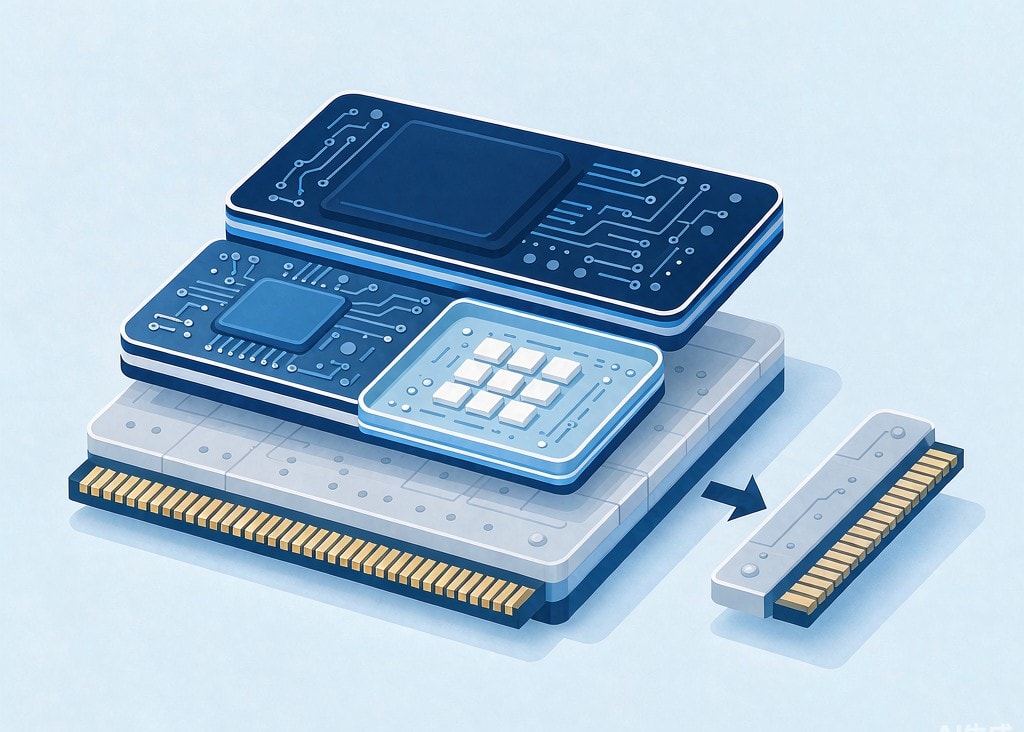
The counter-intuitive part of this topic is that a textbook eject on the computer still does not fully protect you, because the host never had authority over the card’s internal map.
When a card updates its FTL, it rewrites its own index of where each logical block lives. If power disappears mid-commit, some controllers restore the previous map from a backup block on the next power-up. Others finish with a partially updated map. The symptoms of the latter are distinctive: a card that mounts, lists its folders, and then hangs or drops off the bus when you open one particular file. The card is not dying in the ordinary sense. It cannot resolve an address because the mapping entry was never committed.
The practical consequence is that the safe-eject ritual covers one failure mode and not the other. Writes still in the host’s page cache are saved by ejecting; writes that reached the card but were not yet committed by its controller are not. Covering both means stopping new writes for a few seconds before removing anything: end the recording, stop the transfer, wait, then disconnect.
The Correct Order, on the Computer and in the Camera
Every operating system performs the same two operations on an eject: flush the host cache, then mark the volume offline so nothing new is written.
| Platform | Correct action | What goes wrong without it |
|---|---|---|
| Windows 10/11, default removable policy | Safely Remove Hardware, or eject in Explorer | Pending writes were still buffered |
| Windows, reader set to “Better performance” | Same, and wait for confirmation | A deeper cache with a much longer delay |
| macOS | Eject in Finder, or diskutil eject | “Disk not ejected properly” means open writes remained |
| Linux | sync followed by umount | sync alone leaves the volume mounted |
| Camera body | Stop recording, then power off | No eject command exists; the power switch is the commit signal |
Windows since version 1809 applies a “quick removal” policy to removable drives by default, which disables write caching on them, so direct removal now fails far less often than it did twenty years ago. Anyone who switched a reader to “Better performance” to speed up imports has silently restored the old risk.
Most losses from this cause happen in the camera, not at the desk, because cameras give you no eject command and hold only a shallow buffer. The sequence worth automating is short: stop the recording, wait for the buffer indicator to clear, switch the body off, wait for the activity light to go out, then open the door and press the card to release it.
If a camera boots with a formatting prompt after an abnormal removal, decline it. That prompt means the volume did not mount, not that the data is gone, and accepting it writes a new empty file system over a card that usually still contains everything. The full response is in the mistakes that end a recovery, and the reason a format is survivable at all is covered in in-camera versus computer formatting.
If You Already Pulled the Card
If the card mounts and lists all its files, nothing happened. Do not run a repair to be safe, because a repair writes to the card and writing to an intact card only adds risk for free.
If the card mounts but files are missing, or the camera offers to format it, stop using it. Do not format, do not accept a camera repair, and do not record anything onto it. Work from a second card, and if the affected card is readable on a computer, make a byte-for-byte image before scanning it. The routine for checking whether the hardware is still sound is in testing card health.
If you are on Windows and the card is still detected by a computer, a purpose-built recovery tool such as XRecovery (xappset.com) can scan SD, microSD, and other memory cards for deleted or formatted photos and videos. As with any recovery tool, stop writing to the card first and always save recovered files to a different drive.
A card pulled carelessly that now reports zero files has not lost data. It has lost its index, and the distinction decides whether you are facing a scan or a reshoot.
Frequently Asked Questions
Is it safe to remove a memory card without ejecting it?
It is usually safe and never guaranteed. Pending writes normally reach the card within a second or two of the last write, so most direct pulls interrupt nothing. The risk concentrates in the moment right after heavy write activity, which is exactly when people tend to pull the card.
Why has nothing ever happened when I pulled the card?
Because the write-back almost always completes before you pull. The computer’s cache and the card’s internal map both commit during idle, and you are normally slow enough that idle has passed. A long run of successes says nothing about the next pull; it means the vulnerable window has not been hit yet.
Does formatting a card fix damage from an unsafe removal?
No, it destroys the evidence. Formatting writes a new empty file system over the old one and clears the directory entries a scan uses to rebuild names. It does not overwrite the photo data, so recovery is still possible afterward, but it removes the information that makes recovery accurate.