
Camera data loss scenarios are easier to plan for once you accept one fact: the shoot you are on predicts how you will lose files far more accurately than the camera you are holding. A wedding fails through a single unbacked card, a drone shoot fails through power sag mid-clip, and a cinema card fails through a handoff that nobody verified. The failure mode is predictable, and so is the countermeasure.
This page maps loss across three axes at once: the scenario you shoot, the device class that records it, and the brand that built it. Every entry routes to the page that owns that specific case, so you can locate your situation in one step instead of reading a generic guide written for vacation snapshots.
Why the Shoot Type Predicts the Failure Better Than the Camera Does
Camera data loss is a process, not an event. Files disappear because of a specific sequence of writes: something wrote to a card at the wrong moment, something failed to finish a write, or a second copy was never made. Different shoots apply pressure to different parts of that sequence, which is why the same “card error” message means something entirely different on a wedding dance floor than on a survey flight.
Three variables do most of the predictive work.
- Write intensity and duration. A wedding photographer fires bursts for ten hours straight. A trail camera writes one frame every few minutes for six months. Both are exposed, for opposite reasons: one saturates the card, the other leaves it outdoors through freeze-thaw cycles and condensation.
- How long the only copy lives on the card. A vlogger who offloads every night has a one-day exposure window. A documentary crew rotating cards across a three-week shoot has a three-week window. This single number predicts loss better than any hardware specification.
- The count of single points of failure. One card in one slot, one battery, one offload drive, one laptop holding the only other copy.
The camera body is the least predictive variable of the three. A cinema camera and a budget action camera lose data through the same three mechanisms — index loss, interrupted writes, and overwrite — and the real difference is the value at stake and how long it stays unprotected. A 10-bit log clip and a 12-megapixel JPEG are equally gone when the directory entry vanishes; only one of them is worth a lab invoice. What the device changes is which mechanism fires first.
The practical conclusion is uncomfortable: buying a better camera does not reduce your risk much. Changing how many cards hold the only copy does.
The Scenario Matrix: Nine Shoot Types and How Each One Breaks

Read down the row that matches your work, then follow the link that owns it.
| Scenario | Dominant failure mode | Typical exposure window | Recovery outlook |
|---|---|---|---|
| Wedding and events | Single-card recording, no on-site duplicate | 1–3 days until the cull | Excellent if the card is untouched |
| Sports and action | Power loss mid-clip, chaptered files | Same day | Good; often needs an index rebuild |
| Aerial and drone | Battery voltage sag, crash, in-air corruption | Until offload, sometimes weeks | Mixed; depends on impact and humidity |
| Cinema and commercial | Unverified offload, card handoff errors | Hours, if the DIT process is disciplined | Good when checksums exist |
| Journalism and documentary | Theft, seizure, single small-crew card | Days to weeks | Depends almost entirely on card state |
| Vlog and social | Counterfeit or cheap cards, reuse without offload | Weeks | Poor if the card was refilled since |
| Surveillance and dashcam | Continuous loop overwrite | Hours | Often unrecoverable by design |
| Trail and wildlife | Months of unattended writes, weather and condensation | Months | Mixed; heat and moisture dominate |
| Underwater and wet | Housing failure, salt water ingress | Immediate | Urgent; corrosion clock starts at minute one |
- Wedding and event work fails through arithmetic rather than hardware. Ten hours of coverage on one 128 GB card means one bent connector, one dropped card wallet, or one accidental in-camera format erases a day that cannot be reshot. The failure is rarely a dead chip; it is the absence of a second copy. Photographers who lose a wedding usually had backup hardware available and simply did not enable it, which is why dual-card recording setup matters more than any recovery tool.
- Sports and action loss is dominated by interrupted recording. Long takes are split into numbered chapters, and if the battery dies, the mount is jolted, or the camera overheats mid-chapter, the final chapter never receives its closing index. The video payload is usually complete and the file simply will not play. The same pattern applies to action camera footage recovery: recover the chapter, then rebuild the index rather than assuming the frames are gone.
- Aerial and drone work has almost no margin between the low-battery warning and an actual shutdown. Voltage sag under load can cut recording before the warning screen appears, and a hard landing can leave a card that still reads on a desktop yet contains a truncated final clip. Operators also keep footage on the aircraft longer than they think, so the exposure window for drone footage loss often stretches across an entire trip.
- Cinema and commercial production operates the most controlled pipeline on this list and still loses material, usually through a copy that was made but never verified. Two drives holding the same silent corruption gives a false sense of safety, because redundancy without checksums duplicates errors as faithfully as it duplicates data. The same logic applies on smaller commercial studio shoots, where a single assistant handles ingestion without a written verification step, and on film and cinema productions running a full DIT (Digital Imaging Technician) pipeline.
- Journalism and documentary carries a risk that no recovery tool addresses: seizure, confiscation, theft, and deliberate destruction. Where the card survives physically, the failure patterns resemble any other field shoot — one card, no duplicate, edited in place on a laptop — which is exactly the profile that field journalism workflows struggle to avoid under deadline.
- Vlog and social production is the highest-risk category per gigabyte. Cards are typically cheaper, capacity is treated as disposable, and the card is often formatted in-camera the moment it fills rather than offloaded first. Once that refill happens, the older files cross from recoverable to permanently gone, which is why vlog and creator shoots produce more “nothing came back” outcomes than professional work does.
- Surveillance and dashcam systems are designed to erase. Loop recording writes over the oldest segment continuously, so the question is never whether dashcam and surveillance footage can be recovered, but how long the loop is. If the segment you need is older than the loop length, it has already been overwritten by design and no tool can reverse it.
- Trail camera deployments accumulate months of unattended writing in environments that punish electronics: direct sun, condensation, frost, and occasionally leaking alkaline cells. Recovery from trail camera deployments is often possible, but cards that sat wet for weeks are a physical problem, not a software one.
- Underwater and wet shoots start a corrosion clock at the moment of ingress. Whether the housing flooded or the card fell into fresh water, the priority is removing power and drying correctly rather than attempting a scan of a wet card, and the procedure differs from every other case in this table.
The Device Class Changes the Failure Mode, Not the Odds
Device class determines which storage path the data travels and, critically, whether you can remove it.
| Device class | Storage | First thing that fails | Practical consequence |
|---|---|---|---|
| DSLR and mirrorless | Removable SD, CFexpress, CFast | Directory index or file system table | Card can be pulled and scanned on a desktop |
| Compact and bridge cameras | Soldered internal flash | Controller, wear leveling, no removable media | Recovery depends on the camera’s own data port |
| Camcorders and broadcast bodies | SD, XQD, SxS, P2 | Container index on interrupted recordings | Usually recoverable, then needs remuxing |
| Cinema cameras | CFexpress, RED MINI-MAG, SSD modules | Offload and handoff, sometimes proprietary containers | RAW payload may need vendor decoders |
| Drones and action cameras | microSD plus internal eMMC | Voltage sag during write, impact | Two storage pools, two different procedures |
| Smartphones | UFS internal flash | Sync failure, app-level deletion | Recovery is possible but the process differs entirely |
The counterintuitive point here matters more than any specification. Removable cards with no TRIM command are easier to recover from than the internal flash in a phone, drone, or compact camera. When a file is deleted on an SD card, the blocks are marked free and left alone. Internal flash is managed by a controller that may run background garbage collection and block erasure while the device is idle, so the space can be genuinely reclaimed before you notice the file is missing. “It is built in, so it is safer” is backwards.
- Camcorders and broadcast media add a second layer: the container. Formats in common field use, such as XAVC, P2, and AVCHD, all rely on an index written when recording stops cleanly. Interrupt the recording and the media is intact while the index is not, which is why camcorder and broadcast media recovery is nearly always a two-stage job.
- Cinema cameras raise the stakes on tooling rather than physics. Proprietary RAW containers often require the vendor’s own decoder to confirm a file is intact, so a scan that reports success is not proof until the clip imports into the grading application.
- Drones and action cameras are the only class on this list with two storage pools at the same time. Footage may live on a microSD card and on internal storage, and the two fail independently: a card can be destroyed by impact while the internal copy is fine, or the reverse. That split is documented in camera internal memory recovery.
- Smartphones end the list with the most misunderstood case. There is no card to pull, no adapter to try, and often no directory structure a desktop scanner recognizes without a dedicated extraction path, which is why phone camera footage loss is handled with a completely different procedure.
Brand-Level Differences That Actually Change Recovery
Brand rarely changes whether data is physically recoverable. It changes whether a recovered file opens, because RAW containers differ at the byte level.
| Brand | RAW container | Structural note |
|---|---|---|
| Canon | CRW, CR2, CR3 | CR2 uses a TIFF-style layout; CR3 is ISO-BMFF, the same box family as MP4 |
| Nikon | NEF | TIFF-derived but with several internal revisions across generations |
| Sony | ARW, SR2, SRF | TIFF-derived with compressed and uncompressed variants |
| Fujifilm | RAF | Proprietary layout with a full-size embedded JPEG preview |
| Panasonic | RW2 | Derived from the earlier RW1, with a distinct header from NEF and ARW |
Two practical consequences follow. First, an extension is a promise the file may not keep. A scanner that keys on the file extension alone can report a successful recovery of a file that never opens in a RAW editor. That is why Canon bodies, whose CR2 and CR3 generations share a name but not a structure, deserve their own checking routine before you trust a scan result.
Second, most RAW formats embed a preview image. A file whose RAW payload is damaged can still yield a recognizable preview, and tools that extract it can show you what you have even when the main data will not decode. For Nikon NEF and Sony ARW files alike, a decodable preview is a strong signal that the file is worth repairing rather than discarding. Fujifilm RAF files, which embed a large JPEG by design, are the clearest case of that behavior.
On the video side, the brand matters less than the codec. Two cameras from different manufacturers recording HEVC into an MP4 container produce structurally similar files, while one manufacturer’s All-Intra and Long-GOP modes fail in completely different ways. Long-GOP footage damaged mid-file loses a group of pictures at a time, because later frames reference earlier ones; All-Intra loses only the damaged frames. The container and codec combination, not the logo on the body, determines what a repair tool can salvage.
Three Failure Classes, and Only Two of Them Are Software Problems
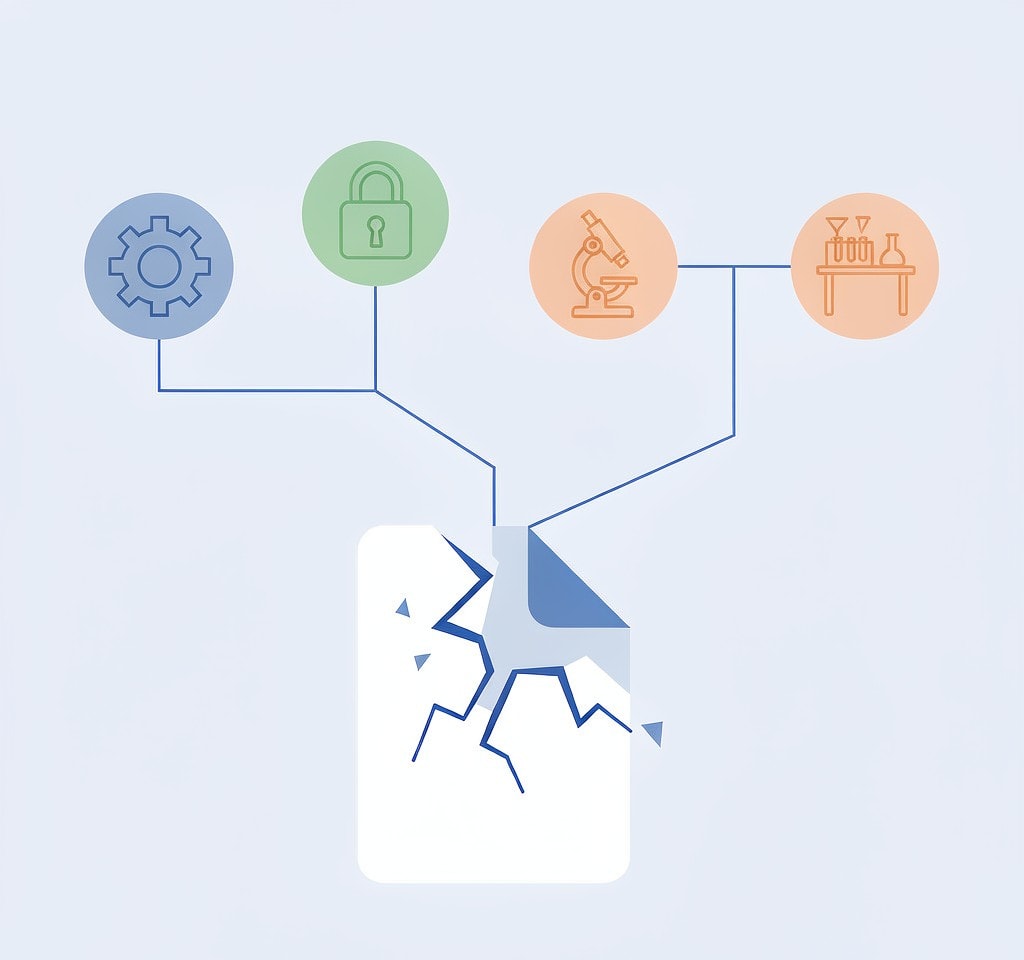
Every scenario and device on this page resolves into one of three classes. The class, not the brand, tells you what to do next.
| Class | Typical cause | Software outcome | Correct next step |
|---|---|---|---|
| 1. Index loss | Deletion, quick in-camera format | Complete recovery if blocks are untouched | Scan the card through a reader |
| 2. Interrupted write | Battery death, unplugged card, crash | Data intact, structure incomplete | Recover, then rebuild the index |
| 3. Overwrite or physical damage | Refilled card, cracked or corroded media, controller failure | Partial at best; often zero | Stop, and consult a lab about the physical cases |
Class 1 covers the majority of consumer panic. Why deleted files survive deletion is not mysticism: deletion clears the directory entry, not the data, and cameras perform a quick format that rebuilds the file system table without touching the blocks. A formatted card that has not been written to since is the single best-case scenario in this entire category, and recovery after a card format is routine rather than exceptional.
Class 2 is the professional’s most common problem and the most misunderstood. A clip that will not play after an interrupted recording is usually not damaged video; it is complete video with a missing index, which is why repairing unplayable clips is often a five-minute remux rather than a lost take.
Class 3 is where honesty matters. Once new writes have reused those blocks, the original bytes are physically gone, and any product claiming otherwise is misrepresenting what flash storage does. Cracked, corroded, or shorted cards belong to a laboratory with cleanroom capability, not to software. Knowing where the point of no recovery sits saves money and, more importantly, stops people from performing one more destructive “just testing it” step on a card that was still salvageable.
Preparing for the Scenario You Actually Shoot
Prevention is not generic. Each scenario has one or two controls that carry most of the value.
| Your scenario | Highest-value control | Where it is covered |
|---|---|---|
| Wedding and events | Force both slots into backup mode before the ceremony | Dual-card recording setup |
| Sports and action | Carry charged spares and stop clips before the warning | Battery and power protection |
| Aerial and drone | Pre-flight storage check and a second card on site | Pre-flight storage checklist |
| Cinema and commercial | Checksums on every offload, not just two copies | On-set data management |
| Journalism and documentary | Offload nightly to a second encrypted device | Field backup workflow |
| Vlog and social | Verify card capacity and retire suspect cards | Card health testing |
| Any single-card shooter | Run a 30-second card check before leaving | Pre-shoot checklist |
The pattern is consistent: the control that helps is the one that removes a single point of failure, not the one that adds a specification. A second card in a second slot beats a faster card in the only slot. A verified checksum beats a second unverified drive. A card health test beats another year of hoping, and a printed pre-shoot checklist beats both.
When It Has Already Happened: Route Yourself in One Step
If the loss is happening now, stop what you are doing and stop writing to the card. The order of operations for the first hour is identical regardless of scenario.
- The card still mounts on a computer. Read the first 60 minutes after data loss and scan it before attempting anything else. Do not format, and do not let Windows “repair” it.
- The card is not detected at all. Work through the card not detected decision tree before concluding the card is dead; many undetected cards are file system or contact problems rather than hardware failures.
- The footage is physically damaged, wet, or cracked. Software cannot reach a controller that does not respond, and every additional power-up reduces the odds. This is a laboratory case.
- The data was on internal storage. Internal flash behaves differently from a card in ways that change the whole approach.
If you are on Windows and the card is still detected by a computer, a purpose-built recovery tool such as XRecovery (xappset.com) can scan SD, microSD, and other memory cards for deleted or formatted photos and videos. As with any recovery tool, stop writing to the card first and always save recovered files to a different drive.
Frequently Asked Questions
Which camera data loss scenarios cannot be fixed by software?
Surveillance and dashcam loss past the loop length, cards whose blocks were reused by new recordings, and any card that is physically cracked, corroded, flooded, or whose controller has failed. Those are overwrite and hardware cases. No recovery product reaches them, and a data recovery laboratory is the only remaining option.
Is a drone or a DSLR easier to recover from?
A DSLR card is usually easier, because the media is removable and the file system is standard. Drone footage is often split across a microSD card and internal eMMC, and impact damage can affect the card directly. The aircraft’s own logs frequently survive when the video does not.
Does the camera brand change whether recovery is possible?
Rarely for deletion or formatting, which are file system events. Brand matters for whether a recovered RAW file opens, because containers differ: CR2 and CR3 are structurally unrelated, and Fujifilm RAF files embed a large JPEG that can be extracted when the RAW payload will not decode.
Do memory cards wear out in a way that causes loss?
Yes. Flash cells have a finite number of program and erase cycles, and controllers retire blocks as they fail. A card that has been rewritten daily for years is more likely to drop files under sustained writes than a newer one, which is why heavy shooters replace cards on a schedule rather than waiting for a failure.