Whether you deleted photos in the camera, formatted a memory card by accident, or pulled a card from a body that now insists it “needs formatting,” the most useful fact is this: in the everyday camera data recovery cases that fill photography forums, the files are still physically on the card and can usually be brought back. That has one catch, and it comes first: stop using the card now. Every new photo, every format confirmation, every camera boot that rewrites the directory moves you closer to permanent loss.
This page is the decision layer of camera data recovery. It explains why cards lose data, what actually determines whether software can help, and which of eight recovery paths fits your situation. Step-by-step walkthroughs live on the pages linked throughout, so you can read the decision here and act on it there.
Camera data recovery at a glance

Read the symptom in the left column. Most cases resolve in the middle column; the right column tells you where the detailed procedure lives.
| What you are seeing | What it usually means | Where to go next |
|---|---|---|
| Photos or clips deleted in the camera | Directory entry removed, image data intact | Deleted photo and video recovery |
| Card formatted in the camera | Almost always a quick format: file table cleared, data intact | Formatted card recovery |
| Camera or computer says “needs formatting” | File system damaged, data frequently intact | Corrupted card recovery |
| Card not detected by any reader | Contact problem or controller failure, not necessarily data loss | Card not recognized diagnosis |
| Clip is huge but will not play | Data present, index atom missing — a repair job | Video repair workflow |
| Card cracked, waterlogged, or silent | Physical or controller damage | Emergency triage, then a laboratory |
| Drone or action camera footage missing | Chaptering and encryption change the route | Drone and action camera recovery |
| Card was reused after the loss | New writes overwrote the old clusters | Unrecoverable data assessment |
Two rows in that table are worth expanding, because they are the two places where people destroy their own recovery. Confirming a “needs formatting” prompt clears the file table that recovery software needs to rebuild filenames. Reusing a card after a loss permanently overwrites the clusters that held the missing files.
What camera data recovery actually means

Most people assume that deleting or formatting a card erases the images. It does not, at least not immediately. Both operations touch only the file system, the directory that records where each photo and video begins and ends. Deleting removes a single directory entry; formatting clears the allocation table and rebuilds empty folders. Either way, the image bytes stay on the flash chips, marked as free but not removed.
Two physical details explain why memory cards recover better than almost any other storage:
- Flash cards have no TRIM. Solid-state drives issue a TRIM command that lets their controllers erase deleted blocks in the background, which is one reason internal SSD storage recovers so poorly. SD and microSD cards do nothing of the sort, so deleted data simply waits until new data lands on the same clusters.
- File signatures survive a broken file system. JPEGs begin with the bytes
FF D8 FF, and MP4 videos open with a box taggedftyp. When the directory is unreadable, recovery tools hunt for these signatures on the raw card and carve files out directly, which is why even a card the camera no longer understands can still give up its photos. The directory those tools are trying to rebuild follows the exFAT specification from Microsoft on most modern cards, and FAT32 on older ones.
It is worth being precise about the hardware layer as well, because it explains why cards behave so consistently across brands. The SD Association defines the physical and electrical interface that camera cards implement, which means a recovery tool that speaks to the card reader correctly can read any compliant card regardless of which camera wrote it. The camera’s own file naming and folder conventions sit on top of that standard, which is why recovered footage from a Canon, a Sony, or a DJI drone looks different in a file browser but behaves identically to a recovery tool.
The safety rule that governs everything below: recovery software should read from the affected card and write recovered files to a different physical device. No software can guarantee recovery, and continued use of the card can overwrite the deleted data you are trying to save.
That asymmetry between the directory and the data is what makes camera recovery predictable. It is also why the tricks that help on a Windows desktop — Recycle Bin, File History, Previous Versions — do nothing at all here. A camera card has no Recycle Bin. Deletion on FAT32 or exFAT is immediate and final at the file-system level, and the operating system never held a copy.
Why photos and videos disappear: seven scenarios

Almost every recovery question reduces to one of seven failure modes. Knowing which one you are in tells you whether to expect a scan, a repair, or a dead end.
| Scenario | What happens on the card | Typical recoverability |
|---|---|---|
| Accidental deletion | Only the directory entry is removed | Very high if nothing is written afterward |
| In-camera format | A camera “format” is almost always a quick format: the file table clears, the data stays | Very high when the card is untouched afterward |
| “Needs formatting” or corrupted file system | An interrupted write or bad sectors damaged the directory | High, because signature scanning bypasses the file system |
| Recording cut short | The video bytes exist but the file was never finalized | High, and usually a repair problem rather than a recovery problem |
| Fragmented RAW or video files | Large files scattered across clusters, original order lost | Medium to high, depending on reassembly |
| Physical or controller damage | Cracked card, water ingress, failing controller firmware | Low to none without professional help |
| Overwrite (card reused) | New data physically replaced the old clusters | Only the untouched portion survives |
The pattern worth noticing is that five of the seven scenarios are file-system problems, not data problems. Their recoverability is high precisely because the bytes were never touched. Only the last two rows describe situations where the data itself is at risk, and only the final row describes a case that no tool can reverse.
There is a sixth failure mode hiding in the power-loss row that catches video shooters specifically. When a camera loses power mid-recording, the video stream is typically written to the card but the file’s index atom is never closed. The clip appears in the folder at a plausible size and refuses to open. Nothing was lost; the file simply has no map. That is the single most common “unrecoverable” clip that turns out to be fully recoverable.
What decides whether recovery works

Recovery software reads whatever bytes remain on the card. It cannot invent data that is gone. Four variables decide the outcome, and only one of them is still under your control.
- Quick format versus full format. Counterintuitively, the format option inside a camera is almost always a quick format: it clears the allocation table and leaves the data alone. A true full format or a secure erase writes over the card and cannot be undone by software.
- Writes after the loss. This is the variable you control, and it is the one that decides most cases. A single burst of new shots can overwrite the clusters that belonged to deleted files. Recovery is a race against the camera’s write buffer, not against time.
- Card health. A failing card returns corrupted sectors mid-scan or cannot sustain a long read, even when the data itself is intact. This is why a card that works fine for browsing photos can still fail a deep scan.
- File structure. Small, contiguous JPEGs are the easiest recoveries. Videos and RAW files span dozens or hundreds of clusters, so success depends on reassembling fragments in the correct order.
| Factor | What it changes | What you can still do |
|---|---|---|
| Quick format | Directory only | Scan the card before writing anything to it |
| Full or secure erase | Data overwritten | Accept the loss; check backups |
| New writes after loss | Clusters reused | Stop using the card immediately |
| Failing controller | Hardware access | Escalate to a laboratory |
| Fragmented large files | Reassembly difficulty | Use a tool with deep-scan and preview |
Expect a deep scan of a 64 GB card to take somewhere between 15 and 30 minutes. The time scales with capacity rather than with how many files you are looking for, so a card with twelve photos missing takes as long to scan as one with twelve hundred. Run the scan once, to a different drive, and keep that image rather than rescanning the original card repeatedly.
If the card is unstable, if it disappears mid-read, or if the footage is irreplaceable, make a sector-level image of the card before scanning it at all. Imaging reads the card once and copies its raw contents to a file on healthy storage, so every later attempt works from that copy instead of from failing hardware. The GNU ddrescue manual documents one standard way to do this, including how to resume an interrupted image and how to log which sectors failed, and the same principle applies to any imaging tool you prefer.
Choose your situation: the eight recovery paths

This is the fork in the road. Find your situation below and follow that one link; each path opens a full treatment with procedures, error tables, and verification steps.
You need to understand what happens to files on a card
Before choosing a tool, understand what deletion and formatting actually change. The fundamentals of how cameras store photos path covers how cameras write files, card file systems, RAW versus JPEG versus HEIF, metadata, and why deleted photos survive deletion at all.
You want to know what went wrong
If the loss was not simply your mistake, the cause matters: power loss during recording, unsafe removal, counterfeit cards, NAND wear, environmental damage, or the camera itself corrupting a card. Start with why camera files get corrupted to map each failure mode to a symptom you can recognize.
Your loss has a specific context
Weddings, studio work, wildlife deployments, journalism, cinema productions, dashcams, vlogging, and underwater shoots each carry their own risks and their own recovery route. If your situation is defined by what you were shooting, or by which brand of camera you shoot with, begin with loss scenarios by shoot type and camera brand.
You want to stop this from happening again
Backup architecture, card care, safe ejection, dual-card recording, field workflows, card health testing, and firmware update safety all live in the prevention and backup workflow. This is the cheapest recovery there is.
Something just went wrong and you need to act now
Water damage, a physically broken card, a card no reader recognizes, a deadline in three hours. The first hour after losing footage sequences the first sixty minutes and tells you exactly what not to do, in order.
You know what is wrong and want the procedure
Formatted cards, corrupted cards, RAW files, log footage, cinema RAW, professional cards, and internal camera memory all have step-by-step procedures in the recovery operations walkthroughs. This is where the actual scanning and exporting happens.
You got the files back but they will not open
Gray-block photos, RAW files that will not open, HEIC files, videos missing their index, chaptered clips, and rebuilt metadata are all repair problems rather than recovery problems. The post-recovery repair and salvage path handles this stage.
You shoot with a drone or an action camera
Chaptered recording, encrypted partitions, dual-lens 360 stitching, flight logs, telemetry, gyro metadata, and .LRV or .THM preview salvage make drone and action camera recovery a distinct discipline. The drone and action camera recovery path covers it end to end.
Free tools, paid software, or a data recovery lab?

The right tier depends on the value of the data, the state of the card, and your comfort with technical tools. All three tiers are legitimate; the mistake is reaching for the wrong one.
- Free tools. PhotoRec, TestDisk, and Recuva are genuinely capable, and PhotoRec in particular is an excellent signature scanner. They fit simple, recent deletions on healthy cards and cost only your time, though expect dated interfaces, generic filenames, and no previews to filter results.
- Paid software. When you need previews before recovering, intact filenames, or reliable reassembly of fragmented RAW and video files, commercial tools add real value, usually for far less than a laboratory invoice. They also give you a stronger second pass after a free scan comes up empty.
- Recovery laboratories. Laboratories are for cards that software cannot touch: physical cracks, water damage, and controllers whose firmware is dead. These jobs need chip-off or cleanroom work and typically cost several hundred dollars, so they make sense only when the data is worth more than the fee.
| Tier | Best for | Typical limits |
|---|---|---|
| Free tools | Recent deletion, healthy card, simple JPEGs | No preview, generic filenames, weak large-file reassembly |
| Paid software | Preview and filter, fragmented video and RAW, filenames | Still cannot help a dead controller |
| Laboratory | Physical damage, water, dead controller firmware | Cost, turnaround time, no guarantee |
Choosing recovery software that fits your loss
Whatever you pick, look for three things: a free trial or preview layer so you can confirm files are found before paying, support for deep signature scanning rather than only a fast file-system scan, and a workflow that saves results to a different drive. Two existing guides go deeper: one on how to evaluate data recovery software before paying, and one on deciding between software and a professional recovery service.
If you are on Windows and a computer still detects the card, a purpose-built tool such as XRecovery can scan SD, microSD, CFexpress, and other camera media for deleted or formatted photos and videos, with a read-only scan and a preview layer before you commit. As with any recovery tool, stop writing to the card first and always save recovered files to a different drive.
What software can and cannot fix
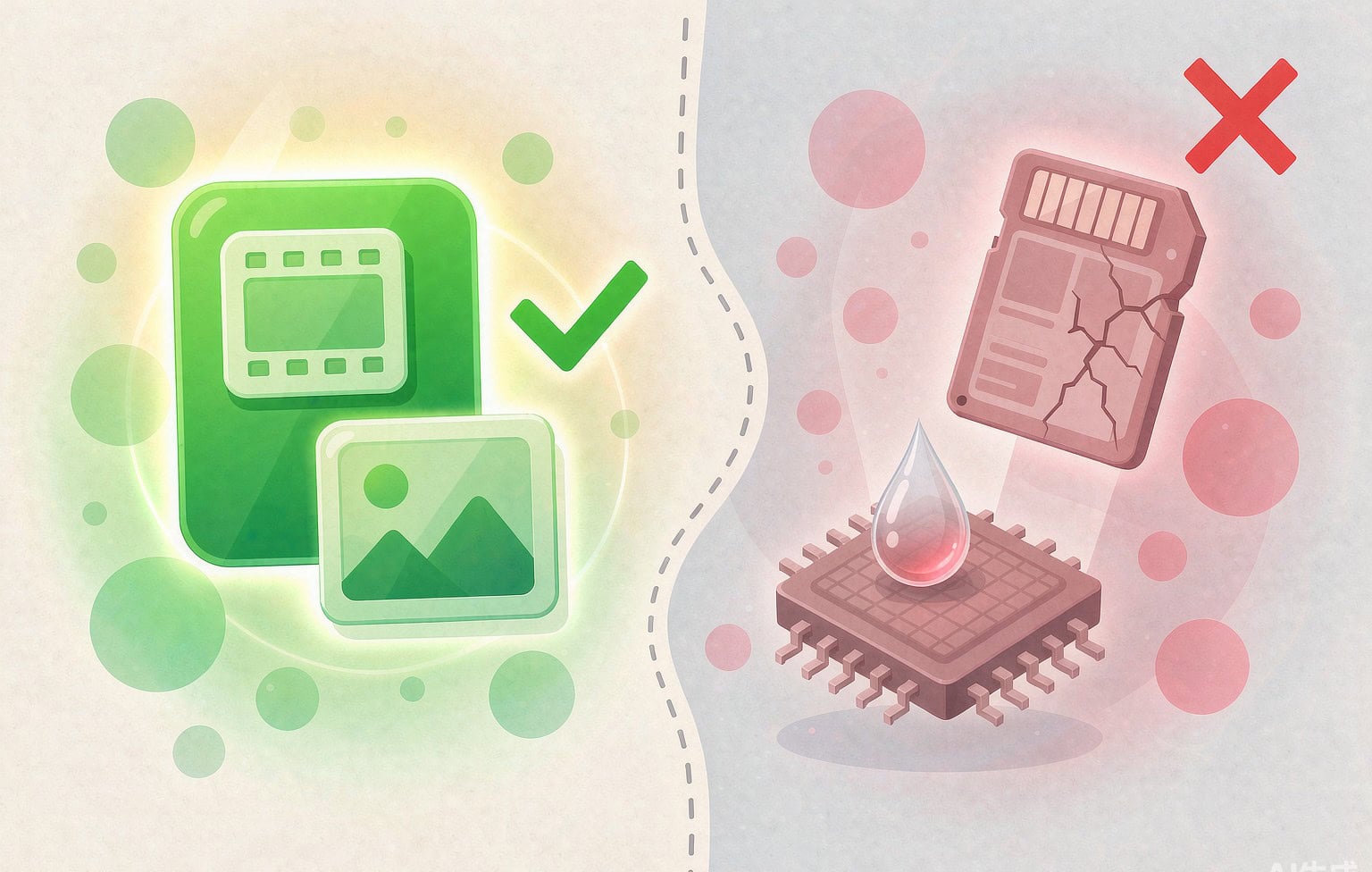
Honesty about limits separates useful advice from marketing. Software reads flash memory through the card’s controller, so it is powerless when the controller itself is dead. A card that is physically damaged, waterlogged, or undetected by every computer and every reader is a laboratory case. Software also cannot restore overwritten sectors, and it cannot reverse a true full format or a secure erase.
There is a subtler limit too. A tool may return a file that is whole but functionally damaged: a video missing its index, or a RAW photo with a small overwritten strip. That is not a failed recovery. It signals the repair step, or a hunt for a cleaner copy in backups.
Three practical consequences follow. First, a repaired file is worth keeping even if it is imperfect, because a partially damaged frame is usually better than no frame. Second, recovered files should be verified before you delete anything or format the card again, which is why an existing guide covers how to back up recovered files and test a restore. Third, once a card has failed a deep scan or shown physical symptoms, retire it. A card that has already lost your files once is not a card to trust with the next shoot.
How to prevent ever needing this

The cheapest recovery is the one you never run. Five habits cover most of the risk.
- Keep two copies of anything you cannot reshoot. Card plus an external drive, ideally with one copy offsite. The classic three-copy, two-media, one-offsite rule exists because it survives the two failures that matter: a device dying and a location being lost.
- Use a dual-slot camera in backup mode. It writes the same frame to two cards at once, which converts most card failures from a catastrophe into an inconvenience.
- Format cards inside the camera, not on the computer. In-camera formatting writes the directory structure the camera expects. A computer format can leave a structure the camera will later reject.
- Wait for the write light before pulling the card. Pulling a card during a write is the single most common cause of a corrupted file system, and it can cost you the whole session rather than one frame.
- Buy cards from reputable sellers and verify capacity. Counterfeit cards report a larger capacity than they physically have and begin overwriting your own files once the real limit is reached, which turns a normal shoot into irreversible loss.
One more habit belongs on the list even though it is not glamorous: check the card before the shoot that matters. Format it in the camera, record a short test clip, and confirm it plays back. A card that fails that test has just saved your session.
Frequently Asked Questions
Can deleted photos be recovered after I formatted the card in my camera?
Usually yes. A camera format is almost always a quick format that clears the file table without touching the image data. Stop using the card, run a deep scan, and save the results to another drive. The one way to lose this case is to keep shooting on the card before scanning it.
My camera says the card needs formatting. Does that mean my photos are gone?
No. That message usually means the file system is damaged, not that the data is missing. Confirming the format clears the table that recovery tools use to rebuild filenames, so scan the card before you click anything. This is the single most expensive click in camera recovery.
A video recovered from my card will not play. Is it lost?
Probably not. Many recovered videos are complete except for the index atom the player needs to navigate the stream, which is a repair job rather than a loss. Copy the file, keep the original, and try a repair or remux before giving up on it.
How long do I have before deleted camera files are unrecoverable?
There is no fixed window. The clock is measured in writes, not in hours. A card that sits untouched in a drawer is recoverable months later; a card that has been used for a full day of shooting may already have lost the files it should have given up. Stop using the card and scan it as soon as you can.
Can recovery software recover files from a physically broken card?
Rarely. Software reads through the card’s controller, and a cracked card, a water-damaged card, or one whose controller no longer responds needs chip-off work in a laboratory. Do not keep inserting a damaged card into readers, because powering a failing controller repeatedly can reduce what a laboratory is able to retrieve.
Do drone and action camera cards recover the same way as stills cards?
The card technology is the same, but the file layout is not. Chaptered recording, encrypted partitions on some drones, dual-lens 360 stitching, and preview files such as .LRV and .THM all change which files can be salvaged and in what order. Drone and action camera footage has its own recovery path for exactly this reason.