
Drone and action camera data recovery is a different discipline from recovering files off a stills camera, and the difference is not the brand of card. It is that these devices record while moving, on batteries that sag, into files that are deliberately split, and sometimes onto internal storage that is encrypted. A GoPro that overheats at minute 34 or a drone that loses a cell at 80 meters does not produce a deleted file. It produces an unfinished one.
That distinction decides almost everything about what to do next. A deleted file needs a scan for its missing directory entry. An unfinished file needs its index rebuilt from a reference clip. Applying the wrong method wastes the window in which the data is still intact, so the first job on this page is routing: identifying which of these two problems you actually have.
The Four Things That Make These Devices Different
Ordinary cameras and these devices share the same storage fundamentals — NAND flash, a controller, a file allocation table, a DCIM-style folder. Where they diverge is in four operational realities that shape every failure mode covered in this section.
One: the camera is always moving. A DSLR on a tripod stays in one place with one card seated in one slot. An action camera is strapped to a helmet, a chest mount, a handlebar, or a drone arm, and it is subject to continuous vibration, rapid temperature changes, and impacts. Vibration is the underrated failure factor: it works connectors and card contacts loose over a season of use, which is why “the card was fine yesterday” is such a common opening line.
Two: most footage cannot be reshot. A wedding photographer can at least re-stage a portrait. A wingsuit flight, a surf session, a race lap, or a client’s one-time aerial survey cannot be repeated at all. That raises the value of recovery attempts and makes premature triage decisions — deciding the footage is gone before testing — more costly than in any other genre.
Three: internal storage is often encrypted or obfuscated. Some DJI aircraft, several Insta360 models, and some action cameras write to onboard memory as well as, or instead of, a removable card. That internal volume frequently sits behind a proprietary or encrypted layer. It is not a normal FAT32 volume, and mounting it in a card reader is not an option because there is no card.
Four: recording is split into chapters by design. GoPro, DJI, Insta360, and most dashcams write long recordings as a sequence of files rather than one file. This is a deliberate engineering decision made for file-system safety and for the 4 GB ceiling on FAT32 volumes. It has a large and frequently misunderstood effect on recovery.
A fifth difference is invisible until it matters: these cameras write proxy and thumbnail files alongside the primary ones. GoPro produces .LRV (low-resolution video) and .THM (thumbnail) files next to every .MP4. DJI aircraft keep a low-resolution cache in the mobile app. Those proxies are the reason a surprising number of “lost” flights turn out to be recoverable at usable quality.
How These Devices Store Footage
Before routing, it helps to know which storage path your device actually uses. The four modes below cover essentially every consumer and prosumer drone and action camera on the market.
| Storage mode | Typical devices | What the user sees | Recovery implication |
|---|---|---|---|
| Removable microSD only | Most DJI Mavic and Mini series, all GoPro Hero models, most action cams | A single card, easily removed | Standard card recovery applies; this is the best case |
| Internal storage only | DJI Mini 4 Pro and some Neo-class aircraft, Insta360 GO series | No card slot, or a slot used only for export | Requires the device to boot; physical recovery is board-level work |
| Hybrid: card plus internal | DJI Mavic 3 Cine, some enterprise aircraft, higher-end action cams | Two copies or a split between proxy and master | Check both locations before concluding anything is lost |
| Card plus cloud or app proxy | DJI with cloud sync, GoPro with subscription upload, Insta360 app sync | Low-resolution copies on a phone | Often contains the only surviving footage after a crash |
The practical rule: when a device offers more than one storage location, the assumption that “it was only on the card” is wrong often enough to be worth checking first. The what storage drones use article goes into the hardware differences between these modes, including the endurance characteristics of the cards typically fitted to each class of device.
One further hardware note applies across all four modes. Drones and action cameras draw power from batteries that behave differently from a camera’s. A drone battery under load sags in voltage; when the sag crosses the aircraft’s cutoff threshold, power is removed instantly to protect the cells. There is no orderly shutdown and therefore no opportunity to finalize the open file. This is the mechanism behind the majority of “the drone just stopped recording” reports.
The Routing Table: Find Your Device, Find Your Fault
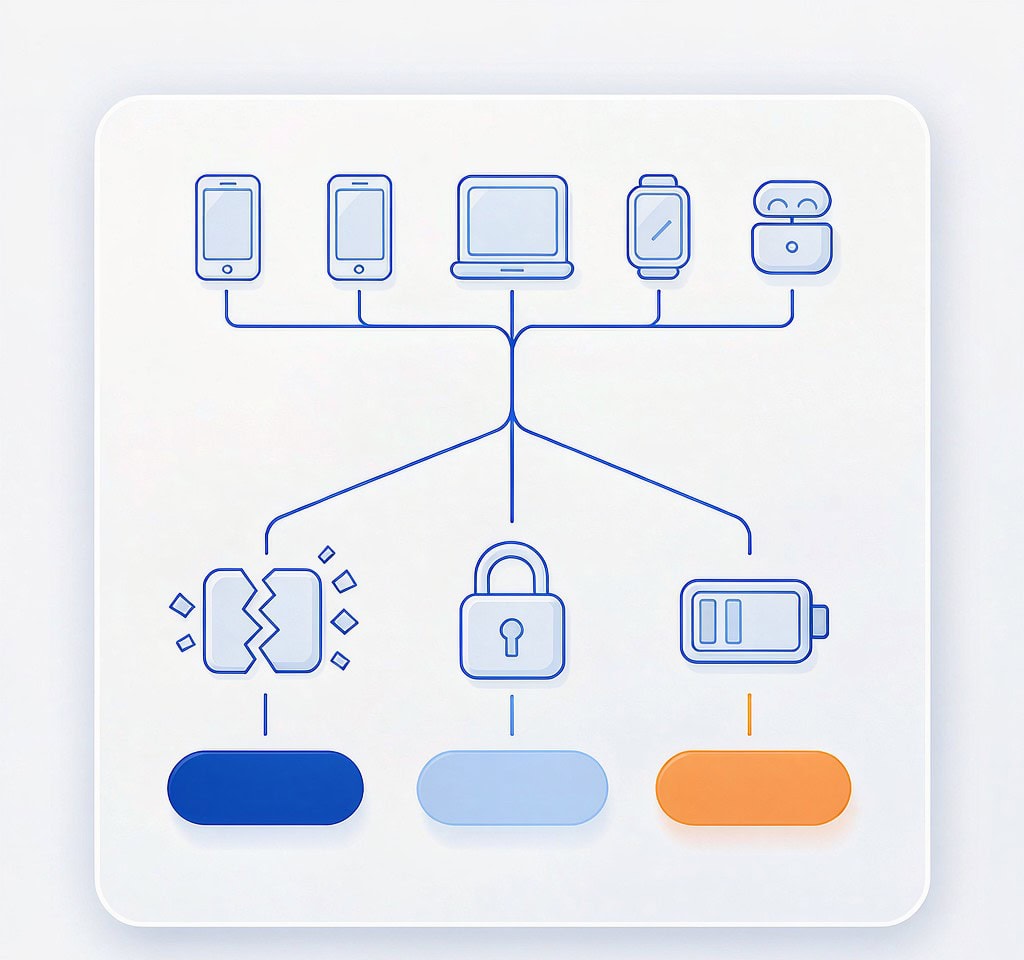
Use this table to identify which body of guidance applies. Each row points to the page that covers that specific combination in depth.
| Your device or media | Your symptom | What is actually happening | Where to go |
|---|---|---|---|
| Any GoPro Hero | Video will not play, camera shows FILE REPAIR | Last chapter lacks a finalized index after an abnormal stop | interrupted recording recovery |
| Any GoPro Hero | Clips exist but are short and sequential | Normal chaptering, not a fault | GoPro chapters explained |
| GoPro Hero with subscription | Footage missing after an upload attempt | Partial upload; local proxy may survive | Check the .LRV file on the card before scanning |
| DJI aircraft, card-based | Footage missing from the microSD only | Card-level deletion, format, or index loss | DJI drone data recovery |
| DJI aircraft with internal storage | Cannot find the master file | Master was written internally, not to the card | DJI internal storage recovery |
| DJI aircraft, storage mounts but reads as unknown | Third-party tools show no usable volume | Encrypted or proprietary internal partition | encrypted drone storage |
| Insta360 (any model) | .insv files will not open in a normal player | Dual-lens proprietary container requiring stitching | Insta360 file recovery |
| Any action camera | Card not detected after an impact | Connector or controller damage from shock | drone storage recovery |
| Any drone or action cam | Footage lost after a crash, card intact | Standard card recovery onto a working reader | action camera data recovery |
| Any drone or action cam | Water exposure | Card may survive; device almost certainly will not | Remove power, dry the card, read it externally |
| Any drone | Need to prove what was recorded and when | Telemetry is stored separately from video | recovering flight logs |
| Any chaptered recording | One long clip will not play, earlier chapters do | Only the last chapter is unfinished | Rebuild its index from the first chapter’s header |
| Any device | Files were deleted and the device has kept recording | Overwritten clusters are gone; the rest is not | Scan immediately and stop using the card |
Two rules sit above this table. Never format a card or internal volume to “clean it up” before a recovery attempt, and never keep recording on media that has already produced one failure. To use the table, match the left two columns first — device class and symptom — and only then read the diagnosis column. Symptoms that sound identical on different devices often have different causes: a GoPro reporting FILE REPAIR and a DJI aircraft reporting a storage error are describing the same missing index in one case and a failed volume mount in the other. The general camera recovery workflow covers the sequence in full; it applies unchanged to drones and action cameras once you have isolated the storage.
Chaptered Recording: The Most Misunderstood Failure Mode
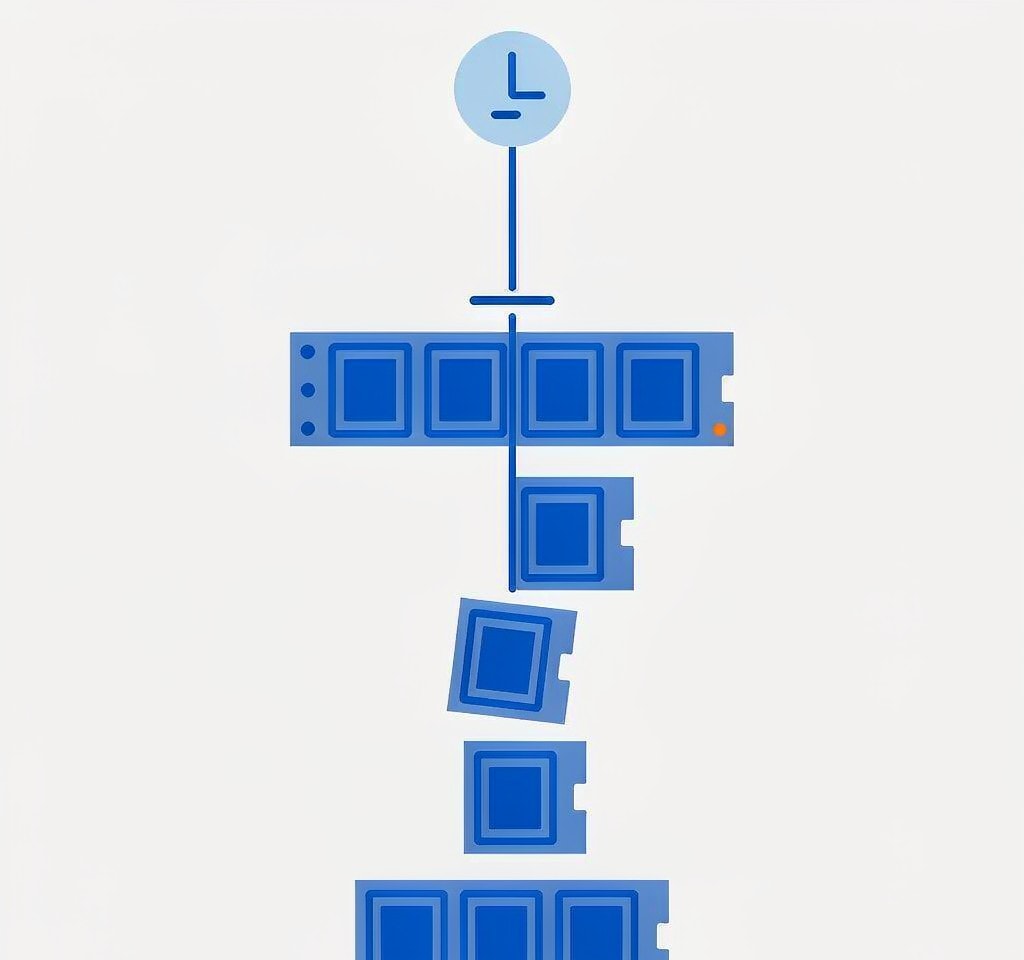
Chaptering produces more false alarms than any other behavior in this niche, and it also produces the single most recoverable class of real failure.
When a GoPro records a 45-minute session, it does not create one 45-minute file. It creates a sequence — GX01 0001.MP4 through GX01 0007.MP4, each capped at a fixed size or duration. Each chapter is a complete, independently indexed MP4 that a player can open on its own. The camera also writes a matching .LRV proxy and .THM thumbnail for each chapter.
Chapter boundaries are the reason a “lost video” is frequently not lost at all. If the recording stopped abnormally, only the final chapter is incomplete; every preceding chapter is fully formed and fully playable. Photographers who see a folder full of 4 GB files and assume something went wrong are usually looking at a perfectly normal recording.
The counter-intuitive part is what makes the final chapter recoverable. An unfinished chapter contains every video frame that was written to flash plus a missing or truncated moov atom — the index that tells a player where the frames are and how they are encoded. Repair tools do not rebuild that index from nothing; they reconstruct it from a reference file recorded on the same device with the same settings. The first chapter of the same recording is the ideal reference, because its codec, resolution, frame rate, and track layout are identical by construction. This is why the why chaptered recording fails analysis stresses keeping the whole chapter set together: discarding the playable chapters throws away your repair key.
Chapter sizes are consistent enough to be useful for diagnosis. On FAT32 volumes, chapters are capped just under 4 GB — commonly around 4.2 billion bytes. At typical 4K bitrates in the 60 to 100 Mbps range, that works out to roughly six to nine minutes per chapter, which is why a 40-minute session commonly produces five or six files. If you see chapters that are dramatically smaller than that, something interrupted the recording rather than the size limit ending it. A final chapter of a few hundred megabytes next to full-size siblings is the signature of a power cutoff, a thermal shutdown, or an impact.
Three practical consequences follow.
- Copy every chapter, not just the broken one. The intact ones contain the reference structure.
- Do not re-record on the card before offloading. New chapters allocate over the clusters where the unfinished chapter’s tail data lives.
- Merging is a separate operation from repairing. Stitching chapters back into one continuous clip is a post-recovery step, not part of the recovery itself.
Internal Storage: Where Software Stops
Internal storage is the reason drone recovery has a boundary that stills photography does not.
Consumer aircraft and action cameras that record internally typically use eMMC or a small soldered SSD. When the device boots and mounts that storage over USB, it behaves like a normal drive and standard recovery methods apply. When the device will not boot, the situation changes fundamentally: the storage is soldered to the main board, and reading it requires chip-off work at a laboratory. No application can reach it.
The complication is what sits between the storage and the file system. Several manufacturers do not expose internal storage as a plain FAT32 or exFAT volume. It may be wrapped in a proprietary container, partitioned with an encryption layer, or exported to a computer only through the vendor’s own transfer utility. In those cases, a recovery tool that scans for JPEG or MP4 signatures on the raw device will find either nothing or a collection of encrypted blobs. Signature carving only works on data that is stored in a recognizable format.
That leads to two rules for internal storage that do not apply to removable cards.
First, the device is part of the recovery chain. If the aircraft or camera still powers on, keep it that way. Do not disassemble it, do not open it to inspect the board, and do not attempt to reflash firmware in the hope of fixing a mount problem. A booting device is the only tool that can decrypt and export its own storage.
Second, back up the moment it mounts. Internal storage is not removable, so there is no way to set a failing device aside and work on a copy. If the device mounts even once, copy everything before doing anything else, because the next power-on may be the last one.
For removable cards inside a hybrid device, the opposite applies: pull the card out and work on it with an external reader, bypassing the device entirely.
What Recovery Tools Can and Cannot Do Here
Being precise about the boundary saves time and prevents wrong expectations.
What works. Data that has not been overwritten is fully recoverable, whether it was deleted, formatted over, or orphaned when a directory entry write was interrupted. Signature-based scanning finds MP4, MOV, JPG, and RAW files by their headers rather than by directory entries, which is exactly what is needed after a volume-level failure or a quick format. Both in-camera formatting and computer formatting are quick formats that leave the underlying data in place.
What requires a repair step rather than a recovery step. A file that comes back with a plausible size and will not play is not a failed recovery. It is an unfinished recording whose index is missing. Rebuilding that index from a reference clip recorded on the same device makes it playable.
What no software can do. Data that has been overwritten is gone; recovering it is not a matter of a better algorithm. Cards and devices that are physically destroyed — cracked, scorched, water-damaged, or with a dead controller — cannot be read by any application, and require a data recovery laboratory. Encrypted internal volumes cannot be decrypted by third-party tools, and no tool bypasses that layer. Storage that is genuinely unreachable needs an assessment of whether a laboratory is justified, which the when data is unrecoverable page helps you make.
If you are on Windows and the card is still detected by a computer, a purpose-built recovery tool such as XRecovery (xappset.com) can scan SD, microSD, and other memory cards for deleted or formatted photos and videos. As with any recovery tool, stop writing to the card first and always save recovered files to a different drive.
Where This Line Meets the Main Camera Recovery Section
This section is a depth line, not a separate site. It exists because drones and action cameras add failure modes that a general camera recovery workflow does not address, and it hands everything else back.
The division is straightforward:
- If the problem is a removable card that a computer can read, the technique is identical to stills photography. Start with the general workflow and treat the device as an unusual camera.
- If the problem involves an unfinished file, you need a repair step regardless of device. Chaptered and interrupted recordings are a repair problem before they are a recovery problem.
- If the problem involves internal or encrypted storage, the device is in the loop and the general workflow does not apply.
- If the problem involves the device rather than the media — a crash, a water landing, a battery cutoff — the media is usually the survivor and should be separated from the device immediately.
The rest of this section follows that split across seven lines: platform-specific entries for GoPro, DJI, and Insta360; storage media and card behavior; interrupted and chaptered recording; internal and encrypted storage; crash, water, and physical damage; cloud sync and proxy files; and logs, telemetry, and evidence. Each line links back to the general workflow wherever the technique is unchanged, so the two never diverge in their advice.
Frequently Asked Questions
Can drone and action camera footage be recovered after a crash?
Frequently yes, if the footage was on a removable card and the card survived. Aircraft and action cameras are usually destroyed more easily than the storage inside them. Remove the card, stop powering the device on, and read the card in an external reader. Footage on internal storage is much harder and may require a laboratory if the device will not boot.
Why does my recovered GoPro video have the right file size but will not play?
This is the classic unfinished recording. The camera wrote the video frames but never wrote the closing index, usually because power was cut or the recording was interrupted. The frames are intact. Rebuilding the index from an intact chapter recorded on the same camera with the same settings normally restores playback.
Are all the GoPro chapters part of one video?
Yes. Chaptering is a normal recording behavior, not a fault. A long take is written as a sequence of individually playable files capped by size or duration. Keep all of them together: the intact chapters double as the structural reference needed to repair the final unfinished one, and they are what you stitch back into a single clip afterward.
Can recovery software read a drone’s internal storage?
Only when the device itself exports that storage as a normal volume. Several manufacturers wrap internal storage in a proprietary or encrypted layer, and no third-party tool can read through it because the raw data is not stored in a recognizable file format. If the device will not boot, the storage is soldered to the board and only a laboratory can attempt it.