
The best cloud backup for photographers is not the one with the lowest price per terabyte or the fastest upload. It is the one you can actually restore from, at the speed the work requires, on the day something goes wrong. Most plans are chosen on the wrong metrics, which is why so many photographers discover during their first real recovery that the archive they have been paying for will take four days to deliver.
Two numbers decide whether a backup is real. The first is how long a full restore takes. The second is what that restore costs in time and fees. Everything else — storage price, sync convenience, app quality — is secondary, and choosing on price alone is how people end up with an archive they cannot afford to retrieve.
What a Backup Actually Has to Survive

Before comparing services, it helps to be specific about the threats, because different categories of service defend against different ones. The widely used framework for this is the 3-2-1 rule: three copies of the data, on two kinds of media, with one copy offsite.
The failure modes that actually destroy photographers’ work are mundane and well documented. Drive failure and accidental deletion account for most incidents. Ransomware or a bad sync propagation accounts for a smaller but growing share. Theft and fire account for the rest, and they are the reason the offsite leg exists at all. A practical catalogue of how material is actually lost is in common camera data loss scenarios, and it is worth reading before choosing a service, because the service should be aimed at a specific threat rather than at the idea of safety in general.
Object Storage, Sync Services and Backup Drives Are Three Different Jobs
The single most useful distinction in this space is between storing files, mirroring files, and versioning files. Products blur the line in their marketing, but they behave very differently when something goes wrong.
| Category | What it does | Protects against | Weak against | Typical cost shape |
|---|---|---|---|---|
| Sync service | Keeps a folder identical across devices | Device loss, working from two machines | Deletion, ransomware, corruption | Monthly fee per capacity tier |
| Backup service | Keeps versioned copies on its own schedule | Deletion, corruption, device loss | Very large archives under consumer plans | Monthly fee, often with a soft cap |
| Object storage | Stores blobs at a key, no live file system | Everything, if the client is configured right | Your own configuration mistakes | Per-TB stored plus egress fees |
| Local drive or NAS | Fast copies you control | Drive failure, quick restores | Fire, theft, flood, ransomware on a mapped drive | One-time hardware cost |
| LTO tape | Offline, high-capacity archiving | Everything, including ransomware | Time to retrieve, hardware generations | Low media cost, high drive cost |
The pattern that matters: the low-cost tiers are cheap because retrieval is slow, awkward, or charged for. Object storage in an archive class can cost a fraction of a general-purpose tier per terabyte, but retrieval may take hours and carries an egress charge per gigabyte, which on a 10 TB restore is a real invoice rather than a rounding error.
Why a Sync Service Is Not a Backup
Sync solves a workflow problem, not a data-protection problem, and conflating the two is the most common structural mistake in a photographer’s stack.
A sync service maintains equivalence. When a file is deleted on one device, the deletion propagates to the others, because that is exactly what the user asked it to do. When a photo editing application corrupts a catalog and the catalog syncs, the corrupted version replaces the good one on every machine. A ransomware process that encrypts a synced folder will have its work mirrored to the cloud within minutes, and the service will report that everything is in sync the entire time.
Some sync services keep version history, which helps, but the retention window is usually short — commonly 30 days to a year — and it is the versioned file count, not the folder structure, that gets truncated. Beyond that window, a propagated deletion is permanent.
Backup services behave differently by design. They take snapshots on their own schedule, keep multiple versions, and do not treat a local deletion as an instruction. That independence is the entire value. A backup that follows the source’s deletions is a mirror, and a mirror is one bad afternoon away from being empty.
Upload Bandwidth Is the Constraint Nobody Prices In
Almost every decision made about cloud backup assumes a symmetric, fast connection. Photographers usually have an asymmetric one, and the upload direction is the slow side.
The table below uses decimal terabytes and assumes roughly 80 percent of the nominal line rate is achievable in practice, which is optimistic for sustained large transfers.
| Upload speed | 1 TB | 4 TB | 16 TB |
|---|---|---|---|
| 10 Mbps | ~12 days | ~46 days | ~6 months |
| 40 Mbps | ~3 days | ~12 days | ~46 days |
| 100 Mbps | ~1.2 days | ~4.6 days | ~19 days |
| 300 Mbps | ~10 hours | ~1.5 days | ~6 days |
| 1 Gbps | ~2.9 hours | ~12 hours | ~2 days |
The implication is uncomfortable. On a typical domestic connection with 20 to 40 Mbps up, a single 4 TB shoot takes around two weeks of continuous uploading to reach the cloud, which means the cloud copy is not protecting that shoot during the two weeks that follow it. That gap is the argument for a local second copy plus a scheduled cloud sync, rather than relying on the cloud leg to be current.
It is also the argument for a field workflow that does not depend on upload bandwidth at all. Copying to two physical drives on location and syncing to the cloud afterward is slower to deploy and far faster to recover from, and the tradeoffs are set out in backing up in the field.
Where NAS and LTO Actually Fit
NAS is a local drive that multiple machines can reach, and it earns its place by making the second copy convenient. Its weakness is category confusion: a NAS volume mapped as a network drive is reachable by ransomware and by accidental deletion exactly like an internal disk, so it counts as a second copy only if it is snapshotted or backed up separately. A NAS that snapshots on a schedule is a genuine second copy; a NAS that is just a mapped folder is a faster way to delete things.
LTO tape is the opposite tradeoff. Tape costs very little per terabyte, sits offline by nature — physically disconnected media cannot be encrypted by ransomware — and has a documented multi-decade shelf life in the right conditions. What it costs is access. Reading a tape requires a compatible drive, and those drives are expensive relative to the media. Tape also requires an active migration discipline: formats move on every couple of generations, and an un-migrated tape in an obsolete format is a future problem with no reader. For a working photographer with under 50 TB, tape is usually not worth the complexity. For an archive with a compliance obligation and a decade-long horizon, it is often the only sane answer.
Restore Speed Is the Metric That Decides Outcomes
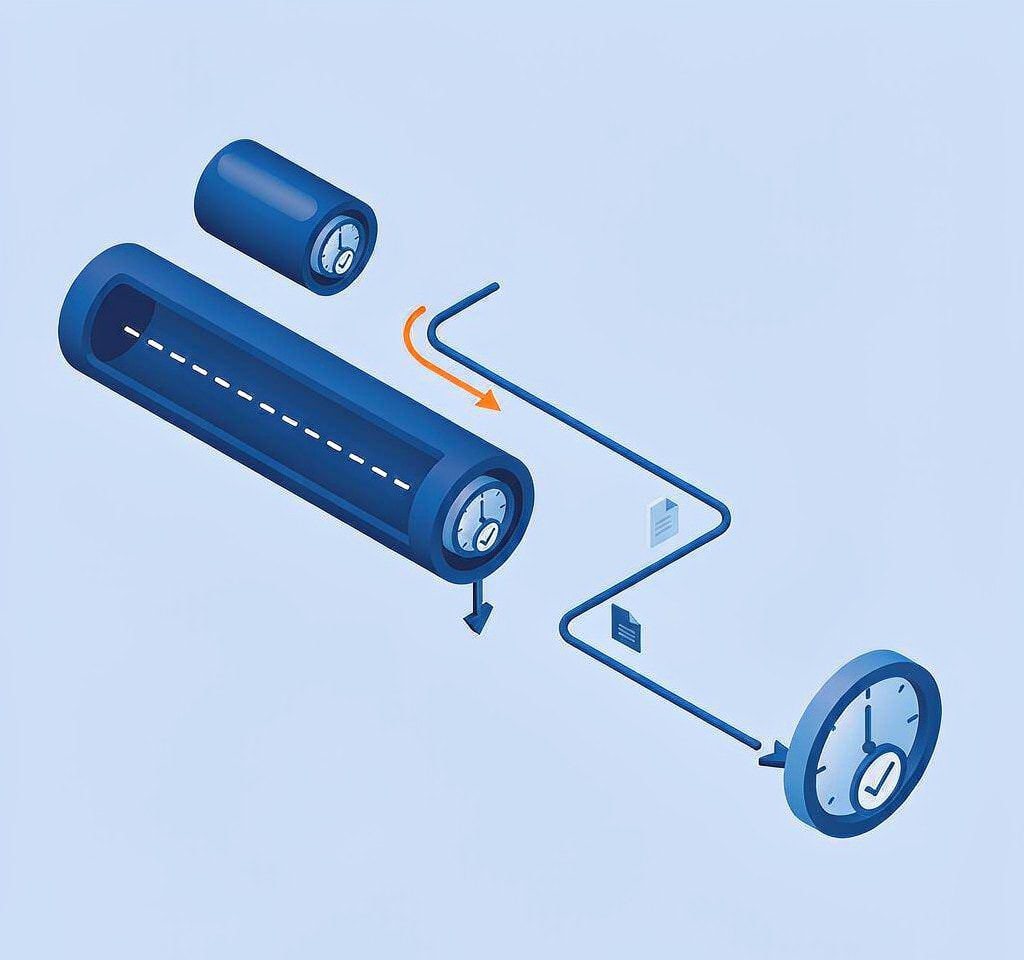
This is the counterintuitive core of the whole subject. Photographers choose services by upload speed and storage price, because those are the numbers in the marketing. The number that determines whether a job is delivered is the restore.
Consider a 6 TB archive on a service that uploads overnight on a fast fiber line but restores at a throttled rate on the cheapest plan. Restoring it at 50 Mbps takes about 11 days of continuous transfer. Restoring it from a local drive takes hours. Restoring it from a NAS snapshot takes minutes. The backup that was “working perfectly” for two years becomes unusable precisely when it is needed, and no amount of extra upload speed changes that.
The practical test before committing to any service is to measure a restore, not an upload. Copy a 50 GB test set up, delete it locally, and time the retrieval on the plan you actually intend to buy — including the time to obtain an export if the service ships physical media. Services that will send a drive or a set of drives by courier are often the only realistic path for full-archive restores above a few terabytes, and their turnaround of several days is usually faster than a throttled download.
Two habits follow. Keep at least one local copy with a restore time measured in hours, regardless of what the cloud tier promises. And for anything on a deadline, treat the local copy as primary and the cloud as the disaster leg, because the cloud leg is the slow one. When a deadline is genuinely at risk, the triage sequence in urgent recovery decisions is a better guide than any backup plan.
A Stack That Works at Three Budgets
Concrete configurations are more useful than principles, so here are three that hold up in practice.
Solo photographer, under 5 TB. Two local drives kept in rotation, one always offsite in a bag or at a second address, plus a consumer backup service with versioning. Total cost is low, restore is fast from the local copy, and the cloud covers theft and fire.
Working studio, 5 to 50 TB. A NAS with scheduled snapshots as the working second copy, a versioned backup service for the current year’s material, and archive-class object storage for finished work. The restore path for active jobs stays local; the cloud tier handles history.
Small team with client obligations, 50 TB or more. NAS with snapshots, a mirrored second NAS at another address, and tape or archive-class object storage for the long tail. At this scale, the restore plan is a documented procedure with a named owner, not a hope.
If you are on Windows and the card is still detected by a computer, a purpose-built recovery tool such as XRecovery (xappset.com) can scan SD, microSD, and other memory cards for deleted or formatted photos and videos. As with any recovery tool, stop writing to the card first and always save recovered files to a different drive.
One detail ties this whole subject back to the card in your camera. Backup plans protect what has already been copied. The window between capture and copy is unprotected, and it is the window in which most losses happen — which is why the material on the card, not the material in the archive, deserves the most careful handling. The physical side of that care is covered in card wear and lifespan, and the workflow side in preventing camera data loss.
Frequently Asked Questions
Is a file-sync service a real backup for photographers?
No, not on its own. Sync services keep folders identical across devices, so a deletion or a ransomware encryption propagates to the cloud copy. Their version history softens the risk but is time-limited. Use a sync service for workflow and a dedicated versioned backup for protection.
How much cloud storage does a photographer actually need?
Enough for the material you would need to restore after losing everything local, which is usually the current and previous year of work rather than the entire archive. Putting finished work in a cheaper archive tier and keeping active projects in a faster tier reduces both the monthly cost and the restore time.
Is a NAS enough, or do I still need cloud backup?
A NAS with scheduled snapshots is an excellent second copy and the fastest restore path you can own. It is not a substitute for an offsite copy, because fire, theft, and flood take it with everything else. Keep the NAS as the fast-restore leg and use a cloud or offsite drive as the disaster leg.
Why does my cloud backup take so long to restore?
Usually because of throttling on the plan you chose and because consumer upload and download speeds are asymmetric in the wrong direction. Services often cap egress to protect their margins. Measure an actual restore before committing, and consider services that ship physical media for large restores.