卸载 XRecovery

XAppSet Team
发布日期 20 11 月, 2026

通过三个简单步骤卸载 XRecovery。

第 1 步: 在 Windows 左下角搜索 XRecovery,如图 1 所示。

第 2 步: 点击“卸载”按钮,打开已安装应用列表,如图 1 所示。

uninstall_pic1

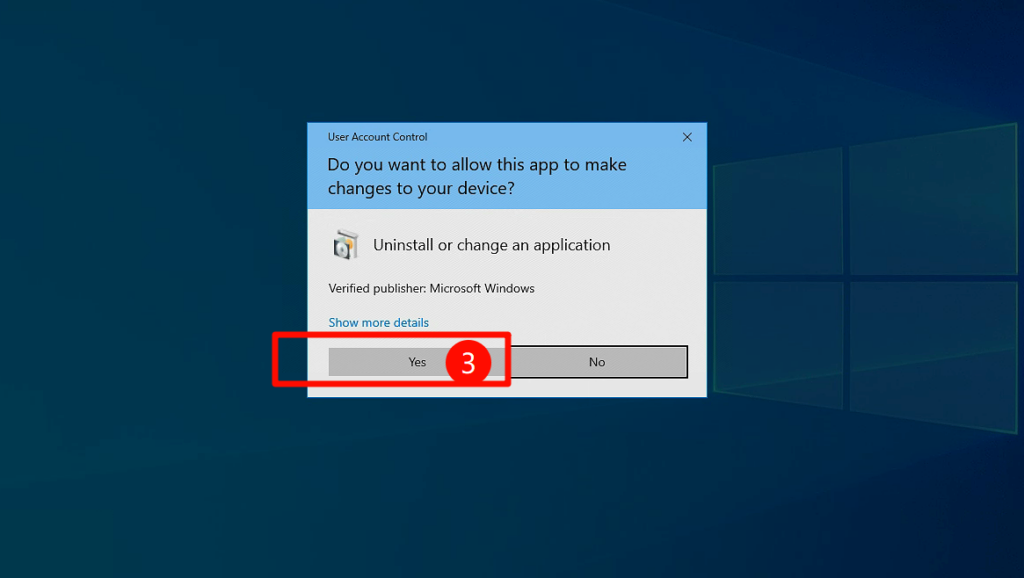
第 3 步: 找到 XRecovery,右键点击并选择“卸载”,如图 2 所示。

uninstall_pic2

现在您已成功卸载 XRecovery。

感谢您下载和使用我们的产品!
我们十分重视您的反馈,并致力于不断改进产品。如果您有任何建议或在使用过程中遇到问题,请发送电子邮件 联系我们。 您的反馈对我们非常重要,我们将尽力为您提供更好的服务与体验。

联系我们

Privacy Overview
XAppSet

This website uses cookies so that we can provide you with the best user experience possible. Cookie information is stored in your browser and performs functions such as recognising you when you return to our website and helping our team to understand which sections of the website you find most interesting and useful.

Strictly Necessary Cookies

Strictly Necessary Cookie should be enabled at all times so that we can save your preferences for cookie settings.