

Use two kinds of verification after recovery. Compare bytes with a trusted original or manifest when one exists, then check the document or project in the intended application. A hash match can establish an exact copy; an application check establishes usability for the task. Without an original reference, describe what you checked rather than claiming exact restoration.
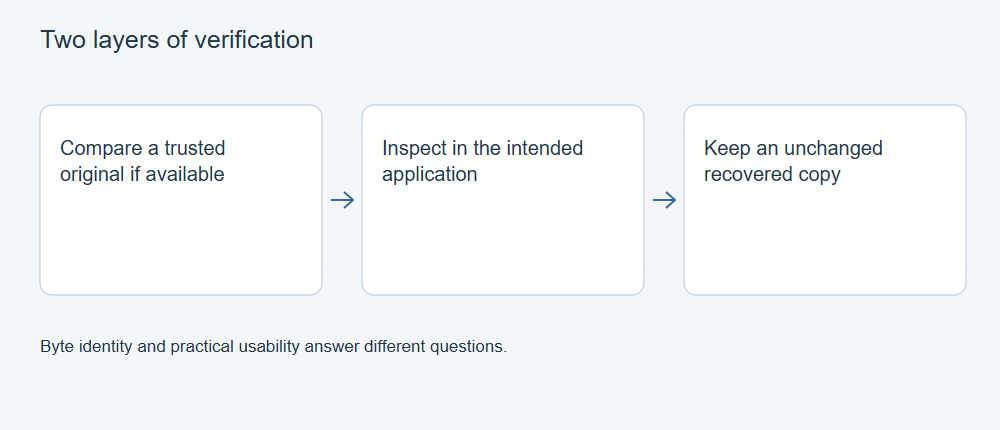
Keep verification separate from editing
Preserve the recovered output and work on a copy. Record the recovery source, candidate path, output filename, size and any read errors or skipped sectors associated with the source image. If several candidates share a name, give them distinct working names and retain their provenance.
A simple record can include the file, source, hash if available, checks performed and result. For example: report.docx | recovered disk | no reference hash | pages and tables checked | usable, exact match unknown.
Do not let opening the file change the only candidate. Applications can update metadata, convert versions, refresh links or create journals. Preserve the bytes before those actions, and distinguish the original recovery output from a converted or repaired derivative.
Compare with a trusted original
On Windows PowerShell, calculate SHA-256 for the recovered file and the known-good reference:
Get-FileHash -LiteralPath 'E:\Recovered\report.docx' -Algorithm SHA256
Get-FileHash -LiteralPath 'F:\Reference\report.docx' -Algorithm SHA256
Replace these illustrative paths with your actual files. Compare the complete hash values, file identities and intended revision. Microsoft’s Get-FileHash documentation explains content hashing and literal paths.
A matching hash with the correct trusted reference is strong evidence of byte identity. Matching recovered copies do not prove that either matches the lost original. A mismatch identifies a difference, but not its cause; an application may have resaved an otherwise useful document. Keep the pre-open hash to make that distinction possible.
Check the task in the application
| File/task | Useful content checks |
|---|---|
| Word document | Final paragraphs, tables, images, comments and required revision |
| Excel workbook | Required sheets, formulas, named ranges, external links and known totals |
| PowerPoint | Slide order, notes, media and a Slide Show segment |
| Every required page, text/images, attachments and relevant forms | |
| Creative project | Layers/scenes/timelines, linked originals, fonts/effects and a fresh representative output |
Choose checks from what the user actually needs. A complete export matters for delivery, while editability may require additional structures that an export cannot prove. For database-backed applications, structural checks and known-record queries add another layer; the main file’s hash alone may not represent its transaction state.
Account for missing evidence
If no original hash or manifest exists, compare independent references such as earlier exports, known paragraphs, recorded sheet counts or delivered frames. State the limits: “opened and checked these sections” is different from “identical to the original.” A damaged source sector may affect one member of a document package without preventing the file from opening.
XRecovery’s preview and export can help select files, and supported file repair may produce usable content. Verify repaired output again: repair intentionally changes bytes and cannot be expected to match the damaged input’s hash. Keep partial results when useful and record gaps before reusing the original storage or treating the recovered project as the production master.
For the next step, see Document Recovery: Deleted, Unsaved, Overwritten or Damaged?.