
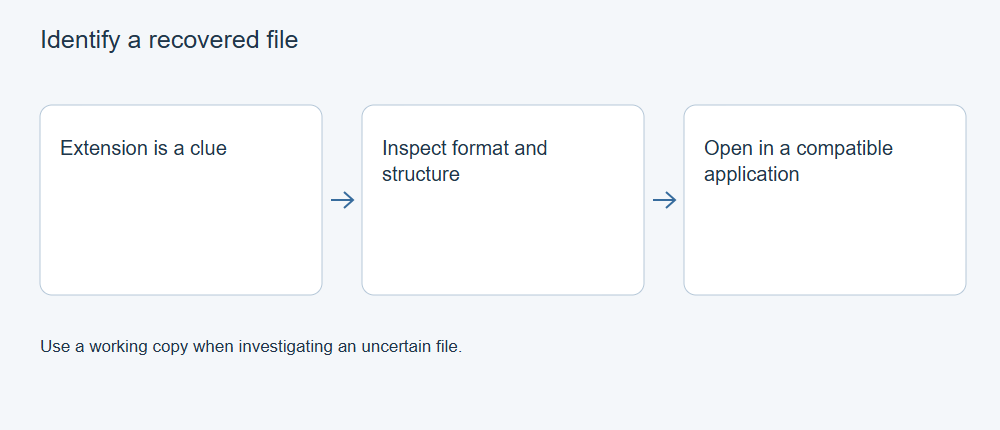
A recovered file’s extension is a label, not proof of its contents. Identify an unknown file by combining its origin, internal signatures, container structure, and what a suitable application can read. Keep the recovered copy unchanged while you investigate; renaming a copy may help an application recognize it, but cannot restore missing data.
Keep four questions separate
There are four different things you may want to know: what the file was called, which format its bytes resemble, whether its structure is valid, and whether it contains the material you wanted. A result for one question does not settle the others.
For example, a file named holiday.jpg could contain a JPEG, a different image format, or incomplete data. A format detector may recognize a JPEG header while a decoder fails further into the image. Even a correctly decoded JPEG could be a small embedded preview rather than the original photograph.
Record the original recovered name, byte size, source folder, and the recovery method if known. Work on a duplicate. If you calculate a hash, retain it with this record: it identifies the bytes you inspected, not their correctness before the loss.
Use the extension as a clue
A familiar extension suggests which application or format family to investigate first. A missing or unexpected extension can also reflect lost file-system metadata or the naming scheme of the recovery tool.
Make extensions visible in your file browser before comparing names. Note the complete name so that report.pdf.exe does not get mistaken for a PDF. Do not run an unknown executable to discover what it contains, and avoid enabling document macros simply because a recovered file asks for them.
If a detector reports a strong format match that disagrees with the extension, keep both observations. Do not immediately rename the whole recovery folder. One misleading name does not establish that all files share the same problem.
Look for internal identification evidence
Format identification tools look for characteristic byte patterns and, where supported, structural clues. The National Archives’ DROID documentation describes identification using internal signatures drawn from the PRONOM registry. Record the tool and signature-database version alongside its result, because coverage changes.
Identification can be specific, tentative, ambiguous, or unsuccessful. If the tool identifies only an archive or a broad media container, retain that level of certainty. An “unknown” result is preferable to attaching a confident but unsupported extension.
Recognizable bytes alone are not a complete validity check. The Library of Congress lists different identifying patterns for JPEG/JFIF and JPEG with Exif metadata. Matching an expected beginning is evidence about the format; it does not show that the image’s remaining compressed data is present.
Identify the container and its contents
Some extensions describe packages that contain multiple components. Microsoft documents that Office Open XML files use ZIP packaging. Finding ZIP structure in a recovered .docx is therefore consistent with a Word document, but does not by itself identify a complete Word document.
A package-aware inspection can examine its internal parts and relationships without resaving the document. Microsoft explains that relationships to document parts distinguish document categories. Preserve the outer container and its internal names; extracting selected pieces into a new archive is a different operation from identifying the original.
The same distinction matters for video. A multimedia container can hold several streams. A recognized container name does not identify every codec, establish the recording’s duration, or prove that each stream decodes. The official ffprobe documentation describes inspecting both the container and its media streams. Treat reported metadata as an inspection result, then check actual content separately.
Test the interpretation on a working copy
Once a likely format is established, open a working copy with a suitable, maintained application. Decline requests to overwrite the only recovered copy. If the application offers a repair or conversion, save any result separately and keep a record of the transformation.
Use a short evidence table instead of a single “good” flag:
| Observation | What it supports | What it leaves open |
|---|---|---|
| Extension agrees with the detector | Naming is consistent with the proposed format | Completeness and original identity |
| Internal signature matches | Recognizable format evidence is present | Whether the remaining structure is valid |
| Application opens the file | That application can interpret at least part of it | Missing pages, frames, tracks, or image regions |
| Content matches an independent reference | The inspected content corresponds to what was expected | Unchecked portions or altered metadata |
For an image, inspect its dimensions and the whole frame. For a document, examine the required pages and embedded items. For a recording, inspect its streams and play it through. A first-page preview or video thumbnail can succeed even when the rest of the file is unavailable.
Keep ambiguous results ambiguous
If two detectors disagree, retain their reports and check whether they are identifying different layers: the outer archive, an inner document, or an embedded image. A preview inside a larger file can be a real image without being the missing original.
If no tool recognizes the file, possible explanations include an unsupported format, encryption, missing identifying data, or bytes that do not form a file. The result alone cannot distinguish those explanations. Use the known source application, surrounding files, and surviving records to narrow the question.
Do not add a fabricated header or repeatedly change extensions until a viewer displays something. That can create a new artifact while obscuring the recovered evidence. Record “format unresolved” and preserve the original export when there is insufficient information.
Finish with a reproducible identification record
A useful conclusion names the proposed format, the evidence behind it, the software used, and the limits of the check. For example, an identification record might read: “Internal signature and package inspection support a Word document; the application opens it; embedded objects remain unchecked.”
Keep format identification separate from rescanning the source, proving that every original byte survived, and deciding which formats a recovery product supports. Those questions need their own evidence. This distinction makes an unknown file easier to investigate without turning a plausible label into a recovery guarantee.
For the next step, see Recover Deleted Files in Windows: Choose the Right Starting Point.