
A recovered video may have the right name and size yet contain a gap, repeat another clip, or stop before the end. One possible cause is lost information about the file’s scattered disk locations. Finding a video header is useful, but it does not prove that every part of a long recording has been found in the correct order.
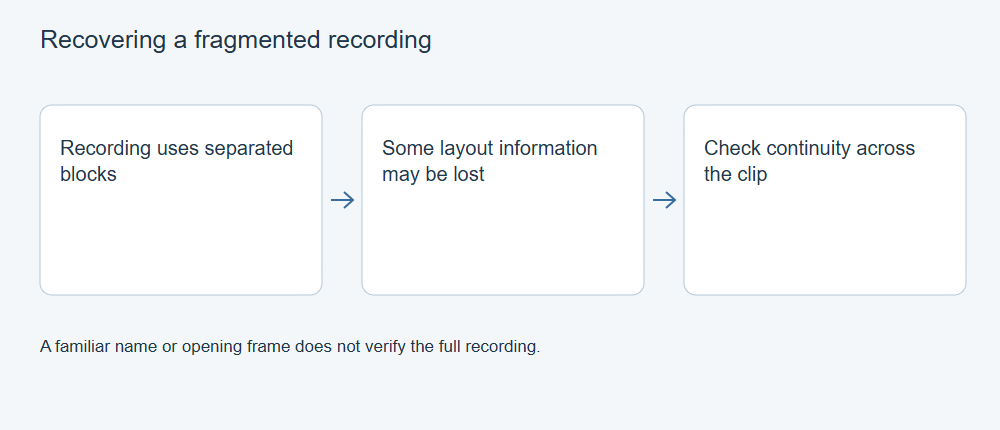
Two different meanings of fragmentation
File-system fragmentation means that one logical file occupies separate runs of storage clusters. A normal file read follows its allocation information and presents the runs in the correct sequence. When that map is damaged or lost, a recovery approach that assumes consecutive data can include unrelated clusters or miss later pieces.
Fragmented MP4 is a container arrangement with movie fragments. It is not the same thing as a fragmented file on a card: either container style can itself occupy contiguous or scattered storage. The W3C ISO BMFF byte-stream note describes movie-fragment boxes at the container level; Microsoft’s exFAT specification describes cluster allocation at the file-system level. Do not diagnose disk fragmentation from an extension, the presence of movie fragments, or a large file size.
QuickTime/MOV files also contain a map at the container level. Movie metadata describes tracks and where samples are located; sample tables convert time to sample locations. Think of the sample table as an index from moments in the video to the media data needed for those moments. These offsets refer to positions in the logical file. They are not a replacement for the lost file-system map. See Apple’s QuickTime movie-file description and sample-table definition.
Choose the next step from what remains
When a healthy source disk is readable, preserve it or create an image before experimenting. Scan results based on surviving file records may preserve a layout that a signature-only result cannot. Keep candidate copies separate even if they have the same name. Record which result and source location produced each copy.
If an intact existing file has damaged container metadata, file repair may help use its surviving media. If the recovery output instead contains the wrong clusters, repairing its index does not establish that the original recording has been reconstructed. Return to the source image, another recovery candidate, another card or a backup.
XRecovery scans readable media and repairs supported video formats, including MP4, MOV, TS, MTS and M2TS. File repair and reconstruction of an arbitrary fragmented recording are different tasks: assess the available structure, fragment continuity and the complete saved recording. Check the expected timeline and sound as well as whether the first frame opens.
Validate continuity across the whole recording
Start with expected shooting information: approximate duration, subject, whether sound was enabled and whether the camera split the recording into separate files. Keep adjacent chapters together. Then check the exported file’s detected container, tracks and duration; play through transitions and the end rather than accepting the opening image.
Watch for repeated scenes, jumps forward or backward, frozen frames and audio that gradually loses synchronization. An editor may conceal errors with cached frames or proxies, so verify the exported original media as well. A partial usable section can be retained, but label its interval and missing content.
What a convincing recovery comparison needs
A contiguous sample, a sample with independently documented scattered extents, and a deliberately truncated copy answer different questions. Compare recovered output against the known original, including full playback and a byte hash when exact restoration is claimed. A copied video with a new filename is not proof of fragmented placement. Use allocation, container metadata and full-timeline playback as separate checks when evaluating a recovered video or comparing methods.