
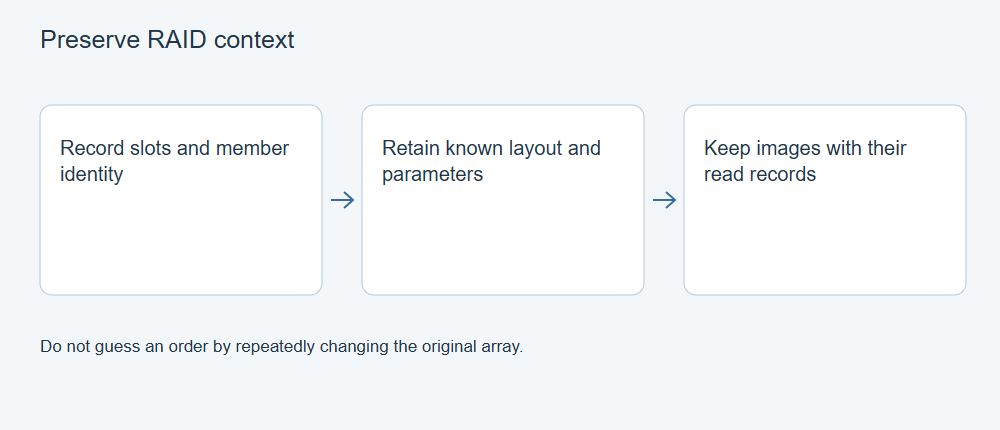
Before moving RAID disks or trying a new configuration, record which drive came from each slot and preserve the array settings you can actually verify. Member order, RAID level and layout affect how data is presented. A clear record also helps an administrator or recovery specialist distinguish an original disk from a replacement or working image.
If the array is still accessible, copy the files you need to independent storage and verify them before making changes. If a drive is unstable, a rebuild has failed or the data is irreplaceable, pause and decide whether specialist help is appropriate.
Start with the array’s current state
| What you see | Useful first step |
|---|---|
| Files are readable | Copy important files to independent storage and open representative copies. Record the original configuration. |
| A member has read errors or disconnects | Record the symptoms and stop repeated attempts that may worsen an unstable device. Assess the source before scanning. |
| A rebuild failed or the array is no longer accessible | Preserve the member and event history. Avoid starting another rebuild or writing guessed settings to the original disks. |
For the broader decision, see how to choose a RAID recovery route. After an unsuccessful rebuild, use the rebuild-failure guide for the next decisions.
Make a member record
Before disconnecting a disk, label its original enclosure and slot. Record both the slot and the drive’s serial number: a new computer may enumerate the same disk under a different number.
| Record | Why it helps |
|---|---|
| Enclosure, original slot and member label | Preserves the physical arrangement. |
| Manufacturer, serial number and capacity | Separates similar-looking drives. |
| Original member or replacement | Helps reconstruct the sequence of events. |
| Read condition and errors | Distinguishes a healthy copy from one with missing regions. |
| Image name, size and hash, if acquired | Identifies the copy used for later work. |
| Acquisition tool, settings and date | Records how the copy was made and its known limitations. |
Keep the table with any controller or NAS configuration export, relevant logs and a short timeline. Record a value as unknown when you cannot verify it; an invented value makes the record less useful.
Capture the array settings and their source
Record the RAID level, number of members, member roles, chunk or stripe information and layout when available. Note whether a value came from the original system, a configuration export, an administrator’s notes or a later interpretation.
RAID metadata may contain configuration information, but its location and meaning depend on the controller or software. The Linux MD documentation, for example, describes array parameters and persistent superblocks for Linux MD; it is not a universal map for every RAID system. Do not overwrite metadata on original members simply to test a guess.
Why order and layout matter
In a striped array, successive chunks are distributed across members. A wrong order or chunk size can still produce recognizable filenames while mixing up parts of other files. Parity placement adds another layout detail for RAID 5 and RAID 6.
One small file opening is encouraging, but it does not validate every part of the array. Compare files from different directories and sizes, including the documents or recordings you actually need. Preserve which inputs and settings produced each exported set.
Keep images, hashes and read errors together
An image is a copy made for analysis; an image hash identifies the bytes of that particular copy at a particular time. Recomputing the hash later helps detect a change. It does not prove that every sector was read successfully or that the image belongs to the correct slot.
Keep acquisition logs and any unreadable regions with the image record. Distinguish original members, acquired images, working copies and exported files. If a working copy changes, update its own record without replacing the record of the original acquisition.
Choose the next recovery route
Use the record to assess the original system and the tools available. XRecovery supports identifiable, readable RAID 0, RAID 1, RAID 5 and RAID 6 sources; that support does not establish arbitrary reconstruction of unknown layouts or missing members. See finding a readable RAID source in XRecovery for the product workflow.
Share only the information needed for assessment. Remove passwords and tokens from support messages, while retaining the complete slot mapping privately where authorized.