
If your camera died while recording, the most useful thing to know in the first minute is that the missing footage is probably still on the card. Consumer cameras write picture data continuously and write the index that explains that data only at the end, so a power cut usually destroys the index rather than the footage. Do not format the card, do not delete the unplayable file, and do not record another frame on that card until you have copied it somewhere else.
Power loss is not one failure. It is three, separated by the moment the power disappeared, with very different outcomes and repair paths.
Why the last clip dies and every earlier file survives
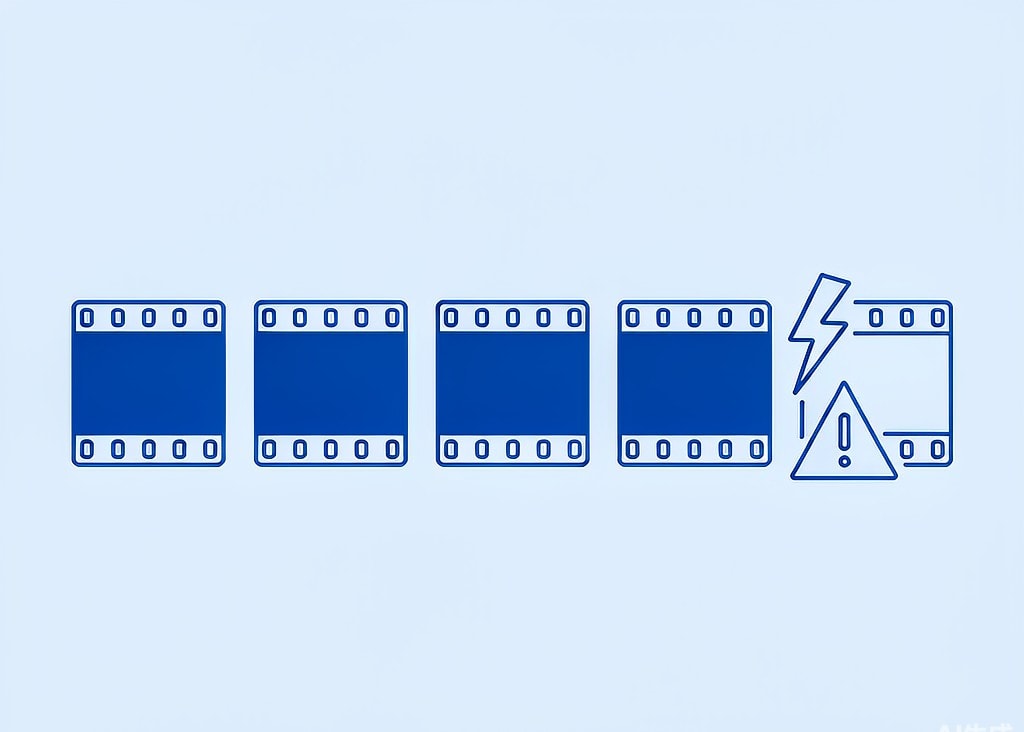
A recording is written in a fixed order. The camera creates a container header, streams encoded samples into a large block of sample data, and finally appends an index that lists every frame, its duration, and its byte offset. That index is the moov atom in MP4 and MOV files, and it is the last thing written.
This ordering explains the pattern you see after a power failure. Files recorded an hour earlier were closed properly, so their indexes are on the card and they play normally. The file that was open when the power vanished never received its index, so a player opens it, finds no usable frame table, and reports a damaged or empty file. The card did nothing wrong.
There is a second layer to this on SD and microSD cards. The directory entry that records a file’s size is typically updated when the file is closed. If the camera lost power mid-recording, the entry can read 0 bytes even though the flash memory holds hundreds of megabytes of samples. A 0-byte entry is therefore not evidence of an empty file, and it is not evidence of a lost file. It is evidence of a file that was never closed. On the card’s allocation table those clusters are still marked as in use, which is exactly why they survive until something else overwrites them.
Case one: the power failed in the middle of a recording
This is the classic “camera died while recording” scenario: the battery ran flat, the camera was knocked off a tripod, a dummy battery lost contact, or the body shut down from heat. The clip appears in the folder at 0 bytes or 0 seconds, or it does not appear at all.
The footage is usually complete up to the last sample the camera flushed, and encoders flush constantly, so loss is typically limited to the final fraction of a second. What is missing is the index. Rebuilding an index for a file like this is the best-understood repair in camera data recovery, and the standard method uses a healthy reference clip recorded by the same camera at the same resolution, frame rate, and codec, because two clips from the same device and settings share the same codec configuration and track layout. The procedure is documented in the moov atom repair walkthrough.
The important consequence is that the repair is not a recovery task in the usual sense: nothing was deleted, so no deleted-file scan is required, and if the unplayable file is already on your computer you already hold everything that exists. If the file itself vanished from the card after the failure, then you do have a recovery task, and the correct move is to stop using the card and scan it before shooting anything else. The general corrupted-file causes page covers the cases where the index is damaged rather than absent.
Case two: the power failed in the seconds after the stop button
This case looks identical and is technically different. The recording stopped cleanly, the camera began writing the index, and the battery gave out during that write. Because the camera is powered from the same battery that just failed, the window is real: finalizing a 4 GB clip means writing a frame table, updating the directory, and flushing the file allocation table, and that is not instantaneous.
Three outcomes are possible, depending on how far the write progressed.
- The index is complete but the directory update did not happen. The file plays normally, or plays while showing a shorter duration than the shoot lasted.
- The index is partially written. The file opens but freezes, stutters, or loses sound after a certain point, because the frame table stops describing frames that are physically present.
- The index is written to a journal or cache that was never committed. The file is unplayable and is repaired in exactly the same way as case one.
The counterintuitive detail is that this is the cheapest of the three failures for most people: the samples written before the stop command are almost always intact, and the loss is confined to the tail. It is also the case where re-powering the camera with the card still inserted helps most often: many bodies retry finalizing the last clip during their boot routine, and some display a recovery prompt that should be accepted and allowed to finish before the card is ejected. Interrupted-recording recovery is treated in more depth, including the segment-level behavior of cameras that split long takes, on the interrupted recording recovery page.
Case three: the power failed while the files were copying
The third case is the one people misdiagnose. The camera is fine and the card is fine; the computer or the card reader lost power, the laptop slept, the USB hub browned out, or the camera was disconnected mid-import. Now the destination folder holds a file whose name is right, whose size is right, and whose content stops halfway.
The reported size can be correct because the operating system reserves the full extent when the copy begins, and the destination file system records the length before the bytes arrive. A file listing that says 3.9 GB proves nothing; play the last two minutes of it and watch where it stops. The truncated copy is a container with a damaged tail, and the fix is not to repair the copy but to repeat the transfer, because the source is untouched. Almost no one loses footage to a transfer failure. They lose the copy, then panic, then format the card or delete the originals, and only then lose the footage.
Two habits remove this entire failure class. Copy with a tool that verifies checksums and reports mismatches rather than with a drag-and-drop window, and treat the card as unmodified until the verification has passed. The wider set of import mistakes is collected in the post-shoot transfer failures page.
The three cases side by side
| Moment of power loss | What is on the card | Typical symptom | Repair path | |
|---|---|---|---|---|
| Case 1 | Mid-recording | All samples up to the last flush, no index | File shows 0 bytes or 0 seconds, or is absent | Rebuild the index from a matching reference clip |
| Case 2 | During finalization | All samples, index complete or partial | Plays short, freezes, or will not open | Re-power the camera; otherwise rebuild the index |
| Case 3 | During a copy | Source intact; destination truncated | Destination file size looks right, content stops early | Discard the copy and re-transfer with verification |
The table also answers the question “how much did I lose.” Case 3 loses nothing. Case 2 usually loses seconds. Case 1 loses only what was never flushed.
Why some cameras survive an interruption better than others

The single biggest variable is how the camera writes the container. A stills-first body recording conventional MP4 keeps one index at the end of the file, which is the arrangement that produces a 0-second clip.
Fragmented writers behave differently. GoPro cameras and DJI aircraft write a short index fragment every couple of seconds throughout the recording, so the file is self-describing at regular intervals instead of once at the end. When the power dies, everything up to the last fragment remains playable and only the tail is lost. Pilots and action-camera users therefore often find that the “camera died while recording” clip still opens and simply ends early. When it does not open at all, the fragment structure itself is likely damaged, which is a different problem with a different fix, described on the GoPro corrupt chapter page.
Two more variables are worth knowing before you draw conclusions about the camera. The first is card speed: a card that cannot sustain the bitrate will stall the write pipeline and even trigger a deliberate stop, and the resulting files look exactly like power-loss files. The second is the file system: FAT32 and exFAT keep a backup copy of the allocation table, so a logical scan can often rebuild the file even when the directory entry has been destroyed.
| Writer design | Index written | Interrupted clip opens | Typical loss |
|---|---|---|---|
| Conventional MP4/MOV | Once, at the end | Usually not | None; the index is rebuilt |
| Fragmented MP4 (GoPro, DJI, some mirrorless) | Every 1–3 seconds | Usually yes | The last fragment interval |
| Camera with a write cache and clean-shutdown flag | At the end, with a dirty flag | Sometimes, after a repair prompt | The last few seconds |
If you are on Windows and the card is still detected by a computer, a purpose-built recovery tool such as XRecovery (xappset.com) can scan SD, microSD, and other memory cards for deleted or formatted photos and videos. As with any recovery tool, stop writing to the card first and always save recovered files to a different drive.
What to do in the first ten minutes
- Stop recording on that card. Every new clip consumes clusters, and the interrupted file’s clusters are the first candidates for reuse.
- Note the symptom exactly. “0 bytes,” “0 seconds,” and “plays then freezes” lead to different diagnoses, and the distinction is worth preserving.
- Copy the whole card, not just the broken file. A disk image preserves the allocation table and any deleted directory entries, which is what a later scan needs.
- Re-power the camera once with the card in place if the failure was a battery event, and let any finalize prompt complete.
- Work on copies. A repair should never overwrite the only remaining copy of an interrupted clip.
Frequently Asked Questions
The file says 0 bytes. Is the video gone?
Usually not. A 0-byte directory entry is a file that was never closed, and the sample data behind it is typically still allocated on the card. Recover or copy the card first, then rebuild the index from a healthy reference clip recorded at the same settings.
Can a clip interrupted mid-recording be repaired without the camera?
Yes, if you can borrow the same model and record a short reference clip at the identical resolution, frame rate, and codec. The reference supplies the index structure and the broken file supplies the frames. Without a match, remuxing and dedicated reconstruction tools remain.
Why did only the last file break when the battery died?
Because every earlier file was already closed, and closing is when the index is written. The camera writes indexes at the end of each recording rather than as it goes, so the only file exposed at any moment is the one currently open.
Does re-powering the camera after a power failure help?
Often, yes, and it costs nothing. Many bodies attempt to finalize an unfinished clip during startup and will write the missing index or repair a partial one. Do this before running any software, and copy the result immediately afterward.