
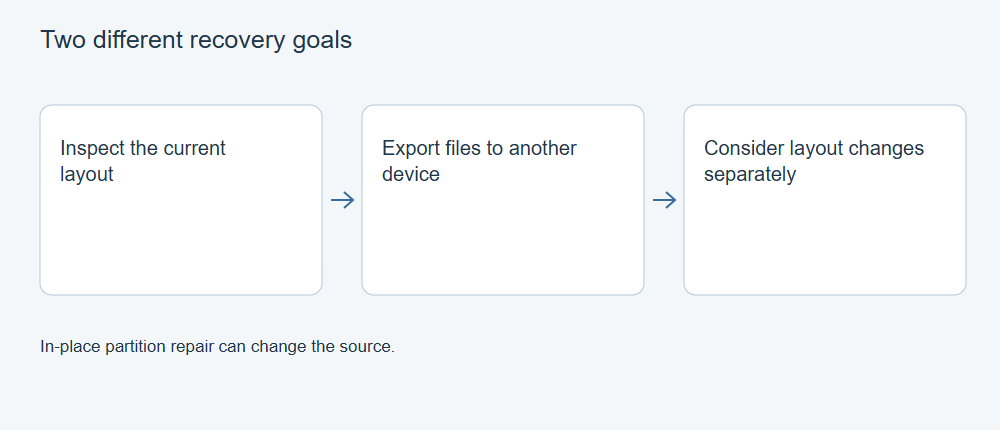
Partition recovery and file recovery solve different problems. Restoring a partition map changes how the disk describes its volumes. File recovery reads surviving data and saves files elsewhere. When the immediate goal is the only copy of important files, an export route can avoid making a speculative layout change on the source.
A missing map is not the same as missing content
A disk’s partition information identifies regions used by volumes. Inside those regions, file-system structures describe files and their contents. Damage at one layer does not establish the condition of the other. A lost partition can contain readable files; a restored partition entry can still point to a damaged file system.
This is why making a letter reappear in Explorer is an incomplete success criterion. The volume might mount while important files remain damaged. Conversely, files exported from an unallocated region may be useful even though the original disk remains unallocated.
| Task | Source effect to consider | Outcome to validate |
|---|---|---|
| Search for old partition candidates | Reading and any logs saved by the tool | Plausible, nonconflicting layout and recognizable content |
| Export files | Source reads; destination writes | Files on separate storage open correctly |
| Write a partition map | Changes disk layout metadata | Intended layout and volume access, then file integrity |
| Repair a file system | Can alter its structures | Which files remain usable, alongside structural consistency |
Use examination without drifting into repair
CGSecurity’s TestDisk tutorial separates examining found partitions from the Write choice that commits partition data. Its example supports listing files with p on an applicable candidate and quitting that view with q. These are different from choosing Write.
For an examination-only route, work from a preserved image where possible and save logs away from the source. Select the correct physical disk or image, confirm the original partition-table type, then use Analyse and Quick Search to inspect candidates. If the original table type is uncertain, stop rather than guessing. Use the listing view to check familiar folders before making a decision about any layout.
For a supported file listing, the TestDisk manual describes selecting entries with : and copying the selection with uppercase C. Navigate to a folder on a different physical device, recheck that destination and confirm with C. Check the displayed completion or error result and open the destination copies. Use q to leave the listing and quit without choosing Write or boot-sector repair.
Do not continue into partition writing merely because a candidate looks familiar. The tutorial’s sample disk is not evidence that yours has the same boundaries or problem.
Where files can already be copied normally, do that before searching for a layout repair. When candidates overlap, a resize was interrupted or original boundaries are uncertain, preserve the evidence and avoid selecting whichever entry makes the disk look normal fastest.
Where file-recovery software fits
XRecovery supports finding files in lost partitions and exporting them to another destination. It also supports creating IMG images and reading supported raw images. These are appropriate functions to evaluate when the desired result is usable files rather than a rewritten partition map.
Validate representative exports before a large recovery: inspect actual document content, extract important archive entries and check later video sections. Compare hashes against trusted originals when available. Neither a complete-looking directory nor a recovered file count proves content integrity.
Decide on in-place changes after preservation
Once important files are validated and independently stored, the cost of a layout mistake is different. A qualified repair can then be considered against the actual partition scheme, encryption, storage layers and disk condition. Preserve the original image so that a failed repair trial does not destroy the only remaining evidence.
If no usable data is readable, changing the map cannot by itself restore it. Hardware errors, overwritten content and missing credentials require their own handling. Choose a method by its source effects and the result you need, not by the broad word “recovery” in a tool’s name.