
Vibration does not corrupt your footage. It wears out the connection that carries it, and the damage accumulates quietly across hundreds of hours until one ride ends with a card error, an empty folder, or a camera that keeps restarting mid-recording. Motocross camera data recovery therefore starts with a different question than ordinary card recovery: is the media damaged, or is the socket?
That distinction decides everything. If the media is fine and only the interface has degraded, the footage is usually still on the card and recoverable once you can read it in a stable reader. If the card has been physically worn or contaminated, the same recovery attempt can push it further toward failure. Check the interface before you start plugging the card into things.
Why the Failure Appears Long After the Damage

The counterintuitive part of this failure mode is its timing. A camera mounted on a handlebar, a fork, or a helmet experiences constant, high-frequency, low-amplitude movement — exactly the kind of motion that wears mechanical contacts without producing a single obvious incident. Nothing breaks in the moment. Instead, two slow processes run in parallel.
The first is mechanical wear. The microSD card is held in its socket by friction and a small spring contact set. Thousands of small relative movements polish the gold pads and gradually open the contact gap. At some point, under vibration, contact becomes intermittent. The camera sees a card that appears and disappears, and its firmware responds the only way it can: it stops the write, raises a card error, or restarts.
The second is fretting corrosion. Where two metal surfaces move microscopically against each other, the protective oxide layer is repeatedly broken and reforms, and the debris accumulates at the contact point. Resistance rises slowly, so a card with fretting corrosion can read perfectly on a bench and fail within seconds of being vibrated again.
That is why a card can pass every test you run at home and still fail on the bike, and why the symptom usually looks like corruption — a clip that will not play, a recording that stops at a repeatable point, a folder that appears empty after a hard section of track — even though the media may be entirely healthy.
What Vibration Actually Damages
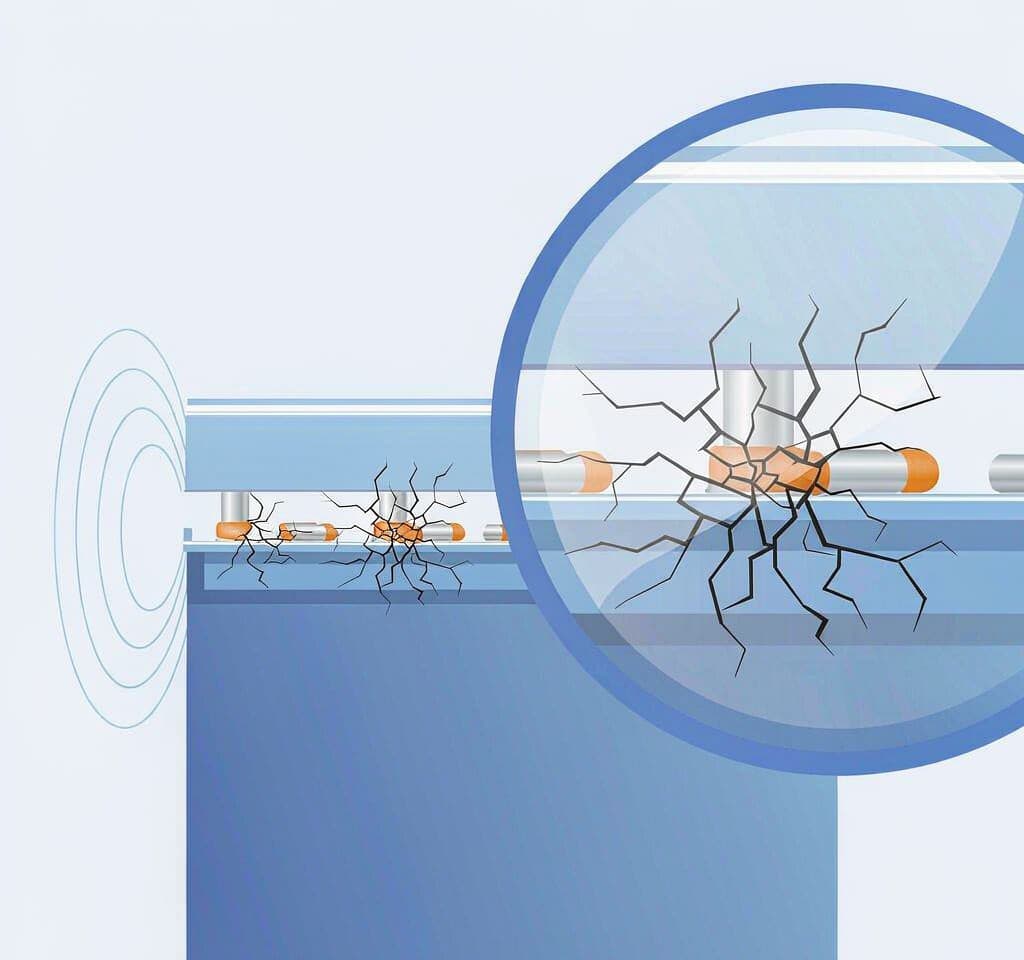
Four components take the load, and they fail in a predictable order.
The card’s contact pads. Micro-movement in the socket wears the plating and exposes the base metal, which shows as darker, duller, or slightly scored areas on the gold. This is the most common failure point and the easiest to rule out, because a different card in the same camera will behave normally.
The socket contacts. The spring fingers lose tension over time, so even a new card can become intermittent under vibration. A camera that errors with every card points at the socket; one that errors with a single card points at the card.
The solder joints at the slot. Vibration fatigues solder on heavier components, and a cracked joint around the card slot produces identical intermittent behavior, invisibly, from the outside.
The card’s own substrate. MicroSD cards are thin and flex where they are mounted. Repeated flexing can crack the laminate or the die attach. This is the failure that genuinely destroys data, and it belongs to a data recovery laboratory rather than a scanner.
An adapter complicates all four by adding a second contact set in series. If footage is missing and an adapter was used anywhere in the chain, test the bare card in a direct microSD slot first.
Mount Position Changes the Risk Profile
Where the camera sits determines what kind of vibration reaches it, and therefore which failure you are most likely to see.
| Mount position | Vibration character | Most likely failure | Practical mitigation |
|---|---|---|---|
| Chin or helmet front | High-frequency, low amplitude, plus impacts | Contact pad wear, card retention | Check retention weekly; consider a tethered mount |
| Chest harness | Moderate amplitude, harness absorbs some energy | Socket fatigue over long-term use | Re-tension or replace the camera’s slot assembly |
| Handlebar or fork | Sustained harsh vibration, direct path from the wheel | Solder joint fatigue, intermittent contact | Damping mount, camera serviced annually |
| Frame or swingarm | High amplitude, shock events on landings | Card partially ejected, substrate damage | Secondary retention, replace card after a hard impact |
| Engine-adjacent or exhaust-side | Sustained vibration plus heat | Combined thermal and mechanical stress on both card and socket | Relocate; heat accelerates retention loss |
The pattern is that soft mounting positions create wear and hard ones create events. A helmet mount damages a card slowly over months; a swingarm mount can partially eject a card in a single hard landing, which is the worst case, because the camera may keep writing to an intermittent connection without raising an error until the file is already corrupted.
Heat matters as much as position. An engine bay or direct sun degrades a card’s ability to hold charge, so retention-loss symptoms appear sooner on a powersports camera than on a walking-around rig. Dirt ingress past a worn seal is cumulative in the same way: a camera that has been through three muddy seasons has grit in its socket whether or not anyone noticed.
Signals That Vibration Damage Is Accumulating
These are the warnings worth acting on, in roughly the order they appear.
- A recording that stops at the same point on the track. Repeatable failure with the same card usually means a momentary contact loss triggered by a specific input rather than a file system problem.
- The camera restarting during a bumpy section. A connection interruption the firmware cannot ride through.
- An empty folder where footage should be. The write was interrupted, so the directory entry never committed and the clip is unindexed rather than absent.
- A card that works on the bench and fails on the bike. The signature of position-dependent contact wear.
- Visible scoring on the card’s gold contacts, or a card that feels loose in the slot. Compare against a new card under a light; the difference is obvious once you look, and a loose card will only get looser.
None of these means the footage is gone. All of them mean the hardware in the chain is no longer fit for continuous recording, and continuing to shoot with it is how a recoverable intermittent problem becomes an overwrite.
Mud and Water in the Slot: What Not to Do
Wet, gritty cameras get treated badly, and most of the damage happens during cleaning rather than during the ride.
Do not insert or remove a card while the slot is wet. Pushing a wet card into a dirty socket drives grit past the contacts and can short across adjacent pads.
Do not rinse or submerge the camera. Water carrying silt leaves residue on the contacts that will never fully come out. Wipe the exterior and keep fluid out of the card door.
Do not blast compressed air into the slot. The pressure drives debris deeper and can deform the spring fingers. A soft brush and gentle suction at a distance are the right tools.
Do not scrape the contacts with metal. A pin or a blade tip lifts the plating. If cleaning is unavoidable, use isopropyl alcohol on a lint-free swab, with the camera off and the battery out.
Do not dry a wet card in rice. Rice does nothing about corrosion that has already started, and the dust it leaves behind is a new problem. Dry the card at room temperature and read it in a reader first. The full timeline of water damage, including why corrosion often appears a week or two later, is covered in water damaged card recovery.
A camera submerged in muddy water leaves both the socket and the card in question. Reading the card in a known-good reader is the first test, because it isolates the media from the camera.
Recovering Footage After an Intermittent Failure
The goal is to get the data off two suspect components without writing anything new.
Stop riding the camera, remove the card, and read it in a direct microSD slot — no adapter — on a machine you trust. Copy anything visible first, and if clips are missing or will not play, scan the raw card before doing anything that writes to it. The categories of action-camera loss are collected under action camera data recovery, with broader patterns in sports and action footage.
Then split the diagnosis. Record a short test with a known-good card in the suspect camera while vibrating it; a few minutes on a rough surface is enough to provoke a marginal connection. If the good card errors, the socket is at fault and the camera needs service. If it does not, retire the original card from any role where footage matters. Damage that is genuinely physical rather than intermittent is described in physical card damage.
For the future, two practices pay for themselves: inspect contacts and retention after every event weekend, and rotate cards out of high-vibration duty on a schedule rather than waiting for a failure. Routine care is covered in memory card care, and card selection for continuous recording in verified microSD cards.
If you are on Windows and the card is still detected by a computer, a purpose-built recovery tool such as XRecovery (xappset.com) can scan SD, microSD, and other memory cards for deleted or formatted photos and videos. As with any recovery tool, stop writing to the card first and always save recovered files to a different drive.
One expectation to set: a card with a cracked substrate or contacts worn through the plating is not a software problem — that belongs to a data recovery laboratory, and repeated reader attempts can power a shorted card and make it worse. If two readers on two different machines cannot see the card at all, stop testing it.
Frequently Asked Questions
Can vibration corrupt the photos on a memory card?
Vibration rarely corrupts the stored data directly. What it does is wear the connection between card and socket, so writes are interrupted and files are left without a completed index. The bytes are often still present and recoverable; the failure looks like corruption because the camera can no longer read its own files.
Why does my action camera card work at home but fail when riding?
That pattern usually indicates position-dependent contact wear or fretting corrosion. Microscopic movement changes the contact resistance, so the card reads reliably when stationary and intermittently when vibrated. Try a different card in the same camera to determine whether the card or the socket is at fault.
How do I clean mud out of a camera’s card slot?
Power the camera off, remove the battery, and use a soft dry brush to lift debris out, optionally with gentle suction at a distance. Do not use compressed air, metal tools, or liquid. If residue remains on the contacts, a lint-free swab lightly dampened with isopropyl alcohol is the only safe option, and the slot must be fully dry before a card goes back in.
Is footage recoverable if the camera lost power mid-recording on a jump?
Usually yes, if nothing was written afterward. The recording in progress is left without a finalized index, which typically appears as a file with a normal size and a duration of 0:00. That condition is repairable, and the footage can be recovered as long as new recordings have not overwritten its blocks.