
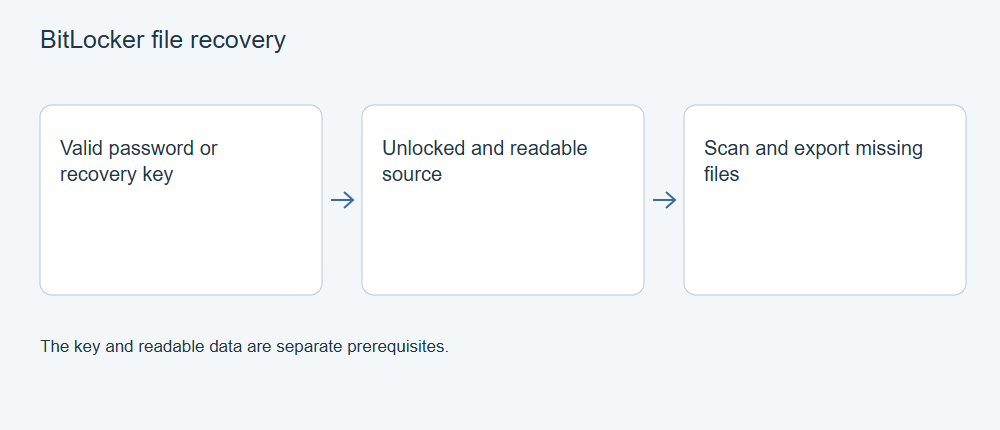
XRecovery supports BitLocker file recovery after unlocking with a valid password or recovery key. Identify the correct encrypted source, supply its legitimate credentials through the unlocking workflow, and save recovered files to another physical device. A disk being visible does not mean its contents are already decrypted or that a missing key can be bypassed.
Identify the encrypted volume
Compare the source’s device identity, capacity, and partition information with the storage containing the files. A computer can have several encrypted volumes, each with its own credentials. Do not assume that a key for the system volume unlocks an unrelated external disk.
If you are using a recovery key, match its identifier to the requested volume. Microsoft’s key-recovery guidance describes finding the appropriate key through your own saved records, account, or organization. The recovery password has 48 digits, usually shown as eight groups of six; the key ID identifies it but is not the unlocking secret itself.
For a managed work device, use the organization’s authorized process. Do not post the key, password, or an unredacted recovery screen in ordinary support channels.
Unlock through the appropriate workflow
In XRecovery’s BitLocker recovery workflow, provide the valid password or recovery key for the selected source. Read any resulting message and confirm which volume becomes accessible before starting the file search.
Unlocking for access is different from decrypting the whole disk in place. Do not start an unnecessary full decryption, formatting operation, or partition change as a way to make deleted-file recovery work.
If credentials are rejected, check the selected volume, key identifier, and accuracy of what you entered. Preserve the exact message. Repeatedly entering a key for another disk will not help, and guessing or removing the encrypted partition will not recreate the required secret.
Scan the accessible source
Once the appropriate source volume is unlocked and readable, scan it through the relevant workflow. Keep the source unchanged and prepare a separate destination with adequate space.
Use original names and paths where available, then inspect type-based results when metadata is incomplete. Search and filters help narrow results but do not prove that encrypted, overwritten, or missing data has been reconstructed.
A correct password or key supplies access to readable encrypted contents. It does not establish that a deleted file’s sectors still contain the original data. The deletion history, subsequent writes, storage behavior, and damage remain relevant.
Preview, export, and verify
Inspect supported previews to identify the desired files. Export a representative selection to your independent destination, then open them in their normal applications. Check the sections or media content required for your actual task.
Keep recovered sensitive data protected at the destination. A decrypted exported document may no longer inherit the original disk’s BitLocker protection. Choose a destination and access controls appropriate to the confidentiality of the files.
If an exported file is damaged, compare other candidates and retained copies. File repair is a separate supported operation for listed formats; it is not a method of bypassing encryption or guaranteeing that missing original bytes can be recreated.
If no valid key or readable source is available
Continue the legitimate search for your saved key or contact the responsible administrator. The product does not supply a replacement for an unknown recovery key. A hardware problem preventing reads is also distinct from a credential problem and may require source assessment before further scanning.
For support, provide the application version, source identity, encryption/access state, stage, and exact error with secrets redacted. Keep the real credentials in the authorized private process. This helps identify the actual barrier without exposing the information that protects the disk.