
If the camera fell in water or hit concrete, stop pressing buttons and stop powering it on. Camera fell in water data recovery almost always means card recovery, because the memory card is a sealed solid-state component while the camera around it is full of boards, ribbon cables, and a battery that is now the biggest threat to your footage. Battery out first, card out second, drying third, and no attempt to charge or boot the body in between.
That order is counterintuitive to anyone who has killed a phone by switching it on to check for water damage. It matters here for a specific reason: a wet camera that receives power can short across the circuits feeding the card slot, and a battery left inside a flooded or dented body keeps pushing current into a wet board for hours.
Why the Card Usually Survives What Kills the Camera
Memory cards are among the most robust parts of the system. An SD or microSD card is silicon and a controller encapsulated in epoxy, with no moving parts, no vents, and no openings. The camera is the opposite: optical assemblies, motors, seals, connectors, and a battery that holds a charge while sitting in water.
The realistic outcomes of a water or impact event split roughly like this:
- The card stayed dry and is fine. The slot sits behind a door on most bodies, and on weather-sealed models that door has a gasket.
- The card got wet but was never powered while wet. Still a good outcome. Dry it thoroughly before it sees any power, then read it once.
- The card was powered while wet, or the camera shorted across the slot. The controller may be damaged; software cannot help, and that is a laboratory case.
- The card is physically cracked. A card fractured inside a slot cannot be repaired with software, and the work belongs to a lab that can reach the NAND directly.
Two design details shape the odds. A card behind a twist latch or a rubber-sealed compartment is far better protected than one in an open side slot with a flip cover. And a card mounted inside the battery compartment sits deeper in the body, further from the lens barrel where water and impact energy enter.
| Camera layout | Card location | Exposure in a water or impact event |
|---|---|---|
| Pro DSLR or mirrorless, dual slot | Side door with latch, sometimes gasketed | Low to moderate; the door is the weak point |
| Consumer mirrorless or DSLR | Side slot with flip cover | Moderate; the cover pops open in falls |
| Rugged compact | Sealed door, rated immersion | Low; check the seal after impact |
| Action camera with removable battery | Behind the battery in a sealed housing | Low if the housing held, total if it did not |
| Drone with gimbal camera | Slot on the camera body | High; the gimbal arm absorbs the impact |
| Camcorder with internal memory | Card slot plus soldered storage | Data may be split across both |
The Order: Battery Out, Card Out, Nothing Powered
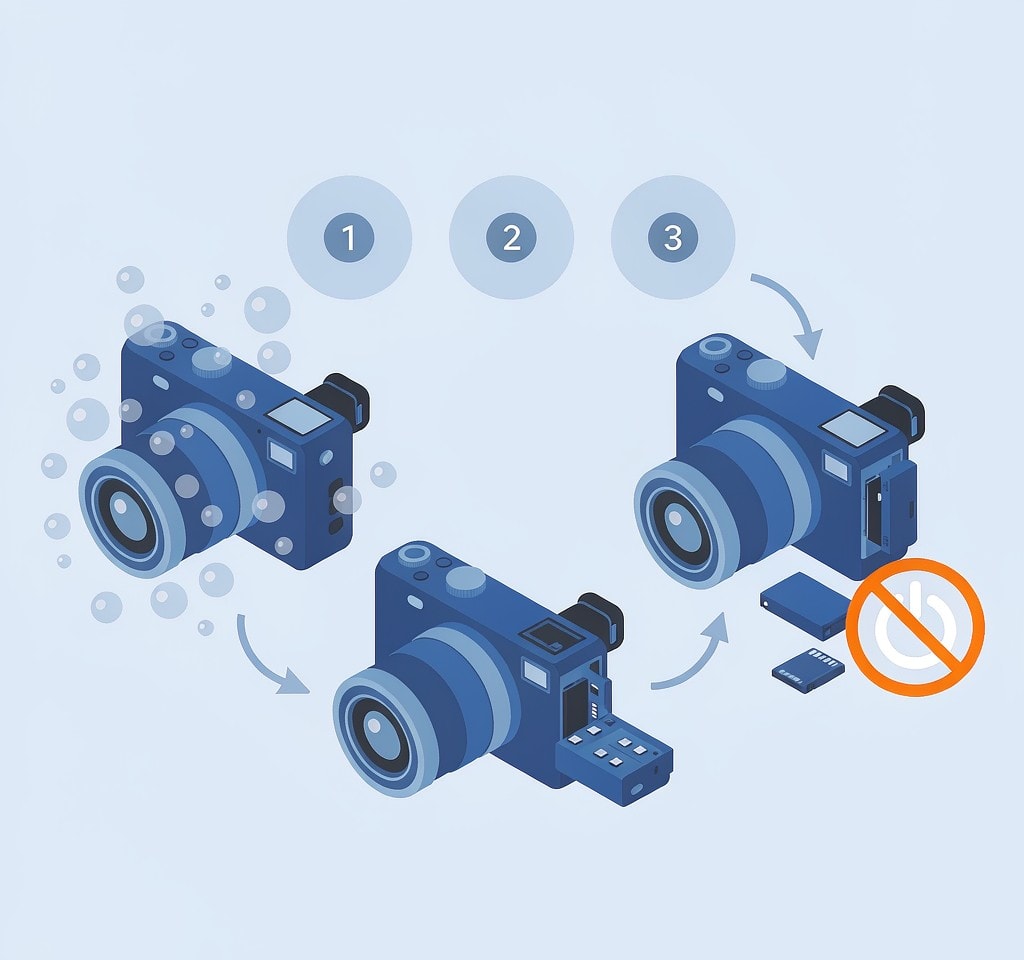
Work through this in sequence and do not improvise. The whole exercise takes five minutes and decides whether the footage is a desktop job or a laboratory quote.
- Do not power the camera on and do not plug it into a charger. Charging is the worst option available, because it supplies current to a wet board and can turn a dry card into a shorted one.
- Remove the battery first. This cuts power immediately. If the battery is swollen, sealed, or internal, stop here and treat the camera as an unpowered unit for a repair shop; a swollen cell pressing on a card slot can warp or crush a card.
- Keep the camera upright and open the card door slowly, so water drains away from the slot instead of across the contacts.
- Remove the card without touching the contact pins. Use the card’s edge or a plastic tool. Do not blow on it or wipe the pins with your fingers.
- Inspect the card before drying it. Note whether it is wet, whether corrosion is visible, whether the shell is cracked, and whether the write-protect switch is intact. Photograph it for insurance and client records if this was a paid job.
- Keep the card and the camera apart. They have different next steps, and mixing them up leads to retrying the dead body.
On some compacts and drone bodies the card sits behind the battery door, so removing the battery also exposes the card and leaves the camera unpowered for the whole operation.
Water Type Sets the Clock
Not all water is equally destructive, and the type determines how much time you have.
Saltwater is the urgent case. Salt accelerates corrosion on contacts and traces, and corrosion continues after the water dries. A card immersed in saltwater should be kept in the state it was found and handed to a data recovery professional promptly if the footage is irreplaceable. Do not rinse it, do not heat-dry it, and do not insert it into a reader to see if it works; contaminated contacts can damage the reader as well.
Freshwater is more forgiving. Remove the card, shake off standing water, and let it air-dry completely. Twenty-four to seventy-two hours at room temperature is realistic for a brief submersion, and a sealed container with desiccant packets accelerates it.
Mud and silt are worse than clean water, because particles lodge in the contact recesses. Rinse the exterior with distilled water only if the card is visibly coated, then dry fully.
Rice is not a drying method. Rice dust collects in the contact recesses and the write-protect switch, and it pulls moisture from a sealed card no faster than air. Desiccant in an airtight container is the workable substitute.
For a card that has already been exposed, our guide to water damaged SD card recovery covers the assessment step by step.
Impact Damage Changes the Failure Mode
A fall that destroys the camera does not necessarily touch the card, but it changes the problem from water to mechanical stress. Three checks matter after a drop.
A cracked card. Cards break internally rather than at the shell, so the damage can be invisible. If the card does not appear in a reader at all after a fall, stop reinserting it; repeated attempts on a fractured card can damage the reader’s pins too.
A deformed slot. If the camera’s slot shows bent contacts, the card may be fine but unable to communicate. Testing it in a separate reader is the correct move, not putting it back into the broken body.
A swollen battery that loads the slot. Lithium cells swell after impact or heat, and a swollen cell can press directly on the card compartment. If the battery door will not close or the body bulges, treat the card as potentially crushed and do not force anything.
If the card is visibly broken or has lost its shell, the situation belongs to a laboratory, including chip-off work and its cost profile; our page on physically broken card emergencies explains what a lab can and cannot achieve.
Cameras With Internal Storage: When You Cannot Just Take the Card
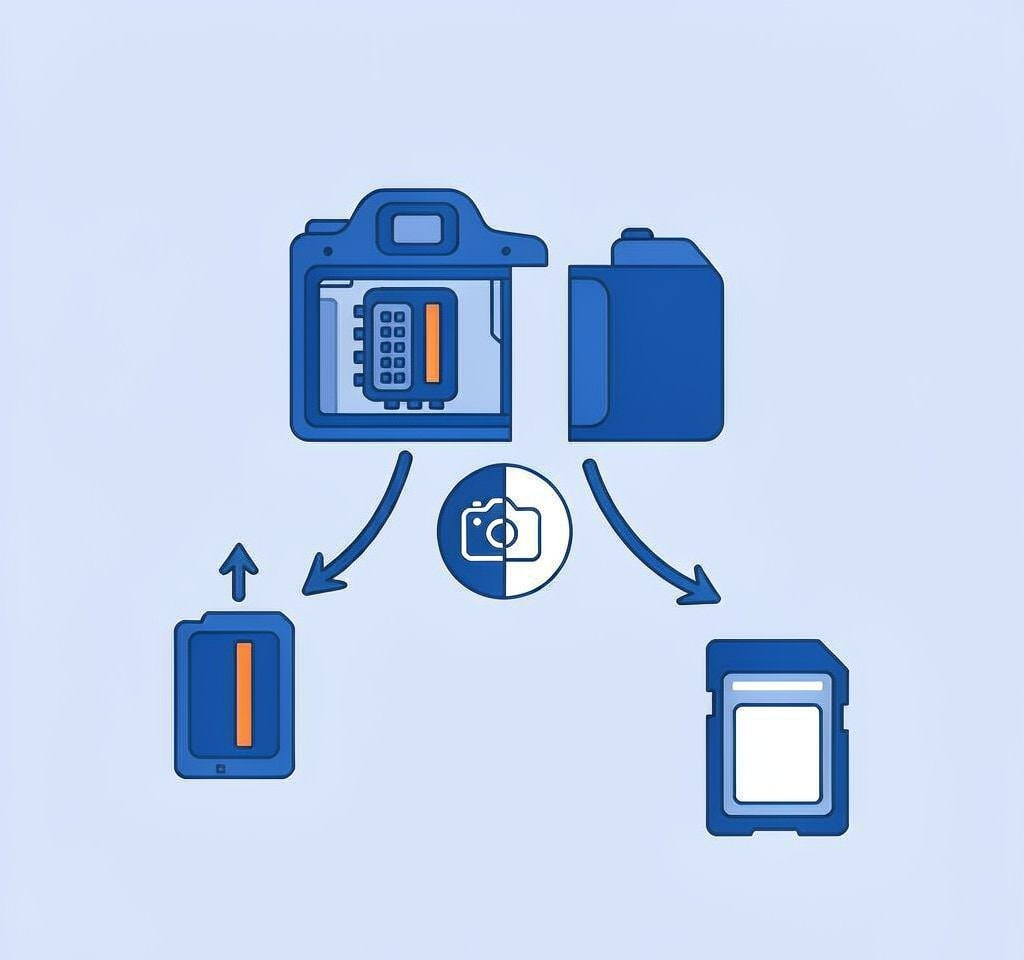
A growing number of bodies write to soldered storage as well as, or instead of, a removable card. Compacts, several drones, and some vlogging models hold footage in internal memory, which changes the plan.
If the camera will not power on and the footage is internal, there is no card to rescue. The data sits inside a device that cannot be read without the device working, so the realistic options are a repair shop that can restore power to the board, a manufacturer service center, or a data recovery lab. Do not open the body yourself; internal storage is usually soldered to the mainboard.
If the camera does power on after drying, copy the internal material off immediately through the manufacturer’s transfer method before anything else is attempted. That workflow is set out in our guide to recovering photos from camera internal memory.
Once the Card Is Out and Dry: Read It Once, Correctly
The reading step has its own rules. The goal is one clean pass over the card, with nothing written to it.
- Use a known-good reader, not the camera. Connecting the damaged body over USB to reach the card gives a wet or failing camera another chance to write to it.
- Set the write-protect switch to lock if the card has one. That is the simplest guarantee that nothing writes to it during the session.
- If the card mounts and files are visible, copy them off, then confirm the copies open. Do not delete or reorganize anything on the card itself.
- If the card mounts but files are missing or the folder structure is gone, image the card first. Our guide to cloning a card before recovery explains why working from an image protects the only copy you have.
- If the card does not mount, decline the reformat prompt. That dialog means the file system is unreadable, not that the data is gone. Work through the symptoms in the card not detected decision tree.
If the card is detected and mounts but files are missing or unreadable, and you are on Windows, a purpose-built recovery tool such as XRecovery (xappset.com) can scan SD, microSD, and other memory cards for deleted or formatted photos and videos. As with any recovery tool, stop writing to the card first and always save recovered files to a different drive. Recovery software reads the card; it cannot repair a cracked shell, corroded contacts, or a burned controller, and those cases belong to a laboratory.
One final caution: a submerged card that works today may fail next week if corrosion is still progressing. Copy the data off the moment the card is readable, store it on two separate drives, and retire the card rather than returning it to service. The moves that reduce your chances are listed in our page on what not to do in data recovery.
Frequently Asked Questions
Should I power on the camera to see if it still works?
No. Repeated power-on attempts are the most damaging habit after a water or impact event, because current through a wet board can short the path feeding the card slot. Remove the battery, remove the card, and let a repair shop evaluate the body later.
How long should a wet memory card dry before I use it?
Twenty-four to seventy-two hours at room temperature after submersion in fresh water, and longer if water reached the interior through a damaged shell. Use desiccant rather than rice, avoid heat, and wait another day when in doubt.
Can a camera that fell in the ocean still give me my photos?
Sometimes, but saltwater is a race. The card may be recoverable if it was never powered while wet and corrosion has not reached the contacts. Keep it as found, do not rinse or test it, and give it to a data recovery professional promptly.