
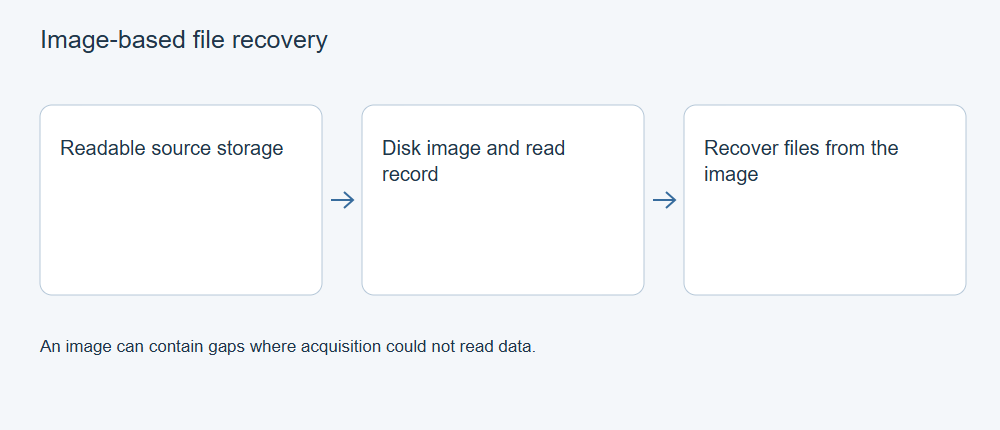
A sector image gives recovery software a separate copy of the storage data to examine. When acquisition succeeds, later scans can read that copy instead of repeatedly reading the original device. Imaging does not repair missing sectors, reverse overwrite, or make a failing device safe to operate indefinitely.
What a recovery image preserves
A sector image records data from a defined device or address range into another storage location. Unlike an ordinary folder copy, its scope can include filesystem structures and space that is not currently assigned to visible files. Those areas can matter when the directory no longer describes the files you need.
The scope must be explicit. An image of one partition does not automatically include the rest of the disk. A stopped acquisition is not a complete acquisition simply because an image file exists. Record the source identity, selected range, expected byte length, output location, acquisition outcome, and any read errors.
XRecovery 4.0 can create an uncompressed raw sector image in an .img file and load compatible image files for recovery work. This capability is distinct from system migration, bootable disk cloning, or restoring an entire disk. The filename extension alone does not prove that an image has the layout or contents a particular program expects.
Keep acquisition evidence beside the master image. Working copies and recovered files have different purposes.
Image, clone, and scan session are different objects
An image is normally stored as a file. A clone writes a copied address space to another device; identifying the destination incorrectly can destroy data on that destination. Neither term, by itself, says whether every source sector was read successfully or whether the result can boot.
A saved scan session stores information about a scan so that work can be continued. It is not a replacement for the underlying source data. If a session points to a device or image that is no longer available, the session does not contain the missing file contents merely because a result list was saved.
Recovered files are another output again: they are the selected files exported from the source or image. Keep that destination separate from the source. Naming all three objects clearly—image, scan session, and recovered files—prevents a common mistake in which the smallest file is assumed to be a complete backup.
Why working from an image can protect the source
The main benefit is separation. Once a usable image has been acquired, exploratory scans, result comparisons, and file exports can operate on another storage device. The original can remain disconnected while those tasks proceed.
That separation also makes mistakes easier to contain. Keep an unchanged master image and use a working copy when a later operation might modify filesystem structures or file contents. An image can be damaged by writes just as another file can; the word “image” does not make it immutable.
This is a workflow property, not a guarantee supplied by a single button. The operating system, other applications, destination choice, and handling of the original all affect what is read or written. Do not assume that calling a scan read-only prevents every other program from modifying the attached device.
Read errors remain part of the evidence
Imaging still requires reading the source. A device that repeatedly disconnects, behaves erratically, or shows physical damage needs an assessment before further acquisition attempts. A longer scan or a larger retry count is not automatically a better choice.
Acquisition tools also differ. GNU ddrescue, for example, documents a strategy that copies readable areas first and uses a mapfile to track progress and support resumption. Its documentation explains that unreadable regions in a newly created regular output file can contain zeros; existing output can retain prior contents there. Such bytes must be interpreted with the acquisition record. These are ddrescue-specific behaviors, not a claim about XRecovery’s implementation. GNU ddrescue manual.
The important distinction is between a byte range copied successfully, a range never attempted, and a range that could not be read. A normal-looking output file cannot establish that distinction on its own. Preserve the available acquisition logs and error information instead of interpreting all zero-filled areas as original empty space.
What a checksum establishes
A checksum records a compact value derived from a particular file’s bytes. Rechecking it later can help establish whether that file changed during storage or transfer. It does not establish that the acquisition read every source sector, that a file was complete before imaging, or that the recovered content is usable.
Use the checksum alongside scope, size, and acquisition status. A stable checksum for a partial image proves consistency of that partial file; it does not promote the image to a complete copy. Avoid rereading an unstable original solely to obtain a comparison value without considering the additional read workload.
Recovery still requires file-level verification
After scanning a compatible image, export selected files to a separate destination and verify them in the relevant application. Being listed, having a plausible size, previewing, exporting, and opening completely are different observations. For video, a short preview does not establish that the full timeline and audio survived.
Keep the master image, its acquisition record, the scan session, and the verified exports identifiable. If acquisition was incomplete, carry that limitation into the recovery notes. Imaging can preserve a useful basis for analysis; it cannot supply data that the acquisition never obtained or that was already overwritten.