
Deleting a file, notifying an SSD that space is free, and reclaiming flash blocks are different operations. They help explain why an old filename can remain visible to a recovery tool after its content is unavailable. A Windows setting describes a notification policy; it is not proof that a particular file is recoverable or already erased.
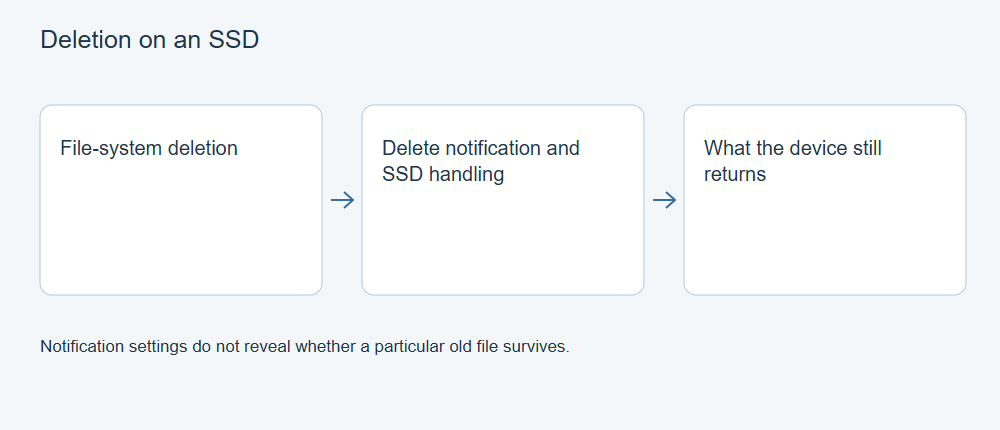
Three layers, three different events
File-system deletion changes how a file system accounts for the file and its space. Some records or content may remain, but their continued presence is not guaranteed.
TRIM or UNMAP notification communicates that certain storage ranges are no longer required by the host. Microsoft’s fsutil documentation describes this delete-notification behavior.
Garbage collection is controller-managed flash housekeeping. Kingston’s SSD technical FAQ describes consolidation of valid data and reclamation of blocks, and how TRIM helps the controller distinguish data the host no longer needs.
These operations are related, but a file deletion is not a timestamped report that every relevant flash cell was immediately erased. Equally, the absence of a visible erase operation does not establish that old content remains available through ordinary reads.
What the Windows query actually answers
On an appropriate Windows system, an administrator can inspect the current policy with:
fsutil behavior query DisableDeleteNotify
For the reported supported file system, a value of 0 means delete notifications are enabled; 1 means disabled. Read the labeled output rather than treating every number as one global statement for all storage.
This query does not identify the missing file’s data ranges, confirm a historical request, prove a bridge forwarded it, or inspect the SSD’s internal flash state. The current policy may also differ from the state at the time of loss. Use it as context, not as a file-recovery verdict.
Changing the policy afterward cannot restore data already made unavailable. Use the query to understand the current setting, not as a way to recover the missing file.
What a recovery application can see
A conventional scan works through the storage data the operating environment and device make readable. Metadata may identify a name even when the relevant data is gone. A signature search can recognize some remaining content, but cannot infer arbitrary missing bytes from a header.
XRecovery supports scanning readable SSD sources. That support means it can look for retained data under its supported conditions; it does not establish a way to reverse completed erasure or controller reclamation. A paid license or another scan mode does not change what bytes the source exposes.
An unsuccessful scan also does not isolate TRIM as the cause. Wrong source selection, changed file-system structures, encryption, overwrites, fragmentation or read failures can lead to absent or unusable results. Distinguish observations from explanations.
Apply the mechanism to a loss
Reduce unnecessary activity, check independent copies and avoid optimization, secure erase or firmware procedures as recovery experiments. If the SSD is stable, a purposeful scan and export to another device can establish whether useful content remains. Validate the exported file in its normal application.
If a backup contains the wanted version, recover from that copy rather than using a TRIM setting to justify repeated source scans. If the device is unstable, seek an acquisition assessment.
A controlled TRIM study would need known originals, documented device and firmware, connection, operating system, deletion sequence and read results. A positive or negative result would describe those conditions. The exact drive model, firmware, interface and operating system affect the outcome. This mechanism alone cannot supply a recovery percentage or a dependable delay window for your SSD.