
A data recovery success rate is only useful when you know what was counted. A percentage of files found is not the same as a percentage of original files recovered intact. Check the source condition, the files included and how the exported contents were tested before comparing a recovery claim. This article explains how to evaluate those results; it does not report a universal success rate for XRecovery.
Define the question before the scan
Choose a specific scenario: recent deletion on readable NTFS, quick formatting of a known card, damaged file-system metadata, or another clearly described condition. Record the storage type, file system, system/application versions, and relevant connection or encryption state.
Keep unrelated conditions separate. A result from a continuous JPEG on a healthy HDD does not establish performance for a fragmented camera recording, an SSD after storage clearing, or an inaccessible RAID. The scope of the conclusion should remain as specific as the evidence.
XRecovery is our product, and that relationship belongs in any published comparison. A documented evaluation procedure does not itself establish independent testing or third-party approval.
Establish a known original set
For an authorized controlled evaluation, retain the original files and a manifest before the loss condition. Record identifiers, sizes, and hashes, together with content checks appropriate to each format. Include the files the scenario claims to evaluate rather than selecting only those that later recover well.
Use legitimate, non-sensitive samples. A valid example can include a document with distinctive later sections, a full-resolution picture, a recording with recognizable end content, and a directory with repeated filenames in separate subfolders.
Use prepared test storage that does not hold the only copy of real user data. A controlled experiment needs its own authorization, prepared storage, and handling plan.
Preserve the input and settings
Record what changed: the deletion, format type, subsequent writes, or other precise condition. Preserve a suitable source copy or image where appropriate so comparable runs do not operate on silently different inputs.
For each run, retain the tool version, relevant settings, scan range, source identity, output destination, and any read or application errors. Keep original scan reports and separate outputs. A screenshot of the final count cannot substitute for the input and settings needed to interpret it.
Count separate stages
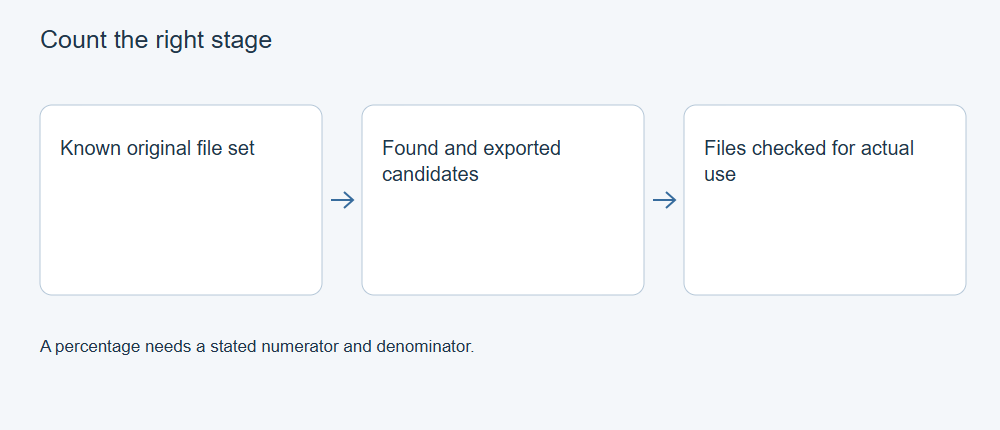
Use distinct categories for entries found, supported previews inspected, files exported, files matching known originals, partially usable contents, and failures. Deduplicate overlapping directory/signature results before treating them as unique originals.
State the denominator for every proportion. A proportion of selected files that exported is different from a proportion of all intended originals that were recovered completely. Excluding failed or unsupported files after seeing the result changes the question and must be disclosed.
Count partial content honestly. A video with a missing ending, a damaged workbook, or a thumbnail instead of the original image can retain value without meeting the complete-original criterion.
Validate bytes and actual use
When a trusted original is available, compare hashes and sizes. A byte-for-byte match is strong evidence of identity. When no original exists, explain the weaker but useful checks you performed instead of presenting a new hash as proof of completeness.
Open files in their intended applications. Inspect relevant document sections, full image details, archive extraction, complete recordings, and project dependencies. A file that opens but contains the wrong version does not satisfy a task requiring the current version.
Use a negative control or known damaged sample where appropriate to check that the method can detect failure. A validation procedure that accepts every named output cannot support a meaningful comparison.
Publish only the conclusion supported by the record
State the tested sample and environment, the actual outcomes, failures, and material limitations. Distinguish a documented feature, an observed interface action, and a measured file result. Do not convert a small controlled set into an all-device success percentage or a fixed scanning-speed promise.
If a needed case has not been run, describe the supported capability or general method without inventing its outcome. Preserve that case as an evidence gap. This makes later verification possible while keeping the public explanation accurate now.