

A file listed by a synchronization client is not necessarily a complete file on the local disk. Distinguish a cloud item, a placeholder, downloaded content and a cached preview before choosing a recovery route. Local recovery works with bytes available from the selected local source; account recovery works with content the service still makes available.
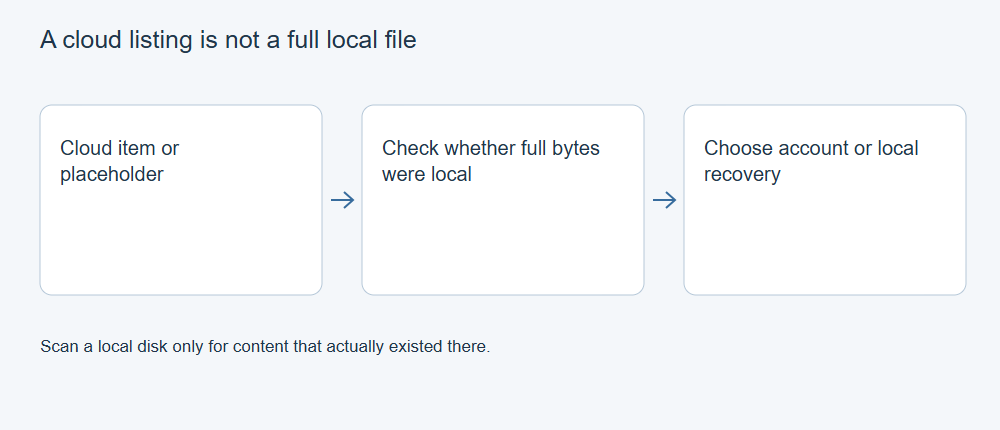
A listing is not the content
Names, paths and icons help identify an item, but they do not establish where its full data resides. A placeholder can represent an account item without supplying all the bytes required to open it offline. A preview may show part of the content without providing the original file.
Microsoft documents the availability states of OneDrive in its Files On-Demand guidance. Other clients have their own implementations. Do not apply one client’s cache behavior or folder layout to every cloud service.
How a placeholder differs from downloaded data
Windows Cloud Files uses reparse points to implement placeholders. A placeholder can retain a file’s name, size and other metadata while the sync provider fetches content when it is needed, a process called hydration. Microsoft’s Cloud Files documentation describes this mechanism. A current online-only state does not prove the file was never downloaded earlier; content can also be partially hydrated or later removed from local storage.
A local recovery scan can examine local file-system records and remaining data. It cannot reconstruct a complete cloud original solely from a name and metadata when the required content bytes are absent. A thumbnail or preview cache may contain a different, incomplete representation. Its presence is useful evidence, but it needs its own quality and completeness checks.
Choose the source that could contain the bytes
If the online item still exists, retrieve it through an authorized account route and verify the downloaded result. If it was deleted online, inspect that service’s available recycle-bin and history options. A local scanner does not search an online account simply because the account has a folder on the computer.
If a complete local copy was previously downloaded and then deleted, local recovery may apply to that device. A placeholder that never held the file’s full content cannot supply those missing bytes. A cached image or preview can still be useful, but should not be represented as the original without checking its quality and completeness.
Preserve evidence of the distinction
Record the client, account, expected path and availability state. Note whether the file was known to open offline and whether an independent complete copy exists. Avoid experimenting with deletions or cache clearing on the only remaining source just to test an assumption.
The online item, downloaded file and application cache are separate storage objects. A hash of one local file identifies its bytes; it does not certify an inaccessible cloud original or an older version that is no longer available.
Validate the result of the chosen route
Open retrieved content in the appropriate application and inspect the required material. Keep a full independent copy where appropriate before changing synchronization settings. Record the version and route that supplied it.
XRecovery’s documented OneDrive access concerns authorized files the service can make readable. XRecovery can save recovered files to Google Drive; that does not mean it can scan the Google Drive account for deleted files. Keep those product functions separate from general claims about caches or permanently deleted account data.
For the next step, see Recover Cloud Files: Separate Account History from Local Copies.