
The decision between trying recovery software and paying a professional service is usually framed as a question of budget. It is really a question of failure type. Software reads data through the card’s own controller, using the same path your computer uses. When that path is intact, software is not a compromise, it is the correct tool and it will outperform a lab on cost by two or three orders of magnitude. When that path is broken, no amount of software will help, and every additional attempt carries a risk of making the damage worse.
This guide gives you a way to tell which side of that line you are on, what a lab actually does with a dead card, and how to prepare if you decide to send one in. If you have not tried a software scan yet and the card is readable at all, do that first: the camera data recovery guide covers every do-it-yourself path, and most of them take minutes rather than dollars.
What software can and cannot do
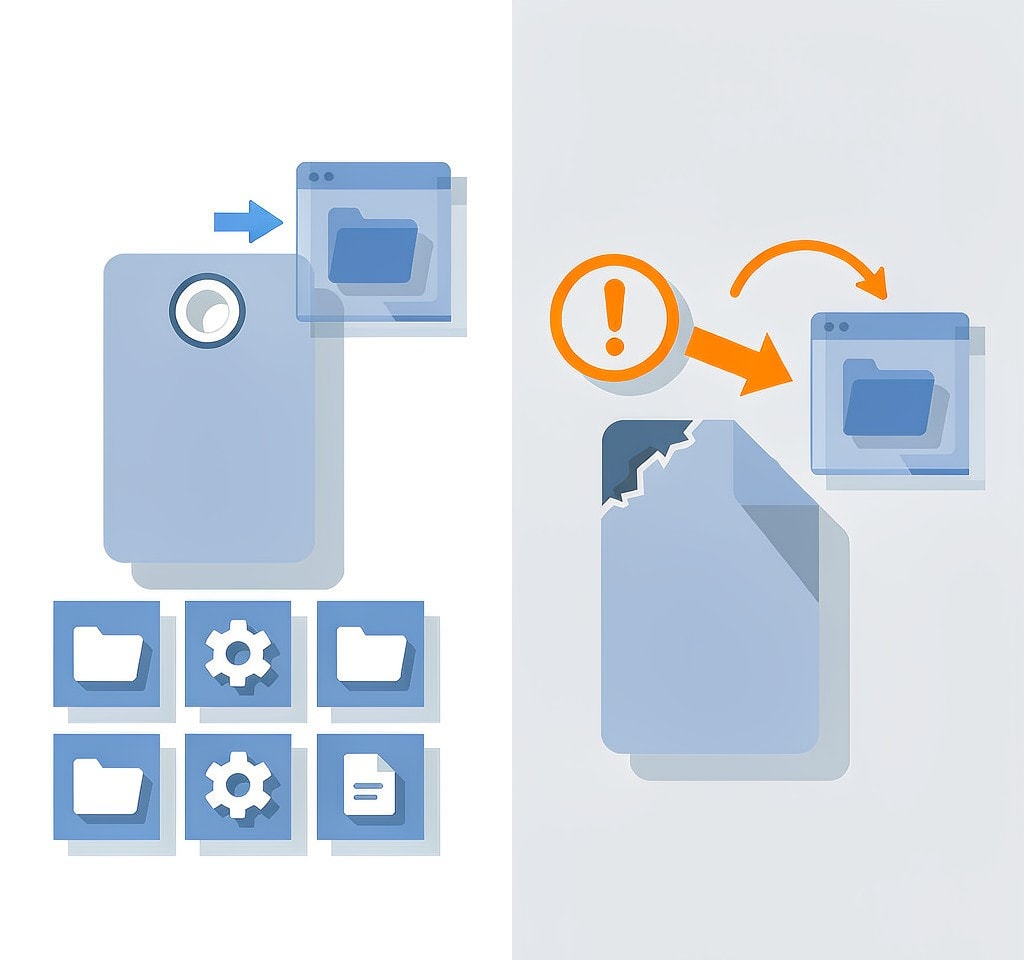
Recovery software operates by asking the card’s controller for data and then interpreting what comes back. That single sentence defines its entire capability envelope.
Software handles these well:
- Deleted files on a healthy card, where only the directory entry was removed
- Quick-formatted cards, where the file table was cleared but the data stayed
- Corrupted file systems, including cards showing RAW, where signature scanning bypasses the directory entirely
- Fragmented photos and videos that need reassembly in the right order
- Cards with isolated bad sectors, as long as the controller still responds
Software cannot touch these:
- A cracked, snapped, or physically deformed card
- Water or salt corrosion inside the card’s shell
- A controller whose firmware has failed, which typically presents as a card that never enumerates on any device
- Shorts, which often show up as a card that becomes hot within seconds
- Overwritten data, which no technology recovers, in a lab or anywhere else
Notice that the dividing line is not severity. A card with a completely destroyed file system but working hardware is an easy software case, while a card with perfect flash memory and a dead controller is a lab case. Hardware, not data loss, decides the route. The camera card not detected guide covers how to distinguish the two in practice.
The five questions that make the decision
Work through these in order. The first “yes” tells you to stop and call a lab.
| Question | If yes |
|---|---|
| Is the card bent, cracked, or physically deformed? | Stop. Lab. |
| Was it submerged, especially in salt water? | Stop. Lab. |
| Does it become hot within seconds of being inserted? | Stop. Lab. |
| Does it fail to appear in Disk Management on any machine, with any reader? | Very likely a lab case |
| Have multiple software scans, on a full image, found nothing? | Probably a lab case or a genuine overwrite |
If none of those apply, you should be doing this yourself. Running a scan is read-only, it costs nothing, and on a healthy card it carries no meaningful risk when you save results to a different drive.
What a professional lab actually does

Understanding the process makes the pricing easier to accept, and it also tells you which services are worth paying for.
Logical recovery is the cheapest tier, and it is what many “recovery services” actually sell: they run the same class of software you can buy, on better hardware, with an engineer watching. If your card is healthy, this tier is unlikely to beat a licensed tool on your own desk.
Firmware repair addresses a card that no longer responds because its controller firmware has failed or its translation tables are damaged. Engineers use manufacturer-specific tools to talk to the controller directly and rebuild the mapping between logical addresses and physical flash. This is beyond any consumer software.
Chip-off recovery is the last resort for a controller that cannot be revived. The flash memory chips are physically removed from the card and read directly with specialised hardware, then the raw data is reconstructed by reassembling the controller’s wear-levelling and error-correction schemes. It is expensive, it requires a cleanroom and significant expertise, and it is the reason monolith cards that cannot be disassembled cleanly sometimes cannot be recovered at all.
Almost all labs work on a no-data, no-fee basis, which is the standard you should look for. Ask two questions before committing: whether the quote is flat-rate or open-ended, and whether the lab returns your original media along with the recovered data.
Cost against value, honestly
Logical recovery typically runs from around a hundred dollars for simple jobs to several hundred. Firmware and chip-off work commonly starts in the high hundreds and can exceed a couple of thousand for complex cases, and monolith or encrypted media pushes higher still.
The comparison that matters is not the invoice against the software licence. It is the invoice against the cost of losing the data. A wedding shoot, a paid commercial job, or an irreplaceable family record justifies a lab without hesitation. A set of test shots from a walk in the park does not, and paying several hundred dollars to recover them is a bad trade. Our camera recovery software comparison covers what to run before you consider either option.
What to do before you send a card in
If you decide on a lab, the steps you take in the next hour materially affect the outcome.
- Stop powering the card. Every insertion is another chance for a failing controller to lock up permanently or for corrupted firmware to write over its own tables. This is the single most important instruction on this page.
- Stop running scans. Once you have established that the card does not enumerate and you have no image of it, further attempts add risk without adding information.
- Write down exactly what happened. The lab will ask when the failure occurred, what you were doing, whether the card was formatted afterward, and whether it has been exposed to heat or moisture. Vague answers lead to the wrong recovery approach.
- Photograph the card and note the model. The controller type determines the tooling required, and the serial number matters if the card is under warranty.
- Check whether you already have the data elsewhere. Before paying anything, search your backups, cloud sync folders, and any second card. It is an anticlimactic but surprisingly common outcome that the files were already safe somewhere else.
- Ask about the no-data-no-fee policy and turnaround in writing, before you ship.
When the answer is neither
There are cases where the honest answer is that the data is gone. If a scan on a full image of a healthy card returns nothing meaningful, the most likely explanation is that the card was reused and the original files were overwritten, or that a full format or secure erase ran to completion. In that situation a lab will charge you to confirm what software already told you. Part of making a good decision here is accepting that boundary rather than paying to avoid it.
One related cost worth knowing before you commit: a lab can recover the data and still hand you files that will not open, if part of the media was overwritten. The guide to repairing recovered files that will not open covers that second stage, which is sometimes necessary even after a successful professional recovery.
The practical habit that makes all of this moot is routine redundancy: a second copy of anything you cannot reshoot, made the same day, on a drive that is not the card. The guide to preventing camera data loss turns that into a workflow you will actually follow.
Frequently Asked Questions
How do I know if my card needs a lab rather than software?
If the card appears in your operating system’s disk management tool, even with a broken or unreadable file system, software is the right first move. If it does not appear there on any machine or reader, or if it is physically damaged, hot, or submerged, that is lab territory.
Is professional data recovery worth the cost?
It depends entirely on what is on the card. Logical recovery for a paid shoot or an irreplaceable family event is easy to justify. The same invoice for recoverable test shots is not. Compare the quote against the cost of losing the data rather than against the price of software.
Can a physically broken SD card still be recovered?
Sometimes. A card with a cracked shell can often be read if the internal flash and controller are intact, and a card with a failed controller can be recovered by removing the flash chips and reading them directly. Both require equipment you cannot buy at consumer prices, and both need the card to stop being powered.
Does a lab guarantee it will get my files back?
Reputable labs work on a no-data, no-fee basis rather than promising success, because some failures genuinely cannot be recovered. Be cautious of any service that guarantees results before examining the media, and confirm the policy in writing before shipping.