
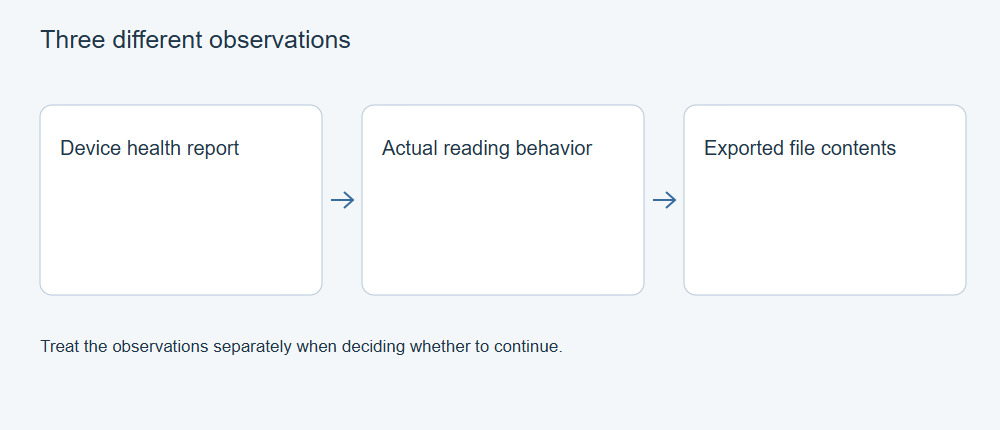
A “Good” or “Passed” SMART status does not establish that every sector is readable or every file is intact. SMART reports information supplied by the device; a failed read describes an actual access attempt; file validation checks the resulting content. When these disagree, preserve the data and investigate the difference instead of treating the green status as permission for repeated scans.
Understand what the status summarizes
SMART stands for Self-Monitoring, Analysis and Reporting Technology. It exposes device health information, counters, and related diagnostic records, with details that depend on the device and interface.
A health summary is narrower than a full account of the drive. Seagate’s SMART guidance explains that an alert can occur while a drive still appears to function, and even while some diagnostic tests pass. It also notes that thresholds differ between drive designs and manufacturers.
The reverse inference is unsafe as well: the absence of an alert does not establish that all requested data can be read. Treat a summary as one observation with a date, device identity, and collection method, not as a certificate for the files you are trying to recover.
Read the fields in their device context
Before interpreting a counter, identify the drive model, firmware, interface, and the utility that produced the report. Retain the complete report rather than copying only a colored warning or a single large number.
The smartctl manual source distinguishes normalized values, raw values, and thresholds. ATA attributes are vendor-specific; their numbers are not universal units. A normalized value of 100 should not be read as “100 percent of this drive is healthy.” The meaning of a raw field needs the correct device interpretation.
Where a utility identifies reallocated, pending, or uncorrectable-sector indicators, retain the exact label and its raw and normalized values. These labels concern different conditions; do not combine them into a guessed number of lost photographs. A counter cannot tell you which directory or video frames occupy the affected locations.
A trend can provide context only when the observations are comparable. A changed utility, adapter, firmware interpretation, or device selection may change the report. Do not keep a failing drive running merely to obtain a more attractive series of measurements.
Missing data is different from a zero count
An external enclosure introduces another layer between the utility and the drive. The smartctl documentation describes bridge-specific access and commands that some bridges do not support. A disk may be visible for ordinary file access while part of its health information is unavailable.
Keep three states distinct: a reported zero, an unsupported field, and a request that failed. Blank fields are not evidence of zero problems. “SMART unavailable” also does not prove that the disk has failed; it describes a limit of that observation.
Record the enclosure or adapter and connection type when forwarding an existing report. Do not remove a drive from an enclosure or experiment with pass-through options simply to fill a missing field. The appropriate access method depends on the device, and obtaining more telemetry is secondary to preserving important data.
Treat read errors as a separate finding
An I/O error means a requested operation did not complete successfully. It does not, on its own, identify the cause. The storage device, connection, power, controller and access software can each affect the operation. Seagate’s troubleshooting guidance includes connection checks for relevant error conditions, illustrating why the path matters.
The practical conclusion is limited but important: the attempted operation did not provide the expected data reliably. A green health label cannot cancel that observation. Likewise, successfully opening one folder does not demonstrate that a different part of the drive is readable.
Save the exact error and what was happening when it occurred. Distinguish a failure reading the source from a failure writing the recovery destination. Without that distinction, replacing the wrong device or rescanning the source may not address the problem.
Separate diagnostics from data preservation
A status query, a long read test, a repair operation, and an erase command are different activities. Seagate’s SeaTools manual describes a long generic test as reading the drive’s sectors, while repair and erase functions are separate options. A function labeled diagnostic is not automatically the best next action during a data-loss incident.
When the source is producing errors and the data matters, do not start filesystem repairs merely to make the volume mount normally. The GNU ddrescue manual advises against repairing a filesystem on a drive with I/O errors and explains preserving data in a copy before attempting repairs there.
That principle does not mean every failing drive should undergo an unattended full read. A drive that disappears, repeatedly stalls, or develops unusual mechanical sounds may require specialist assessment. Consider the value of the data and the observed instability when deciding whether to seek help. A warranty diagnosis and a recovery plan answer different questions.
What can be concluded about recovery?
| Available observation | Reasonable conclusion | Conclusion to avoid |
|---|---|---|
| SMART warning, files still open | A warning deserves attention while some data is accessible | All files are already lost |
| SMART passed, reads fail | Health summary and access results disagree | The error can be ignored |
| No health fields through an adapter | This connection did not supply the information | Every counter is zero |
| A recovered file opens | The application can interpret that file at least partly | The entire drive was recovered correctly |
No SMART percentage can supply a recovery-success percentage. Recoverability depends on whether the needed data remains accessible and whether enough file information survives to interpret it. A sound recovery record therefore keeps the original health report, actual read or acquisition results, and validation of important exported files as separate evidence.
If an image or copy already exists, inspect that copy rather than repeating work on the source. For an unstable original, stop escalating experiments and arrange an appropriate preservation or recovery assessment. The useful outcome is a decision supported by what was observed, with the unknowns still visible.