A hard disk drive stores data magnetically on rotating platters. Read/write heads move across those surfaces while a controller translates logical block addresses into physical access. File recovery depends on both layers: the mechanism must return sectors, and the file system or file content must provide enough structure to rebuild useful files.
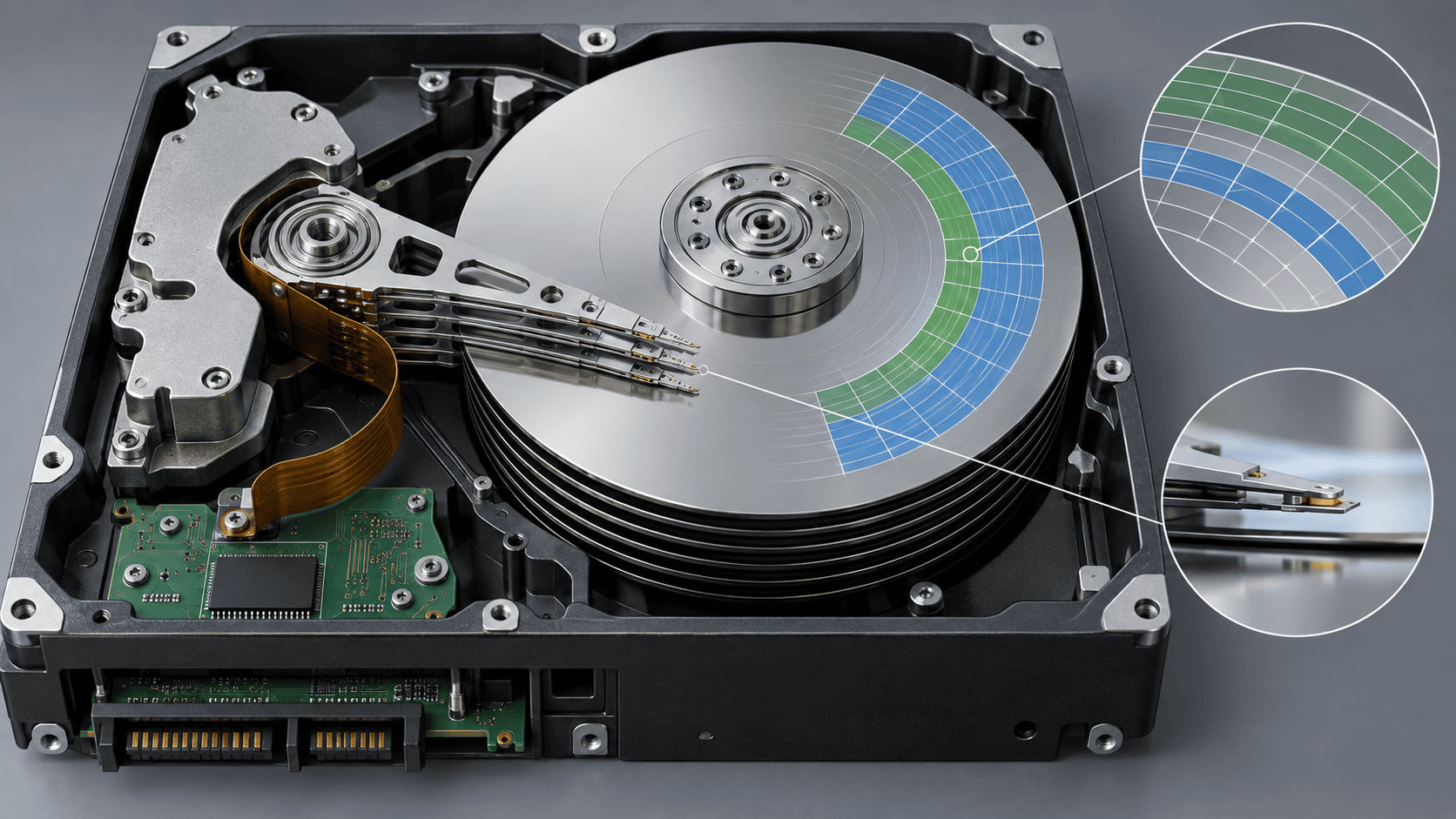
Sectors and file-system metadata
Windows and recovery software address sectors through the drive controller. The file system records filenames, folders, timestamps, allocation, and which clusters belong to each file. Deletion often changes those records before later writes reuse the corresponding sectors.
When metadata survives, a recovery scan may reconstruct names and folders. Signature-based scanning can locate recognized file structures when directory records are missing, but fragmented files can be difficult to assemble without allocation information.
Logical and physical failure
Logical failure includes deleted records, damaged partitions, corrupted file systems, and accidental formatting on a mechanically stable disk. Physical failure includes head, platter, motor, electronics, or interface problems. Symptoms can overlap, so capacity, stability, sound, temperature, and repeatable reading matter more than a single Windows message.
A missing drive letter is not proof of hardware failure. Conversely, a disk that briefly appears in Windows is not necessarily safe for a long scan.
Bad sectors and imaging
A weak or damaged area may require repeated error correction or may not return data at all. Prolonged retries can stress a failing mechanism. A byte-for-byte image or clone preserves the sectors that can currently be read and moves later file-system analysis away from the original drive.
XRecovery supports direct disk and partition byte copying and can load an image. Reads that encounter bad regions can time out and skip ahead so scanning continues. Skipping preserves progress but cannot recreate the missing bytes; files spanning those regions may be corrupt.
What software sees
XRecovery 3.1.6 runs on Windows and scans disks, partitions, external devices, and images that Windows recognizes. Quick scan is followed automatically by deep scan. The scanner can interpret surviving metadata and identify supported file structures, but it cannot read a disk that the operating system does not expose, repair mechanical damage, or reconstruct overwritten sectors.
Recovery evidence
Device detection proves that an interface responded. A scan result proves that metadata or a signature was found. A preview tests some content. Exporting to a different disk avoids changing the source, and application-level validation tests whether the recovered file is actually usable.
For stable logical loss, preserve the source and scan it or an image. For clicking, unstable, or physically damaged drives, reduce power cycles and seek professional evaluation when the data value warrants it. The physical state determines whether more software work is useful or harmful.