An SSD does not map a Windows file directly to one fixed physical location. The operating system addresses logical blocks, while the SSD controller maps those addresses to pages in NAND flash. That translation layer improves speed and endurance, but it also changes what recovery software can observe after deletion, formatting, corruption, or controller failure.
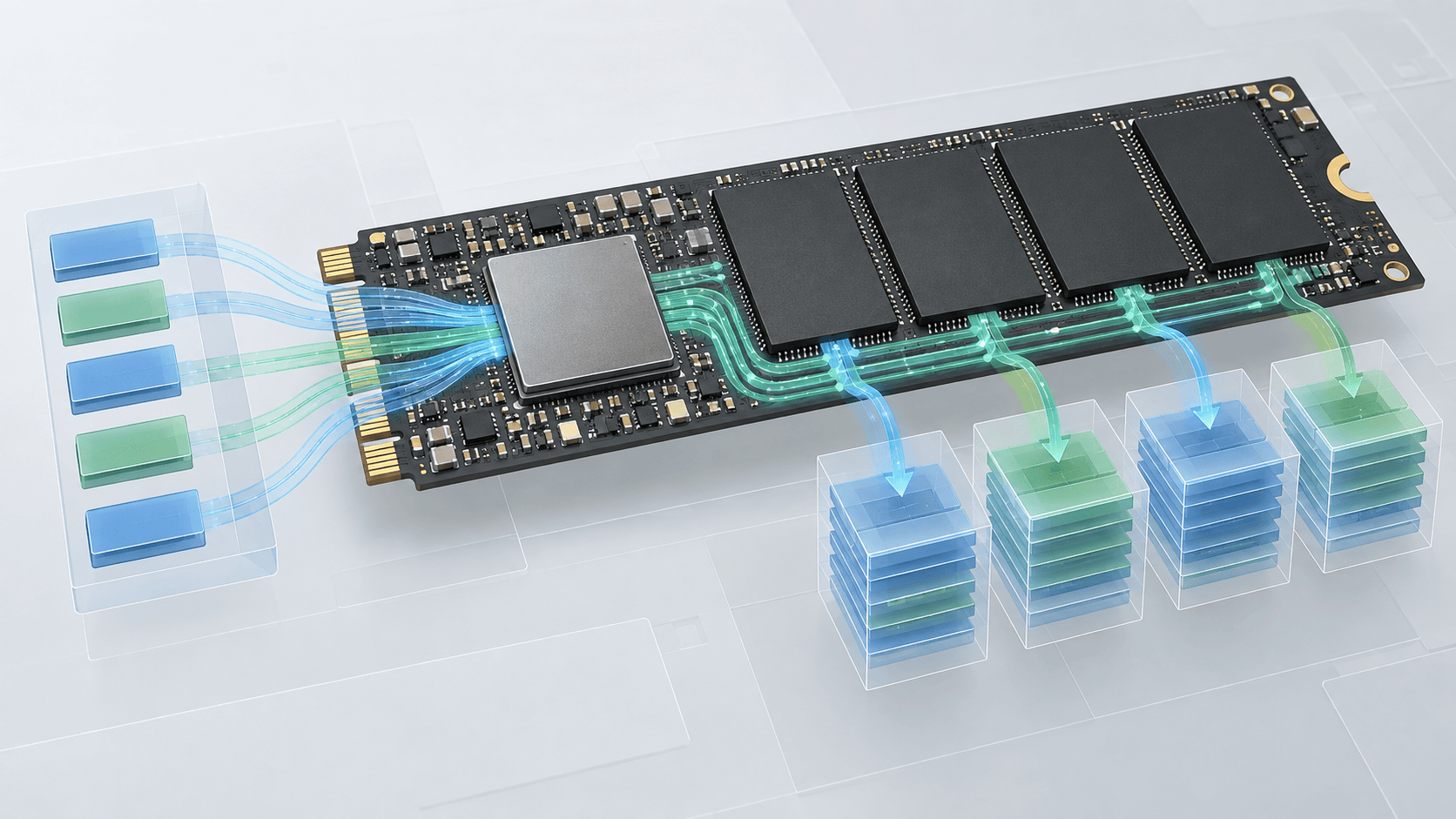
NAND pages and erase blocks
Flash memory is written in pages and erased in larger blocks. Existing pages generally cannot be overwritten in place. The controller writes updated data elsewhere, marks older pages invalid, and later erases blocks during garbage collection. Over-provisioned space gives the controller room to perform this work outside the capacity visible to Windows.
Recovery software normally sees the logical block address space presented by the controller. It does not directly choose raw NAND locations. If the controller stops translating addresses correctly, or if it no longer exposes the device, an ordinary Windows scan cannot reach the underlying pages.
The flash translation layer
The flash translation layer, or FTL, maintains the relationship between logical blocks and physical flash pages. Wear leveling moves writes across cells so that a small area does not wear out first. Error correction helps the controller reconstruct data within its designed limits. These processes are transparent to the file system.
This is why an SSD image is a copy of the logical view the controller returns, not a simple dump of every historical flash page. A good image preserves the current readable logical state and limits further stress on the source. It cannot restore controller mappings that are already lost.
TRIM and garbage collection
When a file is deleted, the file system marks its clusters available. With TRIM, the operating system can also inform the SSD that the corresponding logical blocks no longer need to retain their old content. The controller may return zeros for those blocks immediately or after later garbage collection.
TRIM is not the same as overwriting by a new file, but its recovery consequence can be similar: the previous data is no longer available through the logical interface. Timing varies, so elapsed time alone cannot prove whether content remains.
Formatting can issue TRIM across broad ranges. A quick format on an SSD therefore has different practical implications from the same file-system operation on a magnetic hard drive. Reformatting, reinstalling Windows, or continuing normal use adds more uncertainty.
File-system recovery and file carving
File-system recovery interprets structures such as directories, allocation records, and volume metadata. When those structures survive, recovered items may retain names, paths, dates, and relationships. File carving searches for recognizable file signatures and internal structures when directory metadata is damaged.
Carving is useful but limited. Fragmented files may not be contiguous. Common signatures can create false positives. Original names and folders may be unavailable, and an apparently valid header does not prove the rest of a file survived. Validation after export is essential.
Encryption
BitLocker, device encryption, self-encrypting-drive features, and application encryption add another translation boundary. Recovery may require the original key, recovery password, volume metadata, or controller context. Resetting security configuration can destroy the path to otherwise intact encrypted data.
What XRecovery can and cannot do
XRecovery 3.1.6 runs on Windows and scans disks, partitions, external devices, and loaded images that Windows recognizes. Its quick scan is followed automatically by deep scan. It supports direct disk or partition byte copying and saved scan sessions. When reads encounter bad regions, they can time out and be skipped so scanning continues.
Those capabilities do not bypass a controller that exposes no stable device, reconstruct flash pages erased by TRIM, decrypt data without the necessary key, or guarantee that every supported-looking file is complete. Support covers common photo, video, and document formats rather than all formats.
Evidence-based recovery decisions
Treat recognition, scan results, preview, export, and validation as separate evidence stages. Windows detection proves only that a device interface exists. A scan result proves that metadata or a signature was found. A preview tests some of the content. Only application-level validation of the exported file provides meaningful evidence that recovery succeeded.
For a stable logical case, preserve the source and scan it or an image. For an unstable SSD, minimize power cycles and reads. For deleted data, stop writes immediately and check backups before relying on a scan. The architecture of SSDs makes restraint and accurate expectations part of the recovery method.