Download XRecovery

Latest version · Faster · More reliable · More secure

Version: v3.2.1
File Size: 45 MB · Updated: 2026-03-10
System Requirements | Changelog | Older Versions

Key Features

Powerful, secure, and easy-to-use data recovery for everyone.

🔍

Deep Scan Engine

Perform a deep structural scan to recover deleted, formatted, or lost files.


If these files matter to you, scanning sooner greatly improves the chance of getting them back — just like it has for millions of users.

📂

1000+ File Types Supported

Recover photos, videos, documents, archives, and many other formats.

Most users find their important files quickly, no matter the type.

💽

Recover from RAW / Damaged Drives

Restore data from corrupted, unreadable, or RAW drives.

Many users regained hope when XRecovery rescued data from drives they thought were gone.

One‑Click Quick Recovery

Simple workflow that allows anyone to recover data easily.
 
Even first‑time users often complete their recovery within minutes.
👁️

Real‑Time Scan Preview

Preview recoverable files during scanning.
 
Seeing your files appear during the scan often brings immediate relief.
🔐

100% Local & Secure

All scanning is performed locally without uploading any data.

Trusted by users who need to recover sensitive or personal files.

How to Use​

Step 1: Download

Select your Windows version and click download.

Step 2: Install & Launch

Select your Windows version and click download.

Step 3: Scan & Recover

Recover Your Lost Files in Just 3 Simple Steps​

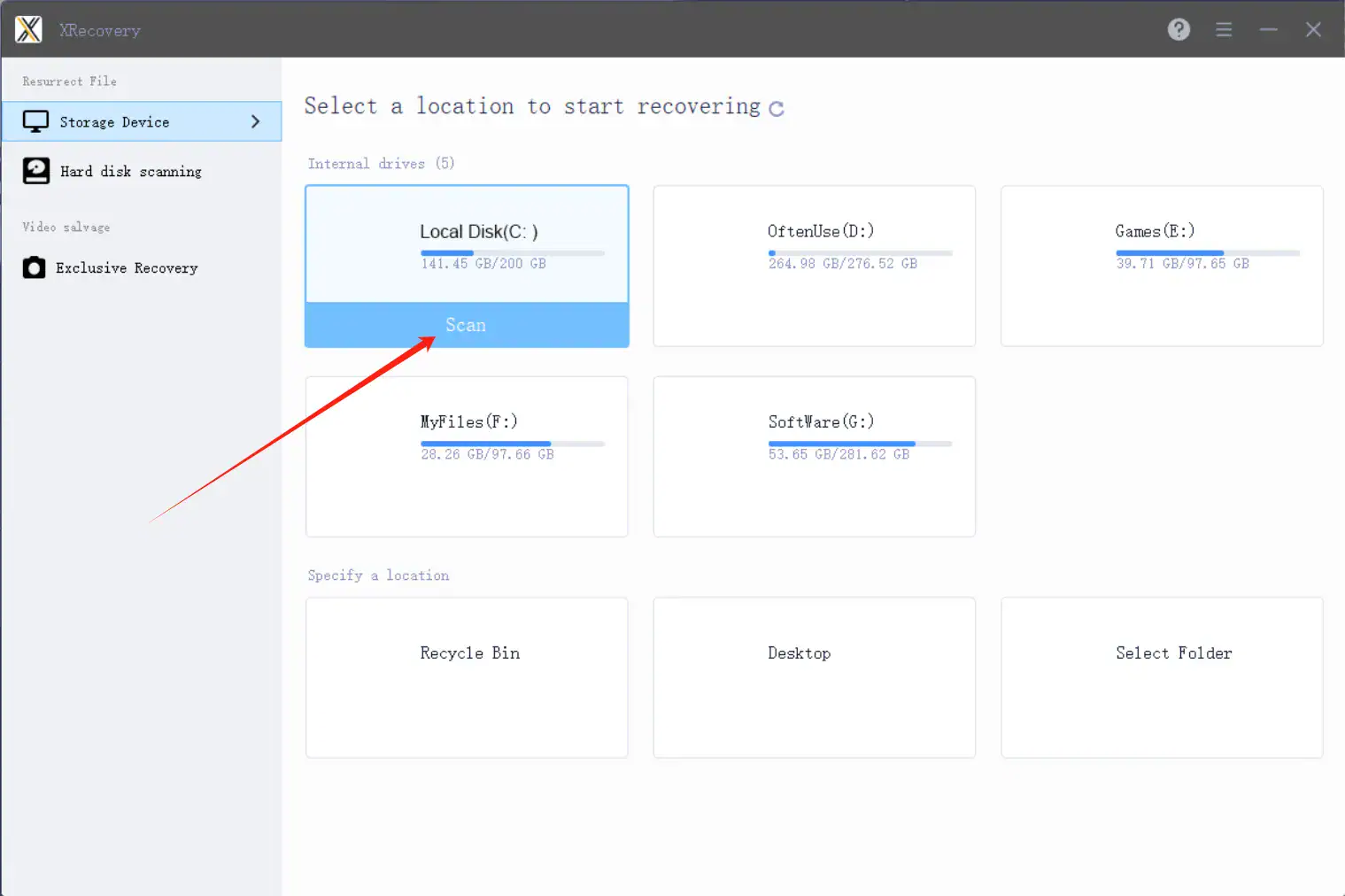
Step 1 — Scan Your Drive

Start XRecovery and scan the target drive for lost files.

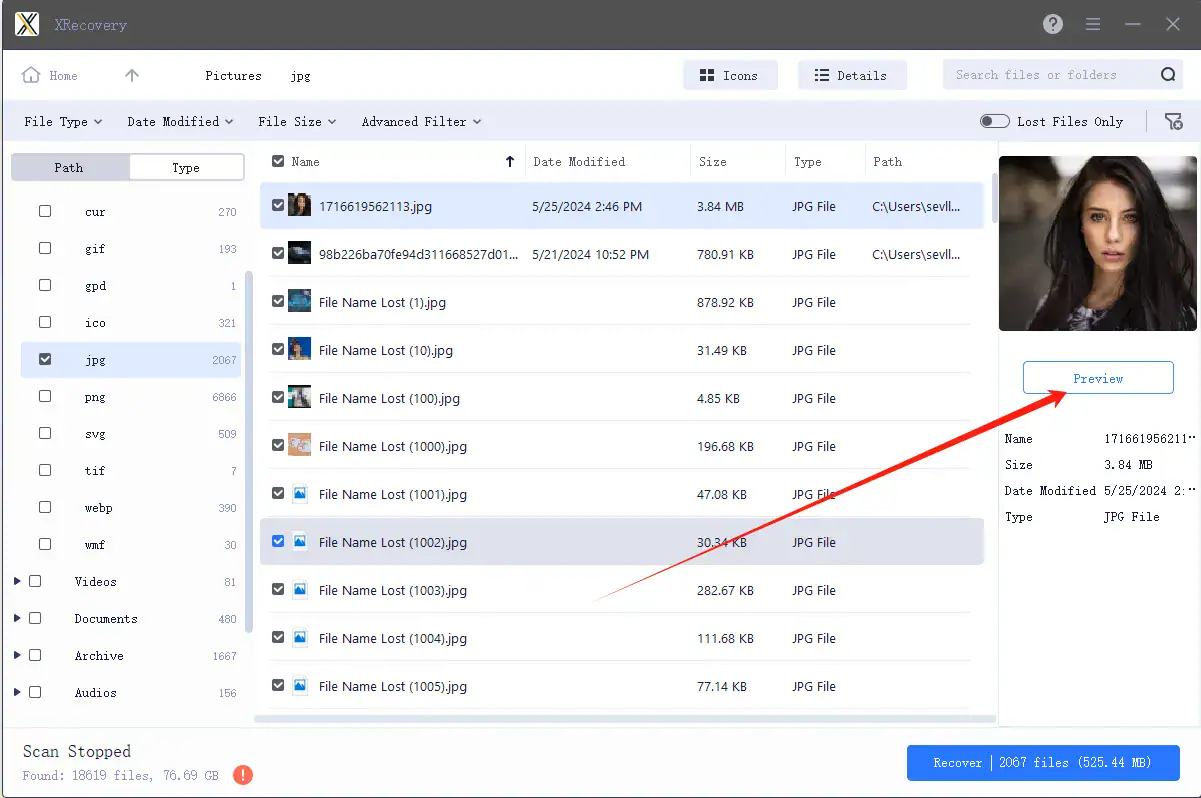
Step 2 — Preview Your Files

View the files found during the scan and confirm what you want to recover.

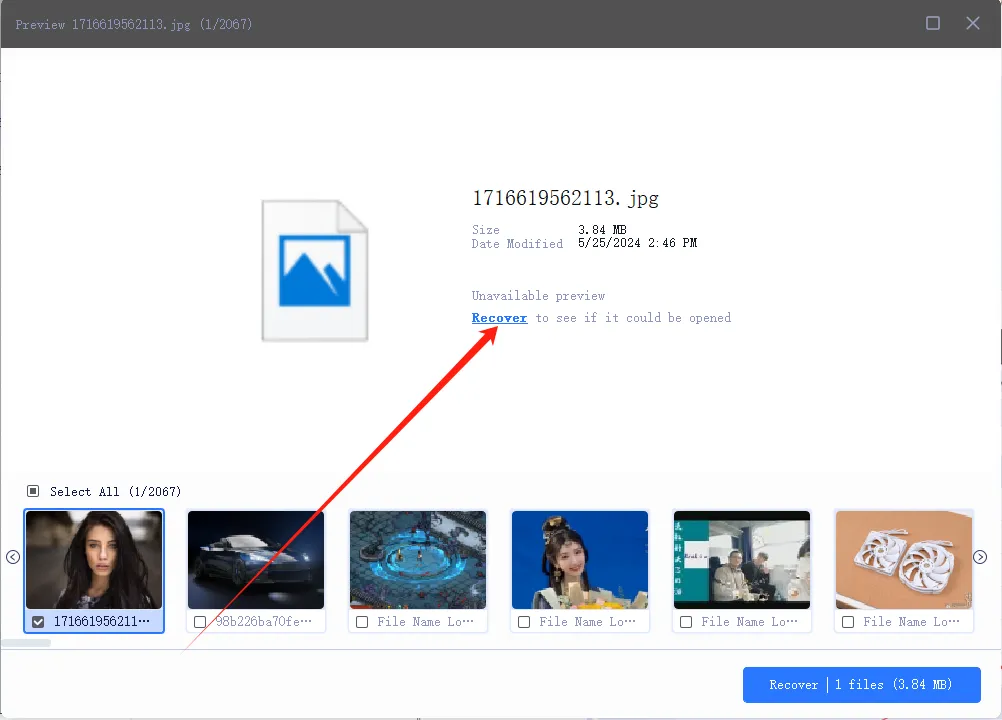
Step 3 — Recover Your Data

Restore your important files and feel the relief of getting them back.

FAQ

What if the download fails?

Please check your network connection or try another browser.

Try disabling antivirus software or run as administrator.

You can scan and preview files, but recovery is limited.