
To recover deleted DJI drone videos, you first have to work out which of two places the footage lived in, because the paths barely overlap. Most DJI aircraft record to a removable microSD card, which follows the standard recovery route through a card reader. A growing number also record to sealed internal storage that cannot be removed at all, and that footage can only be reached through the aircraft itself.
The distinction decides everything that follows. A card is a device you can hand to recovery software; internal storage is a component of a machine that has to power on, mount, and cooperate. Get the location wrong and you will spend an afternoon scanning a card that never held the clip you are looking for.
Two Sources, Two Very Different Problems
DJI’s lineup splits roughly into aircraft that record only to microSD and aircraft that carry internal storage as well. Which category yours falls into is worth confirming in the manual before you do anything else, because some bodies write to both and the same flight can exist in two places.
| Source | Where it lives | How it is reached | Recovery outlook |
|---|---|---|---|
| microSD card | User-removable card in the gimbal or body | Any card reader | Standard deleted or formatted recovery |
| Internal storage | Soldered eMMC or SSD inside the aircraft | Aircraft powered on, connected over USB | Depends on the aircraft booting and mounting |
| App cache | Phone or tablet used with DJI Fly or GO | File manager, app storage settings | Low-resolution proxy, always worth checking |
| Flight logs | Mobile device and aircraft | App export, or .txt and .DAT files | Not footage, but proves what was recorded |
| Cloud sync | DJI account, if enabled | App downloads | Full quality if the upload completed |
The internal storage column is the one that trips people up. When you connect a DJI aircraft over USB, it typically presents a picture-transfer protocol rather than a disk, so recovery software that expects to see a drive letter cannot scan it. That is a limitation of the interface, not proof that the data is gone.
Path A: The Removable microSD Card
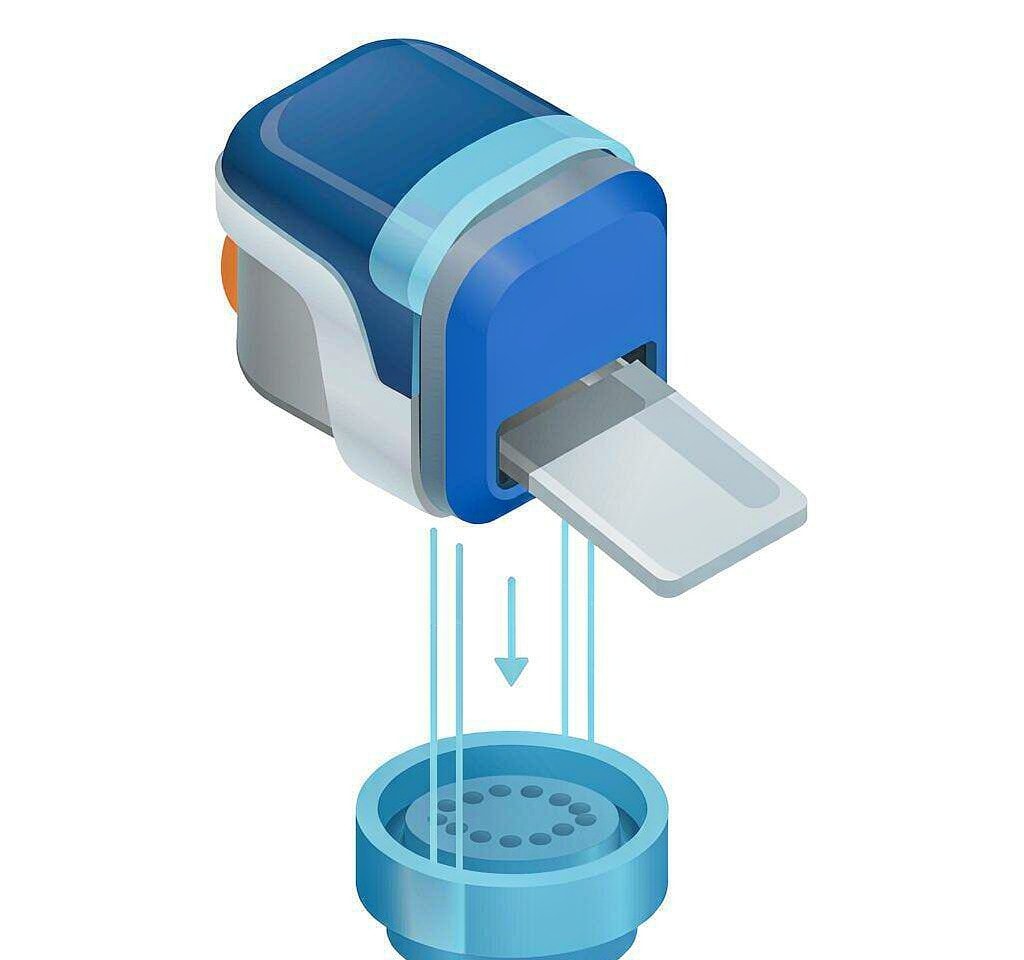
This is the ordinary case and the one where recovery has the best odds. DJI writes MP4 clips to an exFAT card, usually in chapters of a few gigabytes, with telemetry sidecars alongside them. Deleting a file in the app, formatting in the aircraft, or losing the card’s index after an in-flight power event all leave the video data in place until something writes over it.
Work through it in this order:
- Stop flying and stop writing to the card. Every additional flight reduces what is left to recover, especially on a card the aircraft keeps using.
- Remove the card and use a card reader. Connecting the drone over USB hands control to firmware that may write to the card.
- Copy off anything that still plays, including
.SRTsidecars, so the scan does not have to read them again. - Set the card’s write-protect switch to lock if it has one, then run a deep signature-based scan rather than a quick scan. A quick scan reads the file system, which no longer knows about deleted clips.
- Check chapter completeness. A recovered flight is often several files; count them against the flight duration you remember.
- Save the results to a different drive, never back onto the card.
A 128 GB card typically takes 15 to 45 minutes to scan deeply. Long DJI clips at 4K or above fragment heavily, so expect the largest files to surface late in the scan.
Two drone-specific failure modes cause most of the losses on this path. The first is a battery voltage sag or an abrupt power-down in flight, which leaves the last clip without its moov index; the file has a normal size and will not play, and the fix is a repair rather than a recovery. The second is the mid-flight card pull or card error that stops recording without the pilot noticing. If the drone landed with fewer files than the flight log says it should have, that is the signature. Our page on drone battery recording stops covers the first case, and repairing HEVC footage covers the codec-specific repair work.
Path B: Internal Storage You Cannot Remove

Several DJI aircraft ship with internal storage, and the Mini series generally relies on microSD alone while most Mavic-class bodies and newer models carry some internal capacity. Some models write proxies internally while recording to the card; others use internal storage as the primary medium.
Recovery on this path depends entirely on whether the aircraft still powers on and mounts.
If the aircraft boots and the storage mounts, the material can be exported through the official route: the DJI Fly app’s album, or a computer connection that exposes the internal storage. Do this before anything else, and copy to two locations rather than one. Models that expose the internal storage as a drive letter can be handled like any other volume; models that expose only a photo protocol cannot be scanned by recovery software and must be exported through the app. The export workflow, including the tools that work for each connection type, is set out in our guide to extracting footage from DJI internal storage.
If the aircraft does not boot, there is no software route. The storage is soldered to a board that has to be powered and addressed correctly, which means a repair center or a data recovery laboratory. Two things are worth doing before you send it anywhere: note exactly what happened (a crash, water, a firmware update that failed, a battery that will not charge) because the failure mode tells the technician where to look, and keep the aircraft unpowered rather than repeatedly pressing the power button.
If the footage was deleted inside the app, internal storage behaves more favorably than you might expect. Deletion removes file system entries rather than data, so as long as the aircraft’s storage has not been written to since, the blocks should still hold the clip. The obstacle is access, not physics.
The Encrypted and Locked Cases
Some DJI models store material in a form that is not readable outside the aircraft, and this changes the answer to “can software recover it” from “usually” to “not by scanning the storage.”
Encryption here serves a legitimate purpose: it protects footage if an aircraft is lost or stolen. The cost is that copying the storage chip out of a dead drone does not produce playable files, because the decryption key is bound to the aircraft’s hardware. Recovery then means restoring the aircraft, or a service that can re-establish the original hardware path. Our page on encrypted drone storage explains which classes of DJI storage are affected and which are not.
There is a second locked state that is unrelated to encryption but produces the same frustration: an aircraft that will not mount because the firmware update never completed, or because the battery is below the threshold the aircraft requires to enter file-transfer mode. A charged battery and a completed firmware reinstall occasionally restore access on their own, which is worth trying before paying for laboratory work.
The Copies You Already Have: App Cache and Flight Logs
Before scanning anything, check the two places DJI footage quietly persists.
The app cache. If cache-during-recording was enabled in DJI Fly or GO, a low-resolution copy of each clip was written to your phone or tablet as it was filmed. These are 1080p or lower and heavily compressed, but a cached clip of a shot you thought was gone is still a shot you can deliver. On Android, the cache sits in the app’s data directory; on iOS, it may be reachable through file sharing. Clear your app cache only after you have confirmed the footage is safe elsewhere, because cache clearing is one of the most common ways people lose the only surviving copy.
Flight logs. These .txt and .DAT records prove what was recorded, when, and for how long. They will not give you pixels, but they settle the question every recovery job starts with: how many clips should exist, and how long should each be. A flight log that shows a 14-minute flight against a card holding a 3-minute clip tells you that a file is missing rather than short. Our guide to extracting DJI flight logs covers where they live and how to read them.
Neither of these is a substitute for the original. They are triage tools that tell you how much is at stake and which files to look for.
What DJI Actually Writes to a Card
Knowing the file types makes a scan result much easier to interpret, because not everything on a DJI card is footage.
| File | What it contains | Recovery significance |
|---|---|---|
DJI_####.MP4 or DJI_YYYYMMDDhhmmss_####_D.MP4 | The video clip, in chapters | The primary recovery target |
.SRT | Telemetry: GPS, altitude, speed, exposure | Restores overlays and confirms clip timing |
.DNG | RAW still images on models with RAW capture | Photo recovery, embedded preview usable |
.LRV-style low-resolution copies | Not written by most DJI aircraft | Check the app cache instead |
.DAT and .txt flight records | Aircraft and mobile flight logs | Evidence of what should exist |
The naming convention is a gift for recovery work. Newer models embed the recording timestamp in the filename, so a recovered file can be matched to a specific flight within seconds. On older aircraft the numbering is sequential, and the clip sequence can break when a card is swapped between drones.
Mixed cards fragment more than single-purpose ones. A card that holds 4K video chapters, RAW stills, and telemetry sidecars is exactly the allocation pattern that produces fragmented MP4 files, and those are the files that generic carvers reassemble in the wrong order. Codec choice compounds the problem: DJI’s HEVC footage is written at high bitrates and produces more fragments per minute than H.264.
The Order of Operations
- Identify the source: removable card, internal storage, or both, and confirm from the manual which the aircraft uses.
- Export anything reachable from the app or over USB, beginning with internal storage if the aircraft boots.
- Remove the microSD card and read it in a card reader, not through the drone.
- Preserve what survives: copy all playable clips and all
.SRTsidecars to two drives. - Scan the card deeply, matching results against the flight log’s expected clip list.
- Save recovered files elsewhere, then verify durations and playback before declaring success.
If the lost material was on a card the computer can still detect and you are on Windows, a purpose-built recovery tool such as XRecovery (xappset.com) can scan SD, microSD, and other memory cards for deleted or formatted photos and videos. As with any recovery tool, stop writing to the card first and always save recovered files to a different drive. Two limits are worth stating plainly: material that has been overwritten cannot be recovered by any software, and footage on internal storage inside an aircraft that will not power on cannot be reached by a scanner at all. For the model-by-model view of both paths, see our DJI drone data recovery overview and the DJI internal storage recovery page.
Frequently Asked Questions
Can I recover deleted DJI videos from the drone’s internal storage?
Yes, if the aircraft still powers on and the storage mounts, because deletion removes file system entries rather than data. Export through the DJI app or a computer connection before writing anything new to the drone. If the aircraft will not boot, software cannot reach the storage.
My drone card shows no files after a flight. Where did the footage go?
Check the flight log first to confirm the recording happened, then look at the card in a card reader rather than through the app. A card that lost its file system index often shows empty while holding the data, and reformatting at that point would destroy what a scan could recover.
Does the DJI Fly app keep copies of my videos?
If cache during recording is enabled, the app stores low-resolution copies on the phone or tablet. They are not full-quality and contain no RAW detail, but they are usable for many purposes. Do not clear the app cache until the originals are safe somewhere else.
Can I recover footage from a drone that crashed into water?
Sometimes, but the card matters more than the aircraft. Remove the microSD card, do not power anything on, and let the card dry fully before reading it once. Internal storage on a submerged aircraft usually requires professional service.
Why do recovered DJI clips sometimes play without sound or overlays?
DJI’s telemetry lives in separate .SRT files rather than in the video stream. If those sidecars were deleted or overwritten along with the clips, the video recovers intact but the overlays are gone. Recovering the .SRT files is a separate scan target.