Uninstall

his tutorial will guide you through uninstalling XRecovery software quickly

Uninstall XRecovery software in three simple steps.


Step 1: Search for XRecovery in the bottom-left corner of Windows, as shown in Figure 1

Step 2: Click the Uninstall button to open the list of installed applications, as shown in Figure 1

uninstall_pic1

Step 3: Locate XRecovery, right-click it, and select ‘Uninstall’ as shown in Figure 2
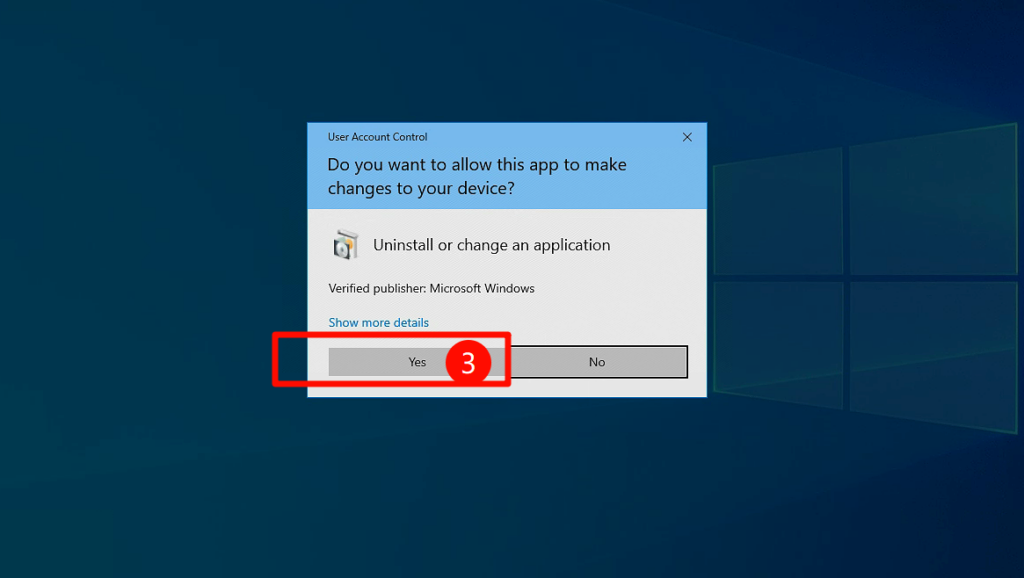
uninstall_pic2

You have now successfully uninstalled XRecovery

Thank you for downloading and using our product!
We highly value your feedback and are committed to continuously improving our products. If you have any suggestions or encounter any problems during use, please send us an email to contact us. Your feedback is crucial to us, and we will do our best to provide you with better service and experience.

XRecovery-background-00005
XRecovery-logo-00001

All Files, All Formats, All Devices Restore
Your Lost Data Efficiently

Privacy Overview
XAppSet

This website uses cookies so that we can provide you with the best user experience possible. Cookie information is stored in your browser and performs functions such as recognising you when you return to our website and helping our team to understand which sections of the website you find most interesting and useful. Learn more

Strictly Necessary Cookies

Strictly Necessary Cookie should be enabled at all times so that we can save your preferences for cookie settings.