XRecoveryをアンインストールする

XAppSet Team
Published on November 19, 2026

XRecoveryを3つの手順でアンインストールします。

手順1:図1のように、Windowsの左下でXRecoveryを検索します。

手順2:図1のように、[Uninstall]ボタンをクリックしてインストール済みアプリの一覧を開きます。

uninstall_pic1

手順3:図2のように、XRecoveryを見つけて右クリックし、[Uninstall]を選択します。
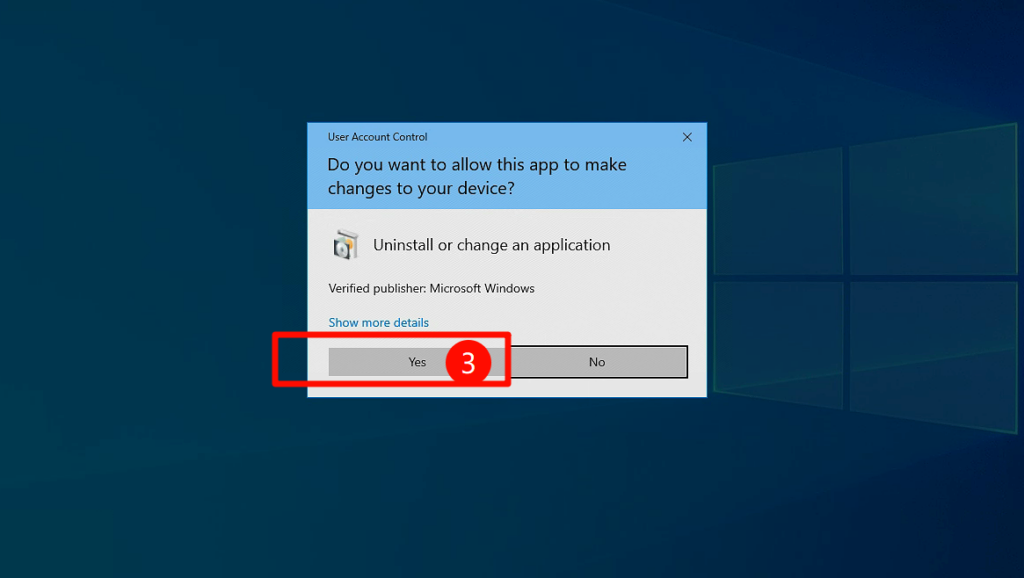
uninstall_pic2 XRecoveryのアンインストールが完了しました。

製品をダウンロードしてご利用いただき、ありがとうございます。
皆さまからのご意見を大切にし、製品の継続的な改善に努めています。ご提案やご利用中の問題がありましたら、メールでお問い合わせください。皆さまからのご意見をもとに、より良いサービスと体験を提供できるよう努めてまいります。

お問い合わせ

Privacy Overview
XAppSet

This website uses cookies so that we can provide you with the best user experience possible. Cookie information is stored in your browser and performs functions such as recognising you when you return to our website and helping our team to understand which sections of the website you find most interesting and useful.

Strictly Necessary Cookies

Strictly Necessary Cookie should be enabled at all times so that we can save your preferences for cookie settings.