
Camera video file formats are two layers stacked on top of each other, and nearly every confusing playback failure comes from mixing them up. An .MP4 and a .MOV are containers — boxes holding video tracks, audio tracks, and an index. H.264, HEVC, ProRes, BRAW, and R3D are codecs — the compression schemes that turn sensor data into bits. Two clips can share the same extension and have nothing in common underneath. Identify which layer is broken before touching anything: a container problem is often fixable in minutes, while a codec mismatch is usually not damage at all.
The payoff for learning this split is diagnostic. When a file will not open, the question is not whether it is corrupted but which layer failed, and whether the frame data survived. This page covers the major containers, the codecs that matter in practice, the moov atom that decides whether a clip plays, and the reason action cameras still cut recordings into roughly 4 GB pieces.
Containers and codecs answer two different questions
A container is a filing system. It describes where the video stream begins, where the audio stream begins, how many frames there are, how long each lasts, and what timecode to display. Containers are standardized: ISO Base Media File Format (ISO BMFF) underlies both MP4 and MOV, MXF is an SMPTE standard, and AVI is built on the older RIFF structure.
A codec is a math problem. It defines how a 3840 by 2160 pixel frame becomes a few hundred kilobytes, and how a decoder turns those bytes back into a picture. A container can hold almost any codec, and most codecs can be wrapped in several containers.
That separation produces three distinctly different failure signatures:
- The file will not open at all. The container or its index is damaged. The frame data may be perfectly intact.
- The file opens but shows a black frame or no video track. The container lost track information, or the machine lacks the codec.
- The file opens and plays partway, then breaks up. The container is fine; the compressed bitstream is damaged.
Most software that claims to “repair corrupted video” is really doing container surgery, which is why it works so often and why it fails so completely on physically damaged stream data.
The container layer: MP4, MOV, MXF, and AVI
The extension on a camera file tells you the container family, and the container predicts what kind of failure to expect.
| Container | Extension | Common sources | Structure | Typical failure signature |
|---|---|---|---|---|
| MP4 | .mp4 | Most mirrorless cameras, drones, action cameras, phones | ISO BMFF box structure; index stored in a moov atom | Will not open, or opens with 0:00 duration, after an interrupted recording |
| QuickTime | .mov | Canon, Nikon, Fujifilm, Blackmagic, ProRes workflows | Same ISO BMFF family as MP4, with extra metadata boxes | Often still opens in QuickTime or VLC when an MP4 copy would not |
| MXF | .mxf | Sony XDCAM, Panasonic P2, ARRI, broadcast recorders | SMPTE operational pattern wrapper with separate essence tracks and index tables | NLE shows “media offline” or “clip not found” while the file itself looks normal |
| AVI | .avi | Legacy DSLRs, dashcams, older consumer gear, some capture devices | RIFF structure, simple 32-bit index | Plays only up to the last complete chunk; an interrupted file has no usable index |
Two facts about this table surprise people. First, MP4 and MOV are the same underlying format: both descend from Apple’s QuickTime container and both use the atom-based ISO BMFF structure. Changing a .mov extension to .mp4 frequently makes a file play in software that refuses the original extension, because the software is making an extension-based decision rather than reading the header. Second, AVI writes its index at the end of the file, the worst possible place for an interrupted recording. A dashcam that loses power mid-loop has written hundreds of megabytes of valid frames but no index. The data is there; the map is not.
MXF is the container that most often looks broken when it is not. An MXF file is an operational pattern built to replace videotape in broadcast workflows, and it deliberately separates the index from the essence. An MXF that lost its index tables fails to load in a strict NLE while remaining readable by forensic tools that parse the essence directly. The cinema camera storage overview covers how these production media are laid out on card.
The codec layer: what actually decides whether pixels appear
Codecs divide into two families, and the difference determines how a file behaves when part of it is damaged.
Interframe codecs (also called long-GOP) store a few complete reference frames and then only the differences for the frames in between. H.264 (Advanced Video Coding, AVC), HEVC (High Efficiency Video Coding, H.265), and most consumer camera video work this way. It is efficient, which is why a two-hour recording fits on a modest card.
Intraframe codecs compress every frame independently. Apple ProRes, Avid DNxHR, and Blackmagic RAW work this way, with some RAW formats sitting in between.
The consequence is the most counterintuitive fact in camera video: the larger codec survives damage better than the smaller one. A 500 Mbps ProRes file is roughly ten times the size of a comparable 50 Mbps H.264 file, and when the storage medium returns a bad block, the ProRes clip loses one frame or a short run of frames while the H.264 clip can lose several seconds, because every dependent frame in the group has lost its reference.
| Codec | Type | Bit rate character | Damage behavior |
|---|---|---|---|
| H.264 (AVC) | Interframe | Low to moderate | Damage propagates forward through the group of pictures |
| HEVC (H.265) | Interframe | Lower for equal quality | Same propagation, harder to decode; older machines may refuse to play at all |
| ProRes 422 / 4444 | Intraframe | High | Damage stays local; unreadable frames are usually skippable |
| DNxHR | Intraframe | High | Same as ProRes, common in Avid and Windows editing pipelines |
| Blackmagic RAW | Compressed RAW | Configurable constant bitrate or constant quality | Carries internal checksums, so damaged regions can be identified rather than guessed at |
| REDCODE (R3D) | Wavelet RAW | Variable | Internally segmented; a clip is assembled from multiple segments |
| ARRIRAW | Uncompressed or lightly compressed RAW | Very high | Stored as a numbered sequence of individual frames rather than a stream |
ARRIRAW is not a video file in the usual sense. It is a folder of individual frame files plus an XML sidecar describing the sequence. Lose frame 1,200 of 2,000 and you still have 1,999 intact frames: there is no index to lose and no reference chain to break. The trade is enormous file sizes.
The moov atom decides whether a clip opens
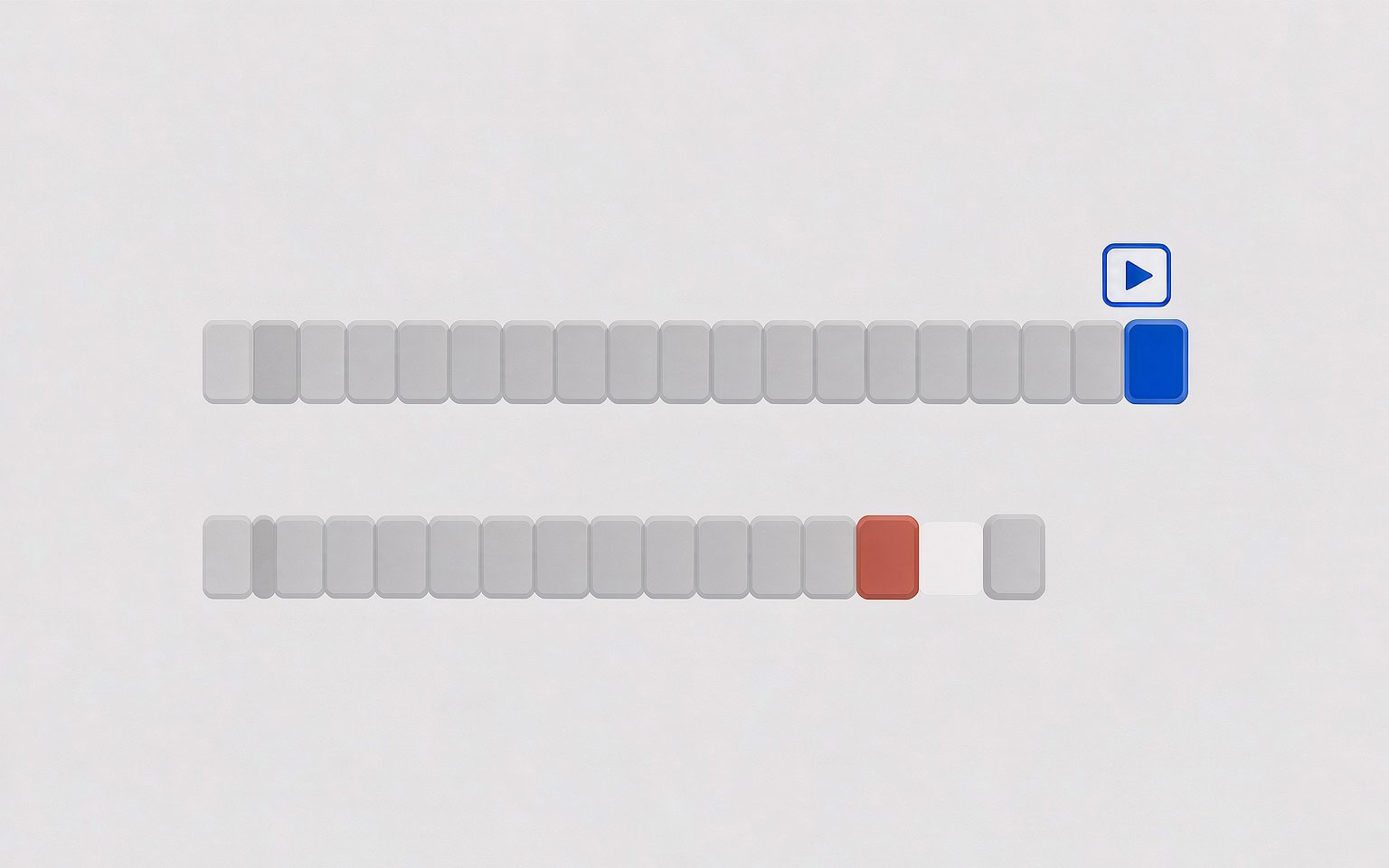
An MP4 or MOV file is a series of atoms (also called boxes). Two matter for recovery:
mdat— the media data atom. This holds the actual compressed frames.moov— the movie atom. This holds the sample tables: how many frames exist, how large each one is, at what byte offset it starts, and how long it lasts.
A player reads moov first and then jumps to the offsets it lists. Without moov, a player has no way to find a single frame, even though every frame is present in mdat. The file appears unplayable while being almost entirely intact. The position of moov in the file is not arbitrary:
| Layout | Where moov sits | Written by | Behavior after an interruption |
|---|---|---|---|
| Fast start | Before mdat | Web encoders, streaming tools, some phones | File opens and plays up to the point where data stops |
| Standard camera layout | After mdat | Most cameras, drones, action cameras | File will not open at all; index was never written |
Cameras write moov last because they cannot know the sample table until recording ends. So the recording is written, then an index is appended, then the file is closed. Cut the power before the close and you get a fully written mdat with no moov.
This is the single most important thing to understand about interrupted recordings: the footage is usually not damaged, it is unindexed. The bytes for every frame sit on the card; what is missing is the table of contents. Rebuilding that index — not re-scanning for lost clusters — is the correct repair, and it is the subject of the guide to repairing a video with a missing moov atom. Because moov sits at the end, a single unreadable block near the tail destroys the index even when the frame data is fine, which is why a card with read errors should be imaged in one pass rather than copied repeatedly.
Professional media: SxS, P2, and the folder-as-format idea
On consumer cards a clip is a file. On professional media, a clip is often a directory tree, and that design changes what “recovery” means.
Sony SxS cards are ExpressCard-based media used by XDCAM recorders. The card presents directly readable files inside a structure rooted at XDROOT. Copy the tree intact and everything works; copy only the files and some software will still refuse to import them.
Panasonic P2 takes this further. A P2 card holds a CONTENTS directory with parallel folders: VIDEO for the essence, plus AUDIO, PROXY, ICON, VOICE, and CLIP for XML metadata. The CLIP metadata names the clip, links its components, and defines its in and out points. A clip whose CLIP entry is missing becomes orphaned media: the MXF essence files exist, but the NLE does not see a clip.
AVCHD camcorders apply the same philosophy in a consumer package. Footage lives in PRIVATE/AVCHD/BDMV/STREAM as .MTS files, while playlist files elsewhere in the tree define playback order and chapters. Recovery that returns bare .MTS files without that structure leaves video you can watch but not easily edit, the problem described in the camcorder video recovery guide.
On structured media the folder layout is part of the format, so recovery has to restore a set of interdependent files, not one large one.
Why action cameras split recordings at roughly 4 GB
GoPro and several other action camera brands divide long recordings into chapters of about 4 GB. The names encode the sequence: a group might contain GOPR0042.MP4 as the first chapter, followed by GX010042.MP4 and GX020042.MP4, where 01 and 02 are chapter numbers and 0042 is the shared recording number.
The obvious explanation — the FAT32 file size limit of 4 GB minus one byte — was exactly right on older SDHC cards. It no longer applies. Every card 64 GB and larger is SDXC, and the SDXC specification mandates exFAT, which supports files measured in exabytes. Chaptering persists because it is a crash-containment strategy, not a filesystem concession.
The logic is straightforward. A single continuous 90-minute recording has one index. Lose power at minute 89 and the entire recording is unindexed and unplayable. Split the same session into twenty chapters and the worst case is that you lose the last one and keep nineteen playable files.
| Property | Single long file | Chaptered recording |
|---|---|---|
| Files after a power loss | One, unindexed and unplayable | All completed chapters playable |
| Worst-case loss | The entire session | The final chapter only |
| Recovery work | Rebuild one index for a very large file | Concatenate in sequence, then rebuild one index |
| Editing | Direct import | Import, then join in order |
Three practical consequences follow. First, if a scan returns a folder of numbered fragments rather than one long clip, that is chaptering, not corruption, and the job is ordering and joining — the walkthrough on reassembling chaptered video files covers the sequence. Second, if one chapter of a set is missing, the recording has a hole in the middle even though every file you do have plays perfectly. Third, the interrupted chapter is easy to identify: it is the one whose file size is smaller than its siblings.
Reading the symptom to find the broken layer
Use the table below to place a failing file in the right layer before attempting anything. Getting this wrong is the main reason people destroy recoverable footage — a container fix applied to a healthy file is harmless, but repeated rewrites to a failing card are not.
| Symptom | Broken layer | Realistic outcome |
|---|---|---|
| Will not open in any player, size looks normal | Container; moov missing or damaged | High: rebuild the index and the frames play |
| Opens with a duration of 0:00 | Container; sample table incomplete | High: same repair |
| Opens with audio but no picture | Container track table, or a missing codec | High: remux into a fresh container |
| Plays on the camera but not on a computer | Codec support, not damage | Certain: install the decoder or use an NLE that supports it |
| Plays partway, then shows green or torn frames | Compressed bitstream damage | Partial: intact footage before the break is recoverable |
| Shows as 0 KB in the file browser | Directory entry damaged | Medium: carve the file by its signature |
| Folder of numbered fragments | Not a fault | Certain: order and concatenate the chapters |
The distinction between the first two rows and the fifth is the difference between a ten-minute fix and a data loss. A clip whose frames are intact but unindexed comes back complete; a clip whose bitstream is physically damaged comes back only as far as the damage.
HEVC is the codec most often mistaken for corruption, because it is now the default on most recent phones, drones, and mirrorless cameras. A machine without HEVC support shows a black screen with working audio, which users reasonably read as damage. The HEVC repair notes explain how to tell a decoding limitation apart from genuine damage.
If you are on Windows and the card is still detected by a computer, a purpose-built recovery tool such as XRecovery (xappset.com) can scan SD, microSD, and other memory cards for deleted or formatted photos and videos. As with any recovery tool, stop writing to the card first and always save recovered files to a different drive. Files that have not been overwritten come back complete; files that have been overwritten cannot be recovered by any tool, whatever the marketing claims.
For a card holding a mix of damaged and intact clips, the video recovery walkthrough sets out the order of operations, and the reference on how cameras write files explains the write pattern behind most of these failures.
Frequently Asked Questions
Can a video file be repaired if the moov atom is missing?
Usually yes, as long as the frame data in the mdat atom survived. The repair is to reconstruct a valid sample table from the compressed stream, either by parsing each frame header or by referencing an intact clip recorded with identical camera settings. Only the index was lost, not the footage.
Why does my camera split one recording into several files?
Because chaptering limits how much a single power failure can destroy. Once a chapter is closed it is complete and protected, so losing power during the next one costs you that chapter rather than the whole session. The 4 GB size comes from the historical FAT32 limit, but the practice continues by design on modern exFAT cards.
Is MOV the same format as MP4?
They share the same container family, ISO Base Media File Format, which is why renaming one extension to the other sometimes makes a file play. They are not identical — MOV permits additional metadata boxes — but a player capable of one is usually capable of the other.
Why does a smaller file format fail worse than a larger one?
Because most small camera files use interframe codecs like H.264 and HEVC, where most frames store only the difference from a reference frame. Damage to a reference frame damages everything depending on it. Intraframe codecs such as ProRes compress each frame independently, so damage stays confined to the frames that were actually lost.